Competitive environments demand immediate access to accurate, real-time business data. It is a requirement. This is why best dashboard tools have become essential software tools for business leaders, managers, and teams who want to turn raw data into clear, actionable insights.
Dashboard tools help organizations collect data from multiple data sources, visualize key metrics, and monitor key performance indicators without relying on complex spreadsheets or manual reports. When implemented correctly, dashboards support faster decisions, stronger alignment across teams, and a more data-driven culture.
This guide explains what dashboard tools are, how they differ from data analysis platforms, and how to choose the best dashboard software for your needs. It also explores modern options such as KPI dashboards, BI tools, and integrated ERP dashboards, with a strong focus on usability, real-time dashboards, and business impact.
Key Takeaways
- Best dashboard tools focus on visibility, not just analysis.
- Real-time dashboards improve responsiveness and accountability.
- Drag and drop interfaces enable faster adoption.
- KPI dashboards are ideal for business leaders and teams.
- BI tools are powerful but require higher investment and skills.
- Integrated ERP dashboards like Odoo reduce complexity.
- Partnering with experts like Doodex maximizes dashboard value.
Key Takeaways
What Is a Dashboard Tool?
Dashboard Tools vs Data Analysis Tools
1. Data Analysis Tools
2. KPI Dashboard Tools
Why Businesses Need the Best Dashboard Tools
Types of Dashboard Software
1. Spreadsheets
2. In-Built Analytics Tools
3. Business Intelligence (BI) Tools
4. Dedicated KPI Dashboard Tools
Key Features of the Best Dashboard Tools
Security and Support in Dashboard Tools
Training and Resources for Dashboard Users
Best Practices for Dashboard Creation
Common Mistakes to Avoid with Dashboard Tools
Google Ecosystem and Dashboard Tools
Odoo as an All-in-One Dashboard Solution
Doodex: Your Trusted Odoo Dashboard Partner
1. Technical Expertise
2. Business-Focused Approach
3. Scalable and Future-Ready
Choosing the Right Dashboard Tool
Future of Dashboard Tools
Conclusion
FAQs
What Is a Dashboard Tool?
A dashboard tool is a platform designed to display important business data on a single screen so it can be monitored at a glance. Instead of browsing through multiple reports or spreadsheets, users can explore data through charts, graphs, pie charts, and interactive dashboards that update automatically.
The primary goal of a dashboard is not deep analysis, but visibility. A well-designed dashboard answers questions such as:
- Are we on track with our sales targets?
- How is cash flow performing this week?
- Which marketing channel is generating the best results right now?
By presenting key metrics in a clean interface, dashboard software helps teams focus on what matters most.
Dashboard Tools vs Data Analysis Tools
Before choosing from the many tools available, it is important to understand the difference between data analysis and KPI visibility.

Comparison between data analysis tools and KPI dashboard tools
1. Data Analysis Tools
You are likely looking for a data analysis platform if:
- You work with complex datasets and need to explore patterns.
- You compare different segments and dimensions frequently.
- You break down data repeatedly as part of an investigation process.
- You usually work alone or with a data scientist.
Examples of data analysis tools include spreadsheets like Google Sheets and Excel, as well as BI tools such as Power BI and Tableau. Tableau Public, a free component within the Tableau suite, allows users to create and share visualizations online. These tools excel at analysis, modeling, and advanced reporting, but they are not always ideal for real-time dashboards or broad team visibility.
2. KPI Dashboard Tools
You are looking for a KPI dashboard if:
- You already know which metrics are critical.
- You want to make key performance indicators visible to many users.
- You want dashboards that update with live data.
- You want to motivate teams through transparency and accountability.
KPI dashboards prioritize clarity, speed, and accessibility rather than advanced statistical analysis.
Why Businesses Need the Best Dashboard Tools
The best dashboard tools support better decision-making by delivering the right information to the right people at the right time. Here are the main benefits.
Centralized View of Key Metrics
Dashboards bring together data from multiple data sources such as CRM systems, accounting software, marketing platforms, and ERP systems. This eliminates data silos and creates a single source of truth.
Real-Time Dashboards
Live data allows teams to respond quickly to changes. Sales managers can track pipeline performance, operations teams can monitor stock levels, and executives can review performance without waiting for weekly reports.
User-Friendly Access
Modern dashboard software focuses on drag and drop interfaces, clean layouts, and minimal coding skills. Business leaders can build dashboards without relying heavily on technical teams.
Actionable Insights
Dashboards are not just about visualization. They help translate data into insights that drive action, such as reallocating resources, improving processes, or adjusting strategy.
Supercharge Your Odoo Today
Get the full Doodex Growth Suite and streamline operations from day one
Types of Dashboard Software
There are many dashboard software options available, each designed for different needs and budgets.
1. Spreadsheets
Spreadsheets like Excel and Google Sheets are often the starting point for dashboards.
Strengths
- Easy to access
- Free or low cost
- Familiar to most users
Limitations
- Manual data import
- Limited real-time capabilities
- Poor sharing and visibility
- Risk of human error
Spreadsheets work best for a small team with simple KPIs and low refresh requirements.
2. In-Built Analytics Tools
Many cloud services include analytics features, such as sales reports in CRMs or analytics inside ecommerce platforms.
Strengths
- No extra setup if data is already inside the platform
- Basic reporting out of the box
Limitations
- Limited integration with other data sources
- Restricted design flexibility
- Users must log into multiple platforms
These tools are useful when most data lives in one system, but become inefficient as complexity grows. In-built analytics tools are especially convenient for a small team that primarily operates within a few cloud platforms or social media tools, as they offer easy integration and require minimal setup.
3. Business Intelligence (BI) Tools
BI tools such as those offered by Microsoft and Tableau are powerful platforms for advanced analytics.
Strengths
- Deep data analysis
- Advanced visualization options
- Support for complex datasets
Limitations
- Require data warehouses
- Often need a data scientist
- Higher cost and setup complexity
- Slower real-time updates
BI tools are ideal for large organizations with dedicated analytics teams.
4. Dedicated KPI Dashboard Tools
Purpose-built KPI dashboards focus on visibility and ease of use.
Strengths
- Drag and drop interface
- Real-time dashboards
- Easy sharing and TV display
- Minimal technical skills required
Limitations
- Limited data transformation
- Less suited for deep analysis
Tools like those from Geckoboard are designed specifically for KPI visibility and performance monitoring.
Key Features of the Best Dashboard Tools
When evaluating dashboard tools, consider these essential features.
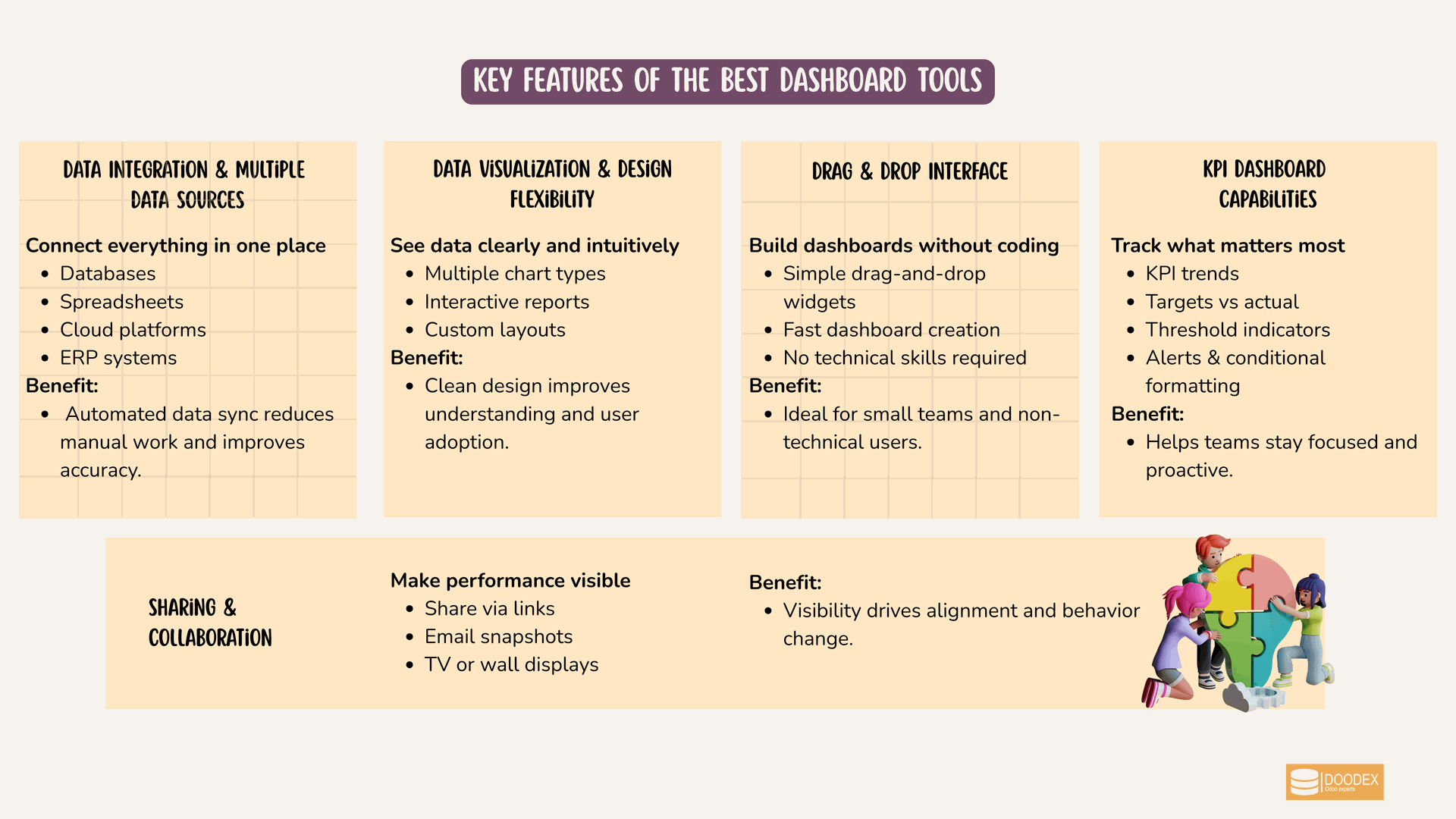
Key features of the best dashboard tools
Data Integration and Multiple Data Sources
The best tools connect easily to databases, spreadsheets, cloud services, and ERP systems. Automated data import reduces manual work and improves accuracy.
Data Visualization and Design Flexibility
Look for support for multiple chart types, interactive reports, and customizable layouts. A clean interface improves understanding and adoption.
Drag and Drop Interface
A drag and drop interface allows users to create dashboards quickly without coding skills. This is critical for small teams and non-technical users.
KPI Dashboard Capabilities
Effective KPI dashboards highlight trends, thresholds, and performance against targets. Alerts and conditional formatting add extra value.
Sharing and Collaboration
Dashboards should be easy to share via links, email snapshots, or TV displays. Visibility is a major factor in driving behavior change.
Security and Support in Dashboard Tools
When evaluating a dashboard tool, security and support should be at the top of your checklist. Protecting sensitive business data is non-negotiable, so look for features like encryption, granular access controls, and regular data backups. Enterprise-grade dashboard tools such as Power BI and Tableau offer robust security frameworks, including compliance with industry standards and advanced user management, making them a strong fit for organizations with strict data requirements.
Support is another critical factor. The best dashboard tools provide comprehensive documentation, step-by-step tutorials, and responsive customer service to help users get the most out of their analytics features. Power BI and Tableau, for example, offer extensive support networks and dedicated help centers.
Google Data Studio, while offering a free version, provides integration with Google Analytics and other Google products, making it a no brainer for small teams already using the Google ecosystem. However, its support is more community-driven, which may be sufficient for basic needs but less ideal for complex business environments.
Ultimately, the right tool will balance strong security with the level of support your team needs, ensuring your data remains protected and your users can fully leverage all the tools and features available.
Training and Resources for Dashboard Users
Maximizing the value of your dashboard tool depends on how well your team can use it. Leading platforms like Power BI and Tableau offer a wealth of training resources, including online courses, video tutorials, and certification programs. These resources empower users to create interactive dashboards, perform advanced data analysis, and visualize complex datasets with confidence.
Google Data Studio also provides a range of tutorials and guides, making it easy for users to get started with building dashboards and custom reports. Many dashboard tools foster active user communities and forums, where users can connect, share best practices, and troubleshoot challenges together. This collaborative environment is especially valuable for those new to data analysis or looking to expand their skills.
When choosing a dashboard tool, consider the availability of training materials and community support. Access to quality resources ensures your team can create effective dashboards, explore data, and generate actionable insights regardless of their starting skill level.
Best Practices for Dashboard Creation
Building dashboards that drive business success requires a thoughtful approach. Start by keeping your design simple and focused on key metrics that matter most to your organization. Use visualization techniques such as charts, graphs, and interactive elements to make insights clear and actionable.
Select a dashboard tool with a user-friendly drag and drop interface, allowing you to create dashboards quickly without coding skills. The right tool should support integration with multiple data sources, making it easy to import data from various platforms and handle complex datasets. Power BI and Tableau excel at managing large, intricate data sets, while Google Data Studio is ideal for smaller data sets and seamless integration with Google products.
Prioritize tools that offer design flexibility, so you can tailor dashboards to your business needs. By following these best practices and choosing a dashboard tool that aligns with your requirements, you’ll create dashboards that deliver actionable insights and support smarter, data-driven decisions.
Supercharge Your Odoo Today
Get the full Doodex Growth Suite and streamline operations from day one
Common Mistakes to Avoid with Dashboard Tools
To get the most from your dashboard tool, steer clear of common pitfalls. One major mistake is failing to define clear goals and objectives, which can result in dashboards that lack focus and don’t support business decisions. Another is neglecting the user experience dashboards should be intuitive, easy to navigate, and visually engaging.
It’s also important to test and iterate on your dashboards. Without regular feedback and updates, dashboards can quickly become outdated or miss the mark. Choose a dashboard tool that offers real-time dashboards, interactive reports, and strong data storytelling features to keep your dashboards relevant and impactful. Tools like Power BI and Tableau provide the design flexibility needed to customize dashboards for different audiences and business needs.
Avoid tools with limited customization or rigid templates, and instead opt for platforms that allow you to create dashboards tailored to your unique requirements. By sidestepping these common mistakes and selecting the right tool, you’ll ensure your dashboards drive business value and deliver meaningful insights.
Google Ecosystem and Dashboard Tools
Many businesses rely on Google products for analytics and reporting.
Google Sheets and Google Analytics
Google Sheets is useful for basic dashboards, while Google Analytics provides detailed website data. However, combining these into a single dashboard often requires extra work.
Google Data Studio
Google Data Studio allows users to create interactive dashboards using data from Google products and other sources. It is a popular free plan option, but may lack advanced automation and real-time performance for some use cases.
✨Pro Tip
Use Google tools wisely
Google Sheets and Data Studio are great for quick dashboards, but scaling them often requires manual work. For real-time and automated insights, consider a unified dashboard solution.
Odoo as an All-in-One Dashboard Solution
Unlike standalone dashboard software, ERP platforms integrate dashboards directly into daily operations.
Why Choose Odoo for Dashboards
Odoo offers built-in dashboards across sales, accounting, inventory, manufacturing, HR, and marketing.
Advantages
- Native access to live data
- No external connectors required
- Consistent data model across modules
- Custom reports and interactive dashboards
Odoo dashboards are especially valuable for businesses that want operational insights without maintaining separate BI stacks.
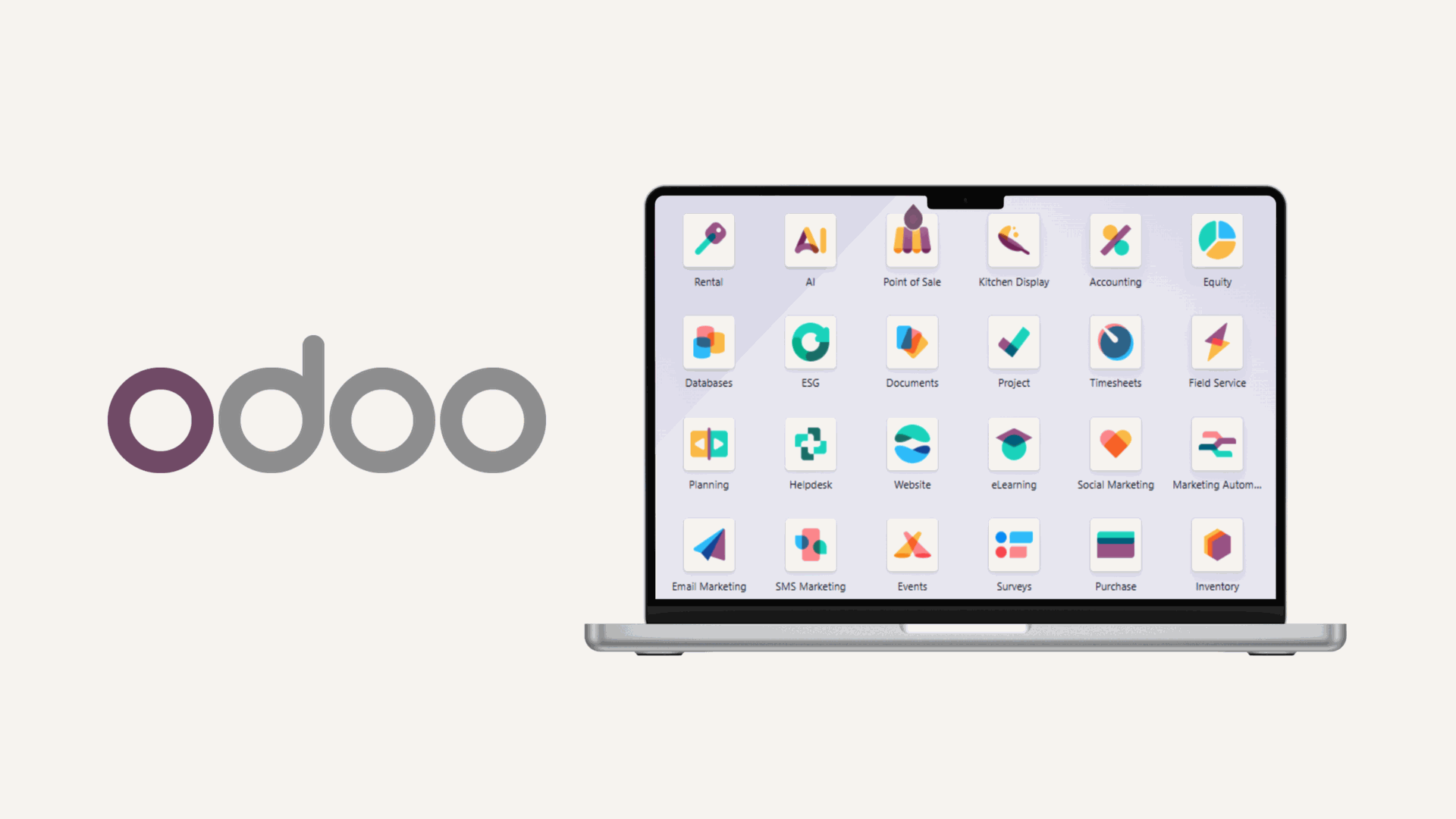
Odoo’s all-in-one ERP platform
Doodex: Your Trusted Odoo Dashboard Partner
To unlock the full potential of Odoo dashboards, working with the right partner is essential. Doodex specializes in Odoo customization and dashboard design.
1. Technical Expertise
Doodex designs dashboards that reflect real workflows, not just generic metrics. From KPI dashboards for executives to operational dashboards for teams, each solution is tailored.
2. Business-Focused Approach
Dashboards are aligned with business goals, ensuring that metrics are meaningful and actionable.
3. Scalable and Future-Ready
As businesses grow, dashboards evolve. Doodex ensures your dashboard software scales with your organization.
Choosing the Right Dashboard Tool
The right tool depends on your objectives.
- Use spreadsheets for simple, low-cost needs.
- Use in-built analytics for single-platform reporting.
- Use BI tools for deep analysis with specialist teams.
- Use KPI dashboards or ERP dashboards for visibility and execution.
There is no universal best tool, only the best dashboard tool for your context.
Future of Dashboard Tools
The landscape of dashboard tools is rapidly evolving, driven by advances in technology and the growing demand for data-driven decisions. Expect to see more dashboard tools leveraging artificial intelligence, machine learning, and natural language processing, enabling users to ask questions in plain language and receive instant, actionable insights.
Cloud services will continue to shape the future of dashboard software, offering scalability, flexibility, and enhanced collaboration for distributed teams. Google Data Studio, for example, is already tightly integrated with Google Cloud and other Google products, making it a powerful choice for organizations seeking seamless data visualization and integration.
As data becomes more complex and business leaders demand faster, deeper insights, dashboard tools will expand their features to support advanced analytics, interactive maps, and real-time visualization. Staying informed about these trends will help your organization choose the right tools and maintain a competitive edge in the era of data-driven business.
Supercharge Your Odoo Today
Get the full Doodex Growth Suite and streamline operations from day one
Conclusion
The best dashboard tools help businesses move from raw data to clear, actionable insights. By choosing the right platform and focusing on meaningful key metrics, organizations can improve performance, alignment, and decision-making. For businesses seeking an integrated, scalable solution, Odoo dashboards implemented by Doodex provide a powerful foundation for long-term growth.
FAQs
Tools with a user-friendly interface, free version options, and simple integrations are ideal. ERP dashboards and lightweight KPI tools work well.
No. Dashboard tools focus on KPI visibility, while BI tools focus on data analysis and exploration.
Yes, most modern dashboard software supports multiple data sources through integrations or connectors.
Most modern tools use drag and drop interfaces and require minimal coding skills.
Live data enables faster decisions and better operational control.
Free plans are useful for basic needs, but paid plans often offer better automation, support, and scalability.
Odoo dashboards are directly connected to operational data, reducing complexity and ensuring accuracy.