
Inventory management is an essential function for all companies, whether small or large. With Odoo Inventory Management, businesses benefit from improved accuracy, reduced waste, and streamlined processes compared to manual methods like Excel. Good stock management helps reduce costs, improve operational efficiency and guarantee customer satisfaction.
Odoo is an ERP (enterprise resource planning) system that integrates inventory management with other business processes such as manufacturing and financials, enhancing data accuracy and traceability. Odoo provides major ERP capabilities at an affordable price, making it a cost-effective solution for small businesses compared to major ERP vendors and manual spreadsheet-based methods. Its inventory management system is flexible and easy to use, making it suitable for both small and large businesses.
Odoo, a series of business management software, offers powerful tools to help companies effectively manage their stocks. This article explores how to manage stocks with Odoo using various relevant keywords.
Key Takeaways
- Odoo centralizes stock management across warehouses, sales, purchasing, and manufacturing.
- Real time inventory tracking improves accuracy and operational efficiency.
- Automated replenishment helps prevent stockouts and overstocking.
- Multiple valuation and stock management methods support different business needs.
- Advanced traceability improves quality control and compliance.
Key Takeaways
Stock management Definition
Stock management method
Stock management system with Odoo
Stock and Supplies
Stock Management Store
Example of Stock Management with Odoo
How to Manage the Stock of a Store with Odoo
Stock Management and Supplies with Odoo
Setting Up Odoo Inventory Management
Customization and Configuration
Management System Integration
Inventory Management System Security
Scalability and Flexibility
Conclusion
FAQs
Stock Management Definition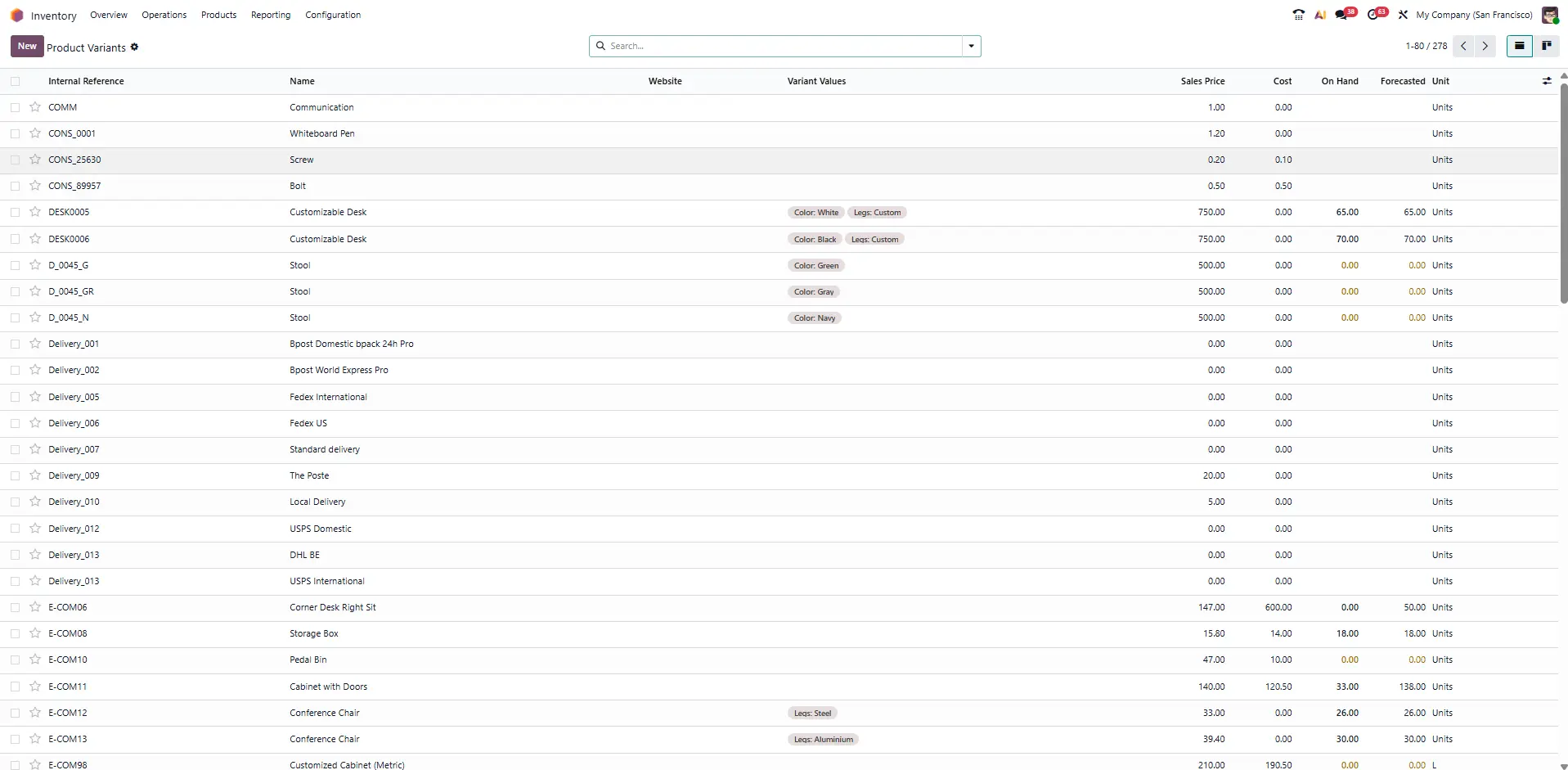
Stock Management in the Odoo Inventory App
Stock management, or stock management, refers to all the processes used to supervise and control stock levels, stock movements, and replenishments. Definition of stock management includes planning, organization, management and control of purchase, storage and distribution activities of goods.
Importance of stock management
Efficient stock management allows:
- Reduce storage costs.
- Improve the cash flow.
- Guarantee the availability of products.
- Optimize the storage space.
Stock Management Method
There are several stock management methods, each adapted to specific needs. Here are some of the commonly used methods:
1. First Input, First Output (FIFO)
The FIFO method means that the first items to be stored are the first to be used. This is particularly useful for perishable products.
2. Last Input, First Output (LIFO)
The LIFO method means that the latest items to be stored are the first to be used. This method is often used for non -perishable products.
3. Stock Minimum
This method is to maintain a minimum stock level to avoid stock breaks.
4. Just-In-Time Management (JIT)
The JIT method is to minimize stocks by controlling only what is necessary for immediate production.
Stock Management System with Odoo
Odoo offers a complete stock management system that includes key features such as stock tracking, monitoring inventory movements, and optimizing stock levels. Odoo's inventory reporting tools provide detailed insights to help analyze and improve inventory processes. Users can create and manage specific storage locations, such as shelves and aisles, and define their warehouse layout with configurable racks, bins, and locations. Odoo integrates seamlessly with other business modules, and its modular 'pay-per-use' model allows scalability from basic tracking to complex multi-warehouse operations.
1. Stock Movements Monitoring
Odoo allows you to follow stock movements in real time, including inputs, exits and transfers between warehouses. This offers complete visibility on stock levels at any time.
With Odoo stock management, you can track products throughout the supply chain using advanced traceability features such as serial numbers and batch numbers. Serial numbers play a key role in enhancing product traceability and after-sales service by allowing detailed tracking and reporting for each item.
Odoo's inventory system also supports barcode scanning for quickly locating and managing warehouse documents such as receipts and pickings, ensuring fast and error-free receiving, picking, packing, and stock counting.
2. Management of Replenishments
Odoo can automate replenishment orders according to defined stock thresholds. This ensures that stock levels are always optimized to meet demand.
3. Optimization of Stock Levels
Odoo uses advanced algorithms to analyze historical data and predict future needs, helping to optimize stock levels and reduce storage costs.
Build Stronger Inventory Operations
See how Odoo helps manage inventory asn supply chain processes with real time tracking and optimized stock levels
Stock and Supplies
The management of stocks and supplies is crucial to ensure a continuous flow of materials and products. Odoo incorporates tools to manage supplies, including order planning and supplier management. Additionally, Odoo allows users to create custom routes and rules for how products move in and out of warehouses, optimizing internal logistics.
1. Order Planning
Odoo allows you to plan purchase orders according to sales forecasts and current stock levels. This helps to avoid stock breaks and maintain an optimal stock level.
2. Management of Suppliers
Odoo offers features to manage relations with suppliers, including monitoring of supplier performance and the management of purchasing contracts.
Stock Management Store
For retail stores, stock management is essential to ensure that products are available for customers at any time. Odoo offers specific solutions for store stock management, including out-of-the-box modules that simplify implementation and provide key features like barcode scanning and product tracking. Odoo allows you to manage both physical products and services, making it suitable for a variety of retail needs. As a popular business tool used by companies around the world, Odoo supports efficient and flexible stock management for retailers.
1. Store Sales Monitoring
Odoo allows you to follow real-time sales, offering visibility on stock levels for each point of sale. The dashboard enables you to monitor both incoming and outgoing shipments in real time, providing a complete overview of your logistics activities. You can use the search functionality to quickly locate products or documents within the system, making inventory management more efficient. Additionally, Odoo allows you to easily add and remove stock items through manual entry or barcode scanning. This helps to quickly identify low-stock products and plan to replenish.
2. Management of Promotions and Discounts
Odoo offers tools to manage promotions and discounts, helping to attract customers and increase sales. Promotions can be followed and analyzed to measure their effectiveness.
Example of Stock Management with Odoo
To illustrate how Odoo can be used to manage stocks, consider the example of a furniture manufacturing company.
1. Contexte
A furniture manufacturing company wishes to improve its stock management to reduce storage costs and optimize replenishments. The challenges include the management of raw materials, monitoring of finished products and re-supply planning.
2. Implementation with Odoo
After installing Odoo, it is essential to create your company profile and set up your chart of accounts to ensure proper financial and inventory tracking.
Defining product categories and units of measure (quantity) is crucial for accurate inventory management. This allows the company to create products with the correct units and categories, ensuring efficient order fulfillment and stock control.
Monitoring of raw materials: Using Odoo, the company can follow the levels of raw materials in real time and plan purchase orders according to production needs.
Monitoring of finished products: Odoo allows you to follow finished products in the warehouse, offering complete visibility on the stock levels available for sale. Products can be tracked using batch numbers, serial numbers, and expiry dates, which enhances traceability and quality control.
Reappomenting planning: Odoo automates replenishment orders according to defined stock thresholds, ensuring that raw materials and finished products are always available.
3. Results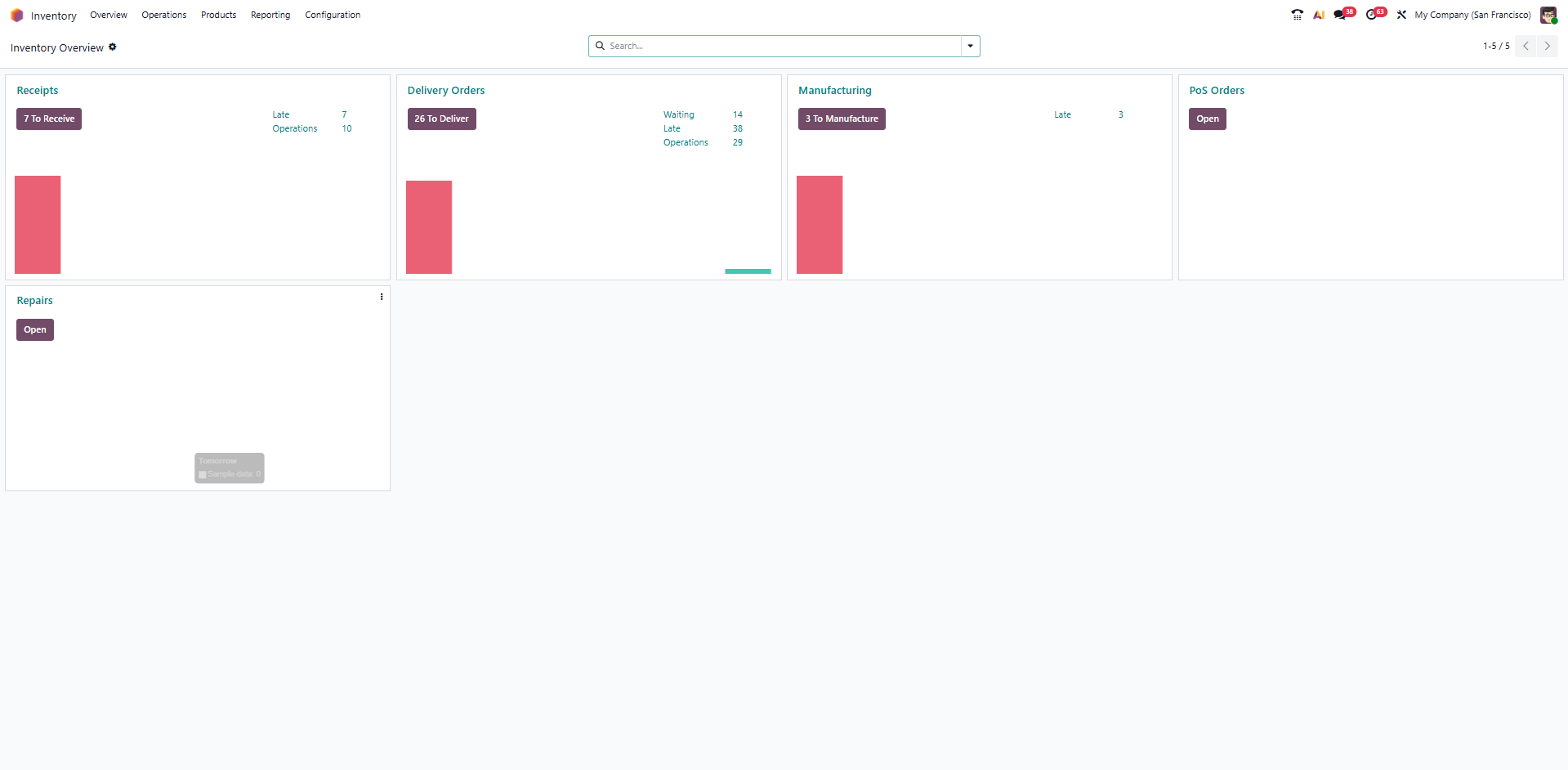
Odoo inventory dashboard with real-time stock and warehouse operations
After having implemented Odoo, the company notes a reduction in storage costs, improving operational efficiency and better customer satisfaction thanks to the constant availability of products. Odoo allows the company to easily add and remove stock items through manual entry, barcode scanning, or importing data. The system also helps manage the process to sell products, maintain accurate sales records, and ensure proper stock accounting.
How to Manage the Stock of a Store with Odoo
For retail stores, managing stocks is crucial to ensure that products are available for customers. Odoo offers specific tools to help store managers effectively manage their stocks, providing benefits such as improved accuracy, reduced waste, and greater efficiency compared to manual methods. With Odoo, you can track products throughout the supply chain, ensuring detailed records and better traceability. Its comprehensive features make Odoo a better alternative to traditional inventory management methods like Excel.
1. Management of Stock Entries and Exits
Odoo allows you to follow the stock inventory inputs and outputs, offering complete visibility on stock levels for each product. Accurately managing the quantity of each product is essential to ensure efficient order fulfillment and prevent discrepancies. Odoo enables you to track inventory movements through documents such as receipts and pickings, making it easier to locate and manage warehouse records. Additionally, Odoo supports batch numbers, serial numbers, and expiration dates for better inventory control. This helps to avoid stock breaks and plan to replenish.
2. Transfers Management Between Stores
Odoo facilitates stock transfers between different points of sale, helping to balance stock levels and meet customer demand.
3. Sales Analysis
Odoo offers analysis tools to follow sales performance and identify trends. In addition, Odoo provides inventory reporting tools that generate detailed reports to help analyze sales and inventory performance. This helps make informed decisions about replenishments and promotions.
Stock Management and Supplies with Odoo
Stock and supplies management is an essential component of business management. Odoo offers powerful tools to optimize these processes and improve operational efficiency. By automating repetitive tasks, Odoo can increase team productivity by up to 20%. Businesses can manage multiple warehouses from a single platform, and real-time tracking in Odoo updates stock levels instantly across all warehouses as sales and receipts occur. Additionally, Odoo enables you to track products throughout the supply chain, providing detailed records and reporting features that enhance accuracy, reduce waste, and support better decision-making.
1. Material needs Planning
Odoo allows you to plan the requirements in raw materials according to sales forecasts and current stock levels. This helps to avoid stock breaks and guarantee the availability of the materials necessary for production.
2. Management of Purchase Orders
Odoo facilitates the management of purchase orders, including the creation, approval and monitoring of orders. Users can also manage purchasing contracts and monitor supplier performance.
3. Optimisation des Stocks
Odoo uses advanced algorithms to analyze historical data and predict future needs. This optimizes stock levels and reducing storage costs.
Implement Smarter Stock Management
Set up Odoo to manage stocks, suppliers, and replenishment with real-time visibility and efficient warehouse flows
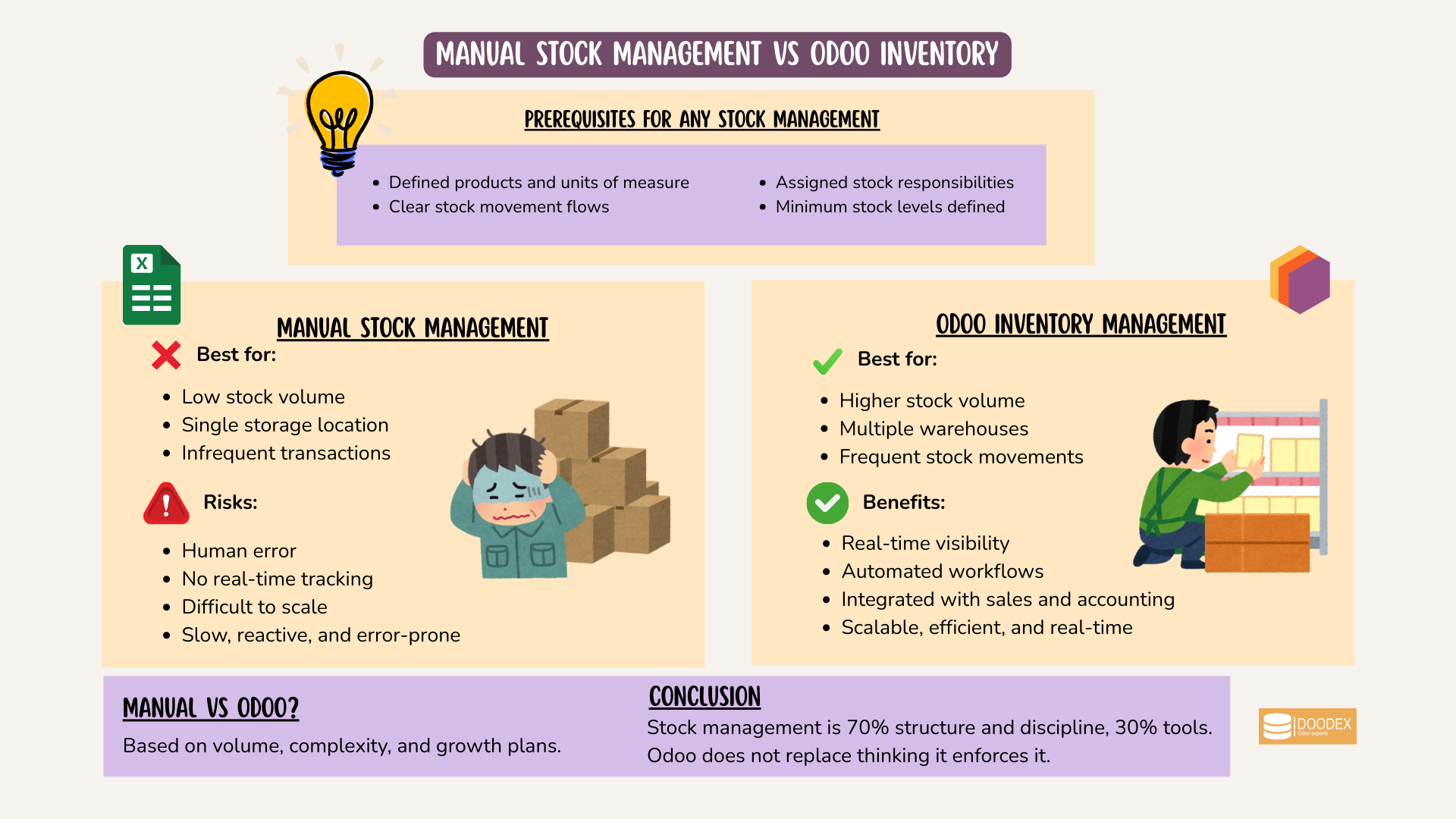
Manual stock management vs Odoo Inventory
Setting Up Odoo Inventory Management
Setting up the Odoo inventory management system is the foundation for efficient inventory control and streamlined business operations. The process begins with installing the Odoo inventory app and configuring your company’s essential details, such as company name, address, and contact information. Next, you’ll set up your chart of accounts and adjust general settings, including currency, date format, and time zone, to match your business requirements.
Defining product categories and specifying units of measure are crucial steps in organizing your inventory. By categorizing products and standardizing units, you make it easier to manage, track, and report on inventory across your operations. These configurations enable real time inventory tracking, ensuring you always have up-to-date information on stock levels and warehouse operations.
A well-implemented Odoo inventory management system allows your business to automate processes, reduce manual errors, and gain full visibility into inventory movements. With the right setup, your company can optimize its inventory management, improve operational efficiency, and support growth with a system tailored to your unique needs.
Customization and Configuration
Odoo inventory management stands out for its flexibility, offering extensive customization and configuration options to suit any business. You can tailor inventory preferences by setting a default warehouse, defining putaway rules, and choosing the most suitable replenishment method manual or automatic. Automatic replenishment leverages predefined rules and demand forecasts to maintain optimal stock levels, reducing the risk of stockouts or overstocking.
The Odoo inventory app also allows you to select from various stock valuation methods, such as FIFO, LIFO, or average cost, ensuring your financial reporting aligns with your business model. These valuation methods help you accurately measure inventory costs and make informed decisions.
By customizing these settings, businesses can streamline their inventory management processes, minimize waste, and enhance efficiency. The intuitive interface of the Odoo inventory app makes it easy to manage these configurations, empowering your team to maintain control over inventory and adapt quickly to changing business needs.
Management System Integration
Integrating Odoo inventory management with other management systems is key to achieving seamless business processes. Odoo’s modular design allows you to connect inventory with sales, purchasing, and manufacturing modules, providing a unified view of your operations. This integration ensures real time updates on stock levels, product availability, and warehouse operations, enabling your team to make data-driven decisions.
Odoo inventory management also integrates with accounting and quality control modules, supporting accurate financial reporting and consistent quality standards. By connecting these systems, you can automate workflows, reduce manual data entry, and maintain control over every aspect of your inventory.
With Odoo’s integrated management system, businesses benefit from enhanced operational efficiency, reduced costs, and improved customer satisfaction. The ability to synchronize inventory with other business processes ensures your company can respond quickly to market changes and deliver exceptional service.
✨Pro Tip
Start small, scale smart
Configure core stock flows first (products, locations, units). Validate the data in real operations, then activate automation like reordering rules and barcode scanning.
Clean data → reliable stock → efficient automation
Inventory Management System Security
Security is a top priority in any inventory management system, and Odoo inventory management provides robust features to protect your data and operations. Access controls allow you to define user permissions, ensuring only authorized personnel can make changes to inventory records. This helps prevent unauthorized access and maintains the integrity of your inventory data.
Odoo also supports quality checks and serial number tracking, enabling you to monitor inventory movements and quickly identify discrepancies. Barcode scanning and the use of barcode scanners further enhance accuracy and efficiency, allowing for real time tracking of inventory items as they move through your warehouses.
By implementing these security measures, your business can maintain full control over inventory management processes, safeguard sensitive data, and minimize the risk of losses. Odoo’s comprehensive approach to security ensures your inventory remains accurate, reliable, and protected at all times.
Scalability and Flexibility
Odoo inventory management is designed to grow with your business, offering unmatched scalability and flexibility. The system supports the management of multiple warehouses, virtual locations, and custom routes, making it easy to adapt to new markets or expand your operations. Real time inventory tracking across all locations ensures you always have a clear picture of stock levels and can respond quickly to customer demand.
Odoo’s inventory management system also accommodates complex requirements, such as handling manufacturing orders, purchase orders, and inventory adjustments. This flexibility allows you to save time, reduce operational costs, and streamline processes, whether you’re managing a single warehouse or a global supply chain.
By leveraging Odoo’s scalable and flexible inventory management system, businesses can enhance operational efficiency, deliver superior customer service, and drive growth. The ability to adapt quickly to changing business needs ensures your company remains competitive and ready for future challenges.
Plan Your Odoo Inventory Setup with Experts
Discuss your inventory setup, integrations, and automation needs with the Doodex team
Conclusion
Inventory management is a critical function for any company seeking to optimize its operations and improve its profitability. Odoo offers powerful and flexible tools to help companies effectively manage their stocks, from raw materials to finished products. Whether you manage a retail store or a manufacturing company, Odoo offers solutions adapted to your specific needs. Using Odoo, companies can reduce their storage costs, improve their operational efficiency and guarantee customer satisfaction.
FAQs
It is the process of managing stock levels, movements, and replenishments using Odoo Inventory.
Yes, Odoo supports multiple warehouses and storage locations.
Yes, all inventory movements update stock levels instantly.
FIFO, LIFO, and average cost.
Yes, Odoo works for both retail and manufacturing businesses.
Yes, including serial numbers, batches, and barcode scanning.
Yes, it is more accurate, automated, and scalable.