
High-growth teams often begin their CRM journey with Odoo’s native tools, only to discover friction as volume increases. Missed reminders, inconsistent outreach, and unpaid invoices slipping through the cracks are common symptoms. This is exactly where Odoo follow up automation becomes critical—not just as a finance feature, but as a revenue-protection system.
Enabling automated follow up features in Odoo allows teams to streamline reminders and reduce manual effort.
For sales, finance, and account managers managing hundreds of customers, manual follow up actions simply don’t scale. This article explores how to move from a basic setup to an automated follow up process using Odoo enhanced by Doodex Growth Suite, helping teams improve cash flow, reduce overdue payments, and maintain strong customer relationships.
Key Takeaways
- Odoo follow up automation is essential for high-growth teams managing volume
- Manual follow up actions don’t scale and hurt cash flow
- Doodex Growth Suite transforms basic Odoo follow up into an automated system
- Payment follow up levels ensure reminders escalate appropriately
- Follow up reports provide real-time visibility into overdue payments
- Multi-channel reminders (email and WhatsApp) improve response rates
- Automation frees teams to focus on customers, not chasing payments
Key Takeaways
Why Growing Teams Struggle Without Automated Odoo Follow Ups
Building a Scalable Follow Up Process in Odoo
Configuring Follow Up Level and Payment Follow Up Levels
Automating Follow Up on Invoices for Better Cash Flow
Using Follow Up Reports to Identify Late Clients Faster
Customer Statements and Professional Communication
Scheduling Activities and Assigning Responsibility
FAQs
Why Growing Teams Struggle Without Automated Odoo Follow Ups
Many businesses rely on manual reminders, spreadsheets, or personal calendars to track overdue invoices and customer communication. As transaction volume grows, this approach breaks down. Teams lose visibility into unpaid invoices, follow up activities become inconsistent, and customers receive late—or no—payment reminders.
Native Odoo provides a starting point, but it lacks advanced automation, multi-channel reminders, and centralized reporting. Without a structured odoo follow up framework, teams struggle to:
- Identify late clients according to the number of overdue days
- Assign a clear follow up responsible or responsible person
- Automatically send reminders based on different levels of urgency
- Track follow up status across customers and invoices
This is where Doodex Growth Suite transforms follow up from a reactive task into a proactive, automated system.
As teams grow, CRM complexity increases fast
Supercharge Your Odoo Today
Get the full Doodex Growth Suite and streamline operations from day one
Building a Scalable Follow Up Process in Odoo
An effective follow up process begins with structure. In Odoo, this means configuring accounting customers, due dates, and invoice payments correctly. But configuration alone isn’t enough.
With Doodex Growth Suite, teams can enhance their accounting configuration to process follow ups automatically, based on:
- Number of days past due
- Number of overdue invoices
- Payment follow up levels
- Customer risk or segment
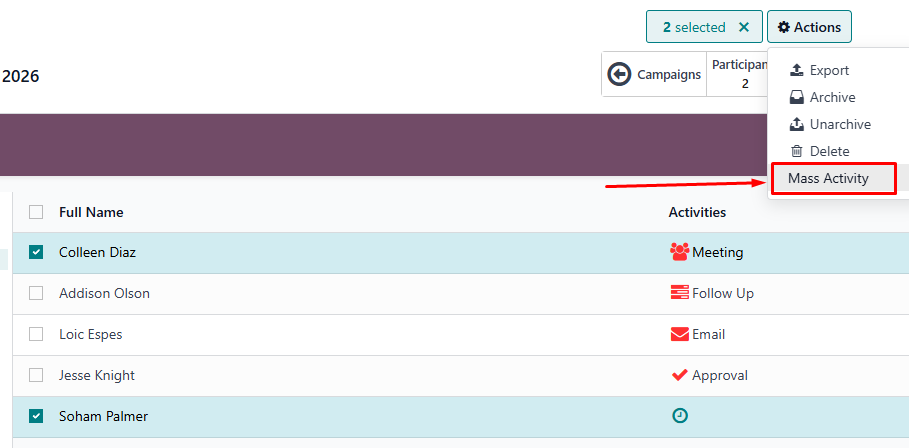
Users can also schedule follow up actions within the system, assigning tasks to responsible team members and ensuring timely reminders and systematic outreach for overdue invoices.
Each follow up action is triggered according to the number of overdue days, ensuring customers receive appropriate reminders using predefined logic rather than manual effort.
For example:
- Day 1–5 overdue: Friendly email reminder
- Day 6–15 overdue: Follow up message + account manager task
- Day 16+ overdue: Escalation with SMS reminders or WhatsApp message
This structured approach helps many businesses maintain consistency without overwhelming customers.
Lead scoring works best inside a connected CRM
Configuring Follow Up Level and Payment Follow Up Levels
A follow up level defines how and when a reminder is sent. In Odoo, payment follow up levels are tied to overdue payments and due days. With Doodex Growth Suite, you can easily create a new follow up level that aligns with your business rules. For each follow up level, you should enter a description specifying its purpose, actions, and scheduling details, such as due dates and communication channels.
Each level can include:
- A custom email template or letter
- WhatsApp message
- Automatic activity assigned to a responsible person
- Option to attach invoices or attach open invoices
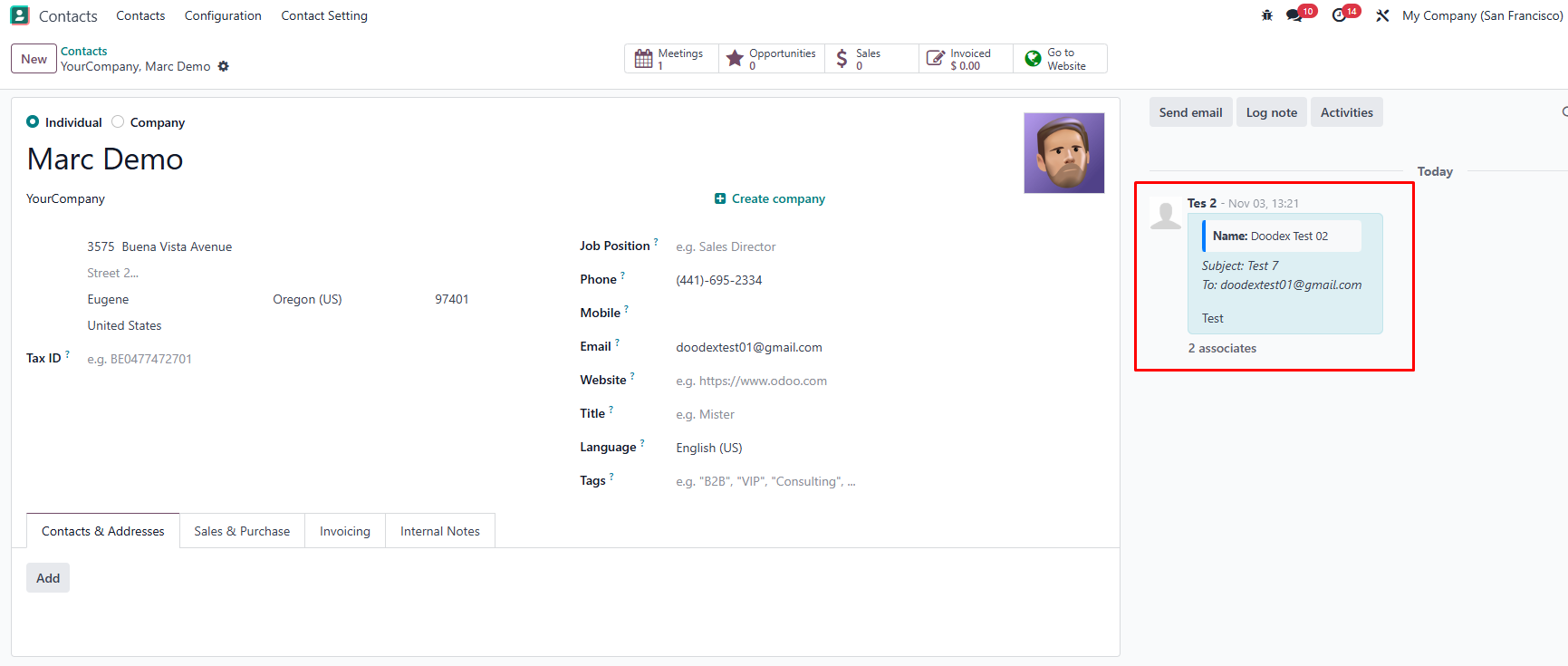
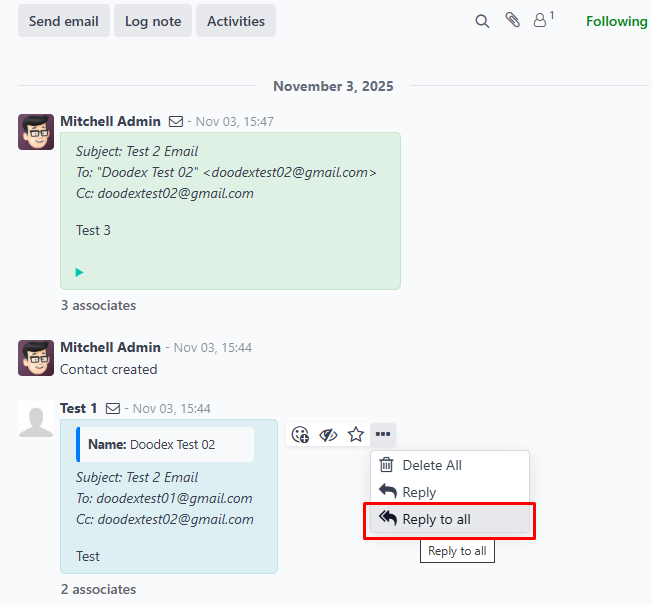
Payment follow up levels ensure that reminders escalate logically, reducing friction while improving invoice recovery.
Once configured, the reminder is sent automatically—no chasing, no guesswork.
Automating Follow Up on Invoices for Better Cash Flow
Late payments directly impact cash flow. The system monitors overdue payments and allows scheduling and automatic sending of reminders through various communication methods. Automated follow up on invoices ensures that no payment is overdue without action.
Using Doodex Growth Suite, teams can:
- Automatically send reminders when payment is overdue
- Attach invoices and customer statements to emails
- Track follow up status per invoice
- Automatically reconcile payments using bank statements
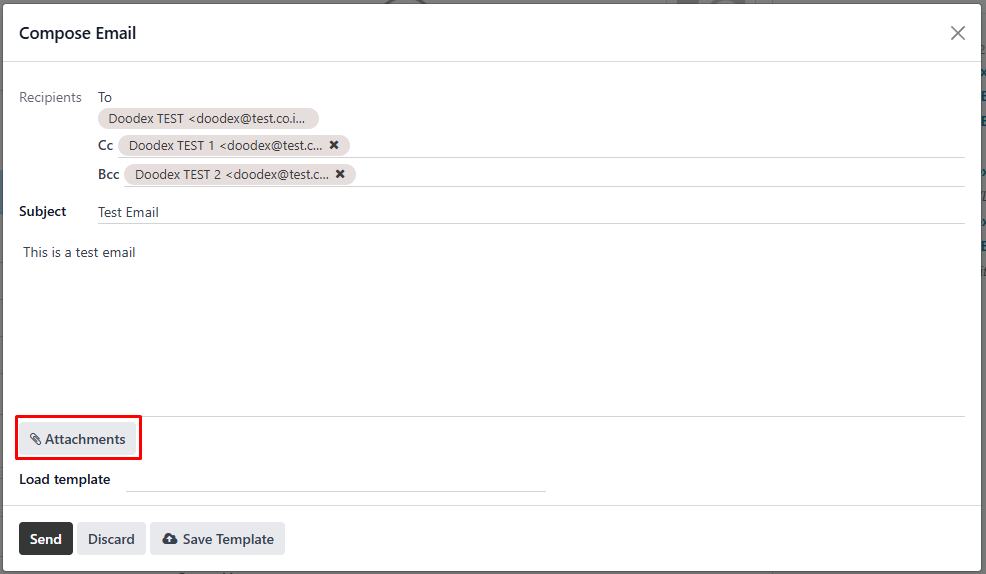
When invoices are paid, the system updates the follow up status instantly, preventing unnecessary reminders. This tight loop between accounting, follow up, and payments allows finance teams to focus on exceptions instead of routine work.
A pipeline alone doesn’t scale without automation
Using Follow Up Reports to Identify Late Clients Faster
Visibility is just as important as automation. The follow up reports section provides a clear overview of:
- Overdue invoices and unpaid invoices
- Number of overdue days per client
- Follow up level applied
- Follow up responsible or account manager
With enhanced follow up reports, teams can quickly identify late clients, prioritize outreach, and generate a detailed report for management.
Doodex Growth Suite extends native reporting by connecting follow up reports with activities, campaigns, and customer history—so you’re not just seeing overdue data, but understanding context.
More Leads, Same Sales Results?
✨Pro Tip
Segment before you automate
Don’t rely only on overdue days.
Group customers by risk, payment history, or invoice value first—then apply different follow-up levels.
Smarter segments → higher recovery, less friction
Customer Statements and Professional Communication
Sending professional, timely communication matters. Automated customer statements consolidate open invoices, overdue payments, and due dates into a single document sent to customers.
With Doodex Growth Suite:
- Customer statements are sent automatically
- Invoices are attached without manual effort
- Messages are consistent with company details
- Communication history is stored for future reference
Whether you send email or WhatsApp, every reminder feels intentional—not robotic.
Scheduling Activities and Assigning Responsibility
Automation doesn’t remove human oversight—it enhances it. Doodex Growth Suite allows scheduling activities automatically when specific follow up actions occur.
For example:
- Assign a call to the account manager after the second reminder
- Create a task for the responsible person if payment remains unpaid
- Add followers to keep stakeholders informed
All activities appear in the accounting tab and CRM views, ensuring accountability across teams.
Looking for a Bespoke Odoo Solution?
Tell us what you need and we’ll adapt the system for a perfect fit
FAQs
It’s the process of automatically sending payment reminders and creating follow up activities based on overdue invoices and due dates.
It adds advanced automation, reporting, activity scheduling, and multi-channel messaging beyond native limitations.
Yes. Reminders are triggered according to the number of overdue days and configured follow up levels.
Absolutely. You can attach invoices or attach open invoices to emails and statements.
You can assign a responsible person, such as an account manager, per customer or follow up level.
Yes. Once invoices are paid and reconciled, follow ups automatically stop.
After entering activity details or setting up follow up actions, you must click the save icon to confirm and store your changes.
You can configure Odoo to send a reminder automatically or manually through various communication channels such as email or letter, depending on your workflow setup.