

Installing and configuring a marketing system inside Odoo often looks simple on paper—but many businesses quickly discover the real challenge lies in aligning business processes, sales teams, and data across departments. The Doodex Growth Suite is designed specifically to solve this problem by turning a blank Odoo database into a structured, measurable, and scalable marketing-to-sales funnel.
This guide walks you through how to install and configure Doodex Growth Suite efficiently, while addressing common pain points such as manual work, scattered tools, unclear ROI, and disconnected sales workflows.
Key Takeaways
- Doodex Growth Suite turns Odoo into a true growth platform
- Marketing, sales, and operations work in one unified system
- Automation reduces manual work and saves time
- Advanced analytics deliver deeper insights and better decisions
- Businesses gain clarity on performance, cost, and revenue
Key Takeaways
Why Businesses Struggle with Marketing Setup in Odoo
What Is Doodex Growth Suite?
Installing Doodex Growth Suite Inside Odoo
Step 1: Initial Consultation & Preparation
Step 2: Module Installation in Odoo ERP
1. Campaign Management
2. Bizscan (AI-powered contact capture)
3. Advanced Dashboards & Analytics
4. Enhanced Email & Communication Tools
5. User Roles & Access Control
Aligning Business Needs with Marketing Configuration
Integrating Odoo CRM with Doodex Growth Suite
Automating Sales & Marketing Tasks Efficiently
Advanced Analytics for Better Decisions
Example: From Campaign to Invoice
FAQs
Why Businesses Struggle with Marketing Setup in Odoo
Many organizations adopt odoo expecting instant efficiency, only to realize that default modules alone do not fully support real-world business operations. Typical challenges include:
- Marketing campaigns disconnected from sales pipelines
- Leads not properly tracked across sales workflows
- Too much manual work managing follow ups
- Poor visibility into performance and revenue impact
- Multiple tools outside Odoo creating data silos
This is exactly where Doodex growth steps in—extending Odoo’s native power with purpose-built modules focused on growth, analytics, and execution inside Odoo.
Want to turn your Odoo database into a real, working marketing funnel?
👉 Discover how to implement Odoo marketing from a blank database to a measurable funnel →
Supercharge Your Odoo Today
Get the full Doodex Growth Suite and streamline operations from day one
What Is Doodex Growth Suite?
The growth suite is a collection of tightly integrated Odoo modules built to support modern marketing and sales operations. Instead of forcing teams to juggle spreadsheets, email tools, and CRMs outside the system, it centralizes everything inside Odoo.
With Doodex Growth Suite, businesses can:
- Manage campaigns, contacts, and leads in one place
- Automate repetitive tasks across marketing and sales
- Track real ROI from campaigns to sales orders and invoice
- Gain deeper insights through advanced reporting tools
- Support managers with better decisions backed by data
Installing Doodex Growth Suite Inside Odoo
Step 1: Initial Consultation & Preparation
Before installation, an initial consultation is critical. This step ensures the system is tailored to your business needs, not the other way around.
During this phase, your implementation partner will:
- Review existing business processes
- Identify sales team structure and departments
- Define success metrics and KPIs
- Clarify cost, scale, and growth objectives
This groundwork helps avoid over-customization later and ensures efficient implementation.
Step 2: Module Installation in Odoo ERP
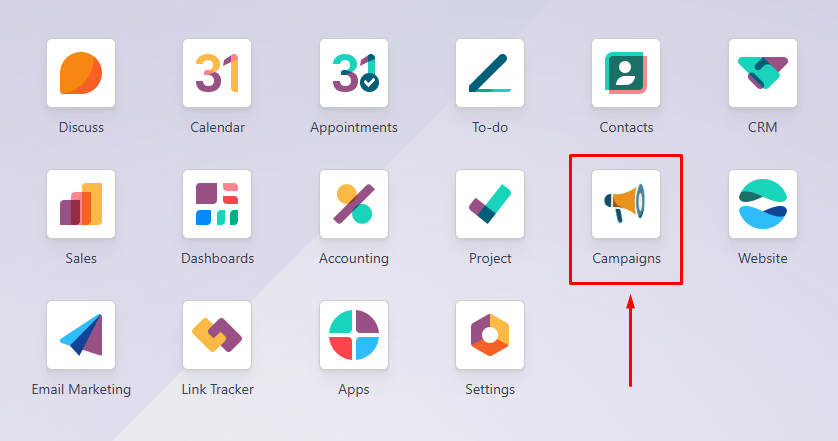
1. Campaign Management
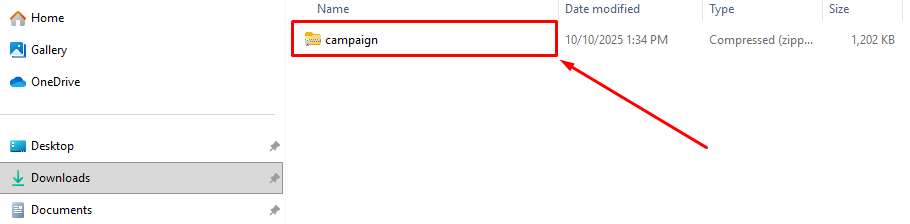
1️⃣ Download the Module
Download the Campaign module file (zip file)
2️⃣ Upload to Your Odoo Server
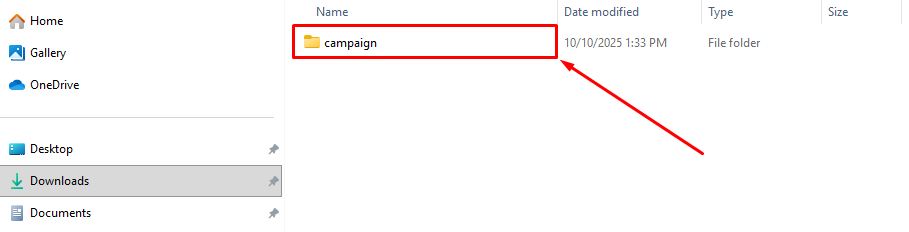
Ask your system administrator (or do it yourself if you manage the server) to upload and extract the Campaign folder into the Odoo addons folder.
3️⃣ Update the Apps List
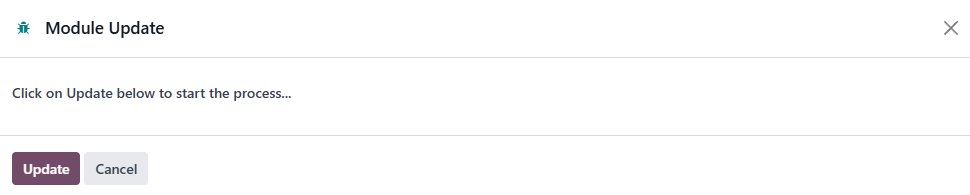
- Log in to your Odoo account with admin access.
- Go to the Apps menu.
- Click Update Apps List (Developer Mode).
- Confirm.
4️⃣ Activate Campaign
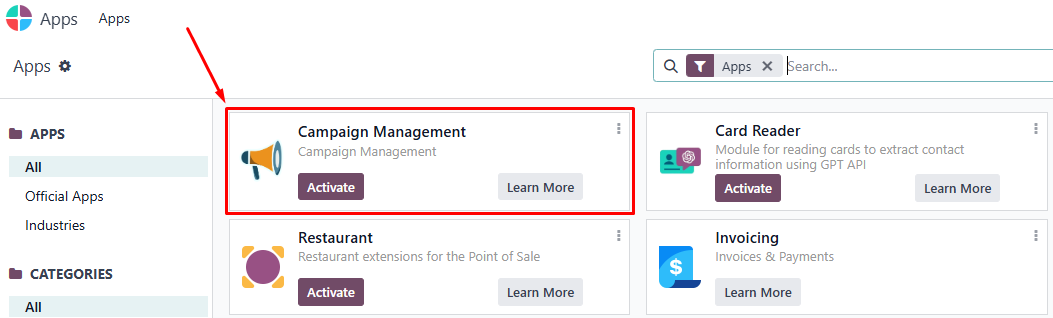
- In the Apps screen, type Campaign in the search bar.
- When the Campaign app appears, click Activate.
- Wait for the installation to complete.
2. Bizscan (AI-powered contact capture)
1️⃣ Download the Module
Download the Bizscan module file (zip file)
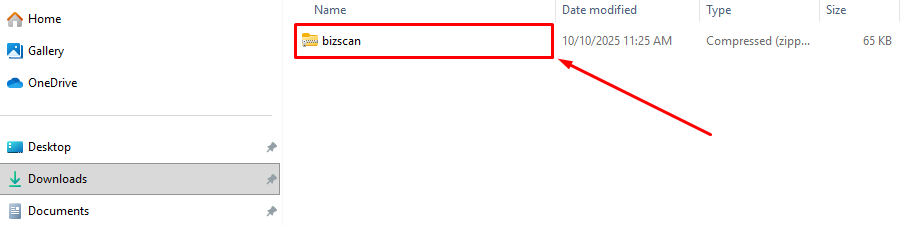
2️⃣ Upload to Your Odoo Server
Ask your system administrator (or do it yourself if you manage the server) to upload and extract the Bizscan folder into the Odoo addons folder.
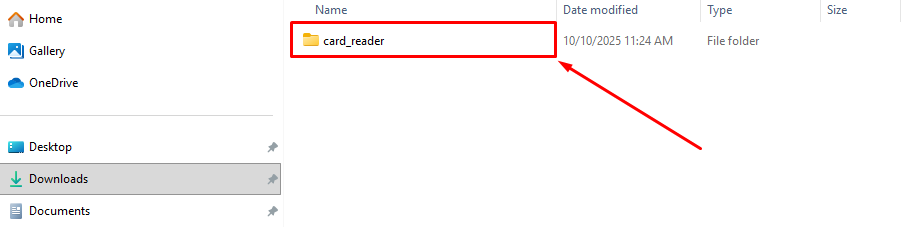
3️⃣ Update the Apps List
- Log in to your Odoo account with admin access.
- Go to the Apps menu.
- Click Update Apps List (Developer Mode).
- Confirm.
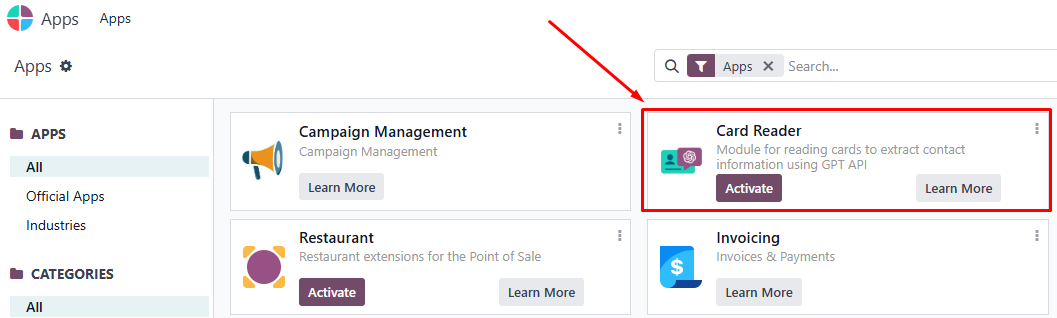
4️⃣ Activate Bizscan
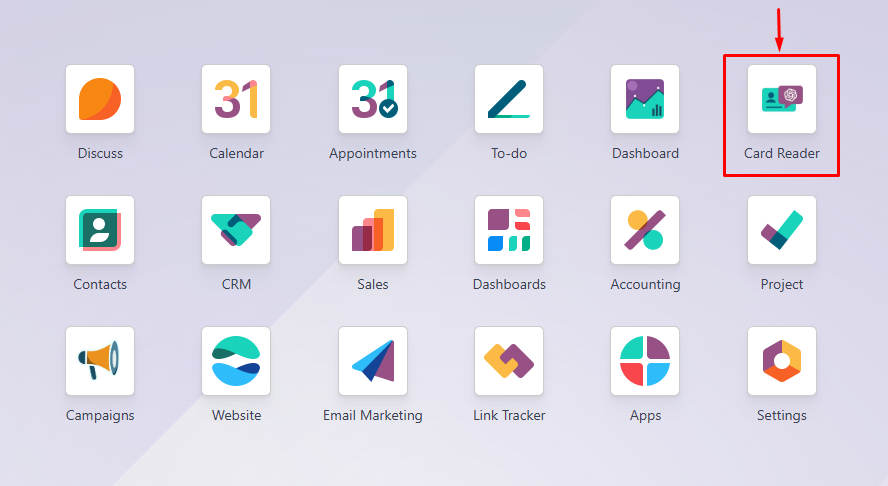
- In the Apps screen, type Card Reader (Bizscan) in the search bar.
- When the Bizscan app appears, click Activate.
- Wait for the installation to complete.
5️⃣ Connect to OpenAI
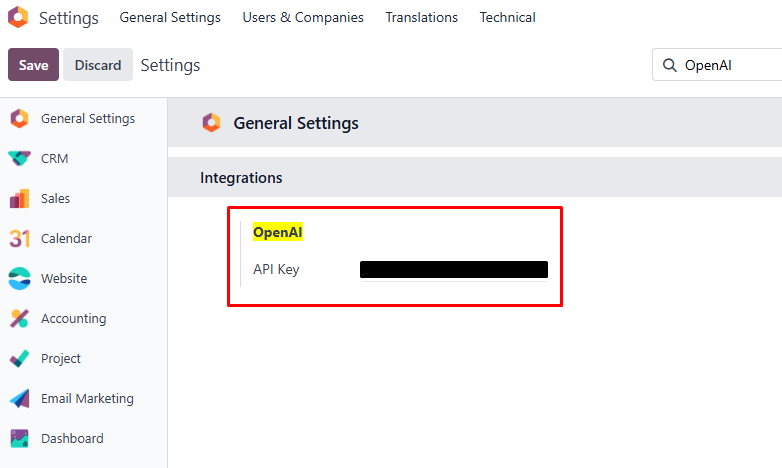
Bizscan requires OpenAI to extract business card information automatically and you must configure your OpenAI API Key before using the module.
- Go to Settings → General Settings → search OpenAI.
- Enter your OpenAI API Key.
- Click Save Settings.
3. Advanced Dashboards & Analytics
1️⃣ Download the Module
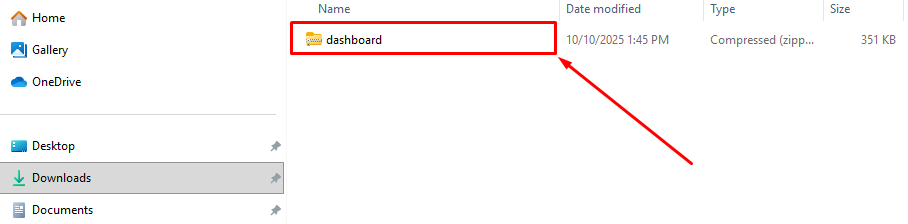
Download the Dashboard module file (zip file)
2️⃣ Upload to Your Odoo Server
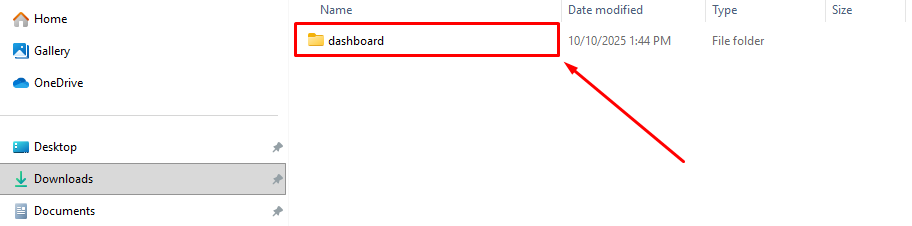
Ask your system administrator (or do it yourself if you manage the server) to upload and extract the Dashboard folder into the Odoo addons folder.
3️⃣ Update the Apps List
- Log in to your Odoo account with admin access.
- Go to the Apps menu.
- Click Update Apps List (Developer Mode).
- Confirm.
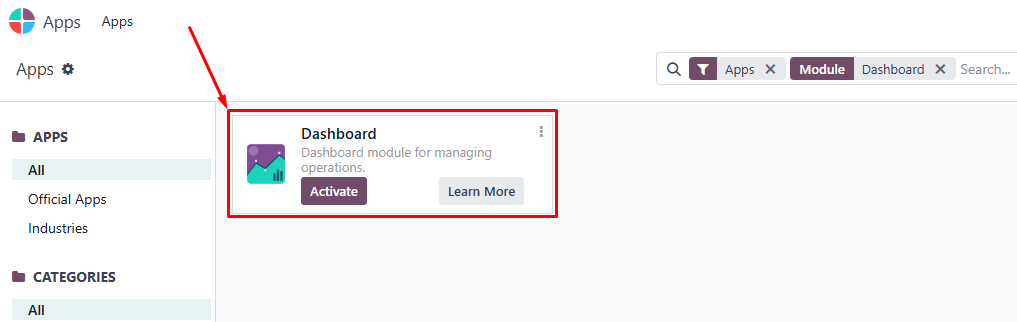
4️⃣ Activate Dashboard
- In the Apps screen, type Dashboard in the search bar.
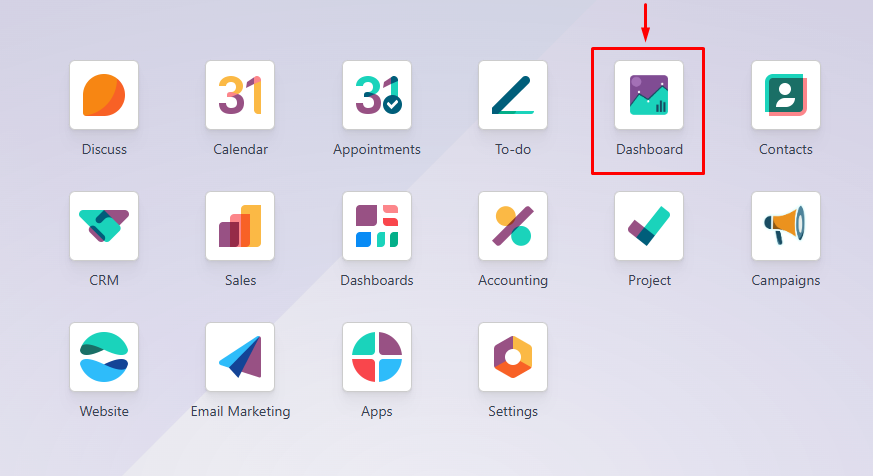
- When the Dashboard app appears, click Activate.
- Wait for the installation to complete.
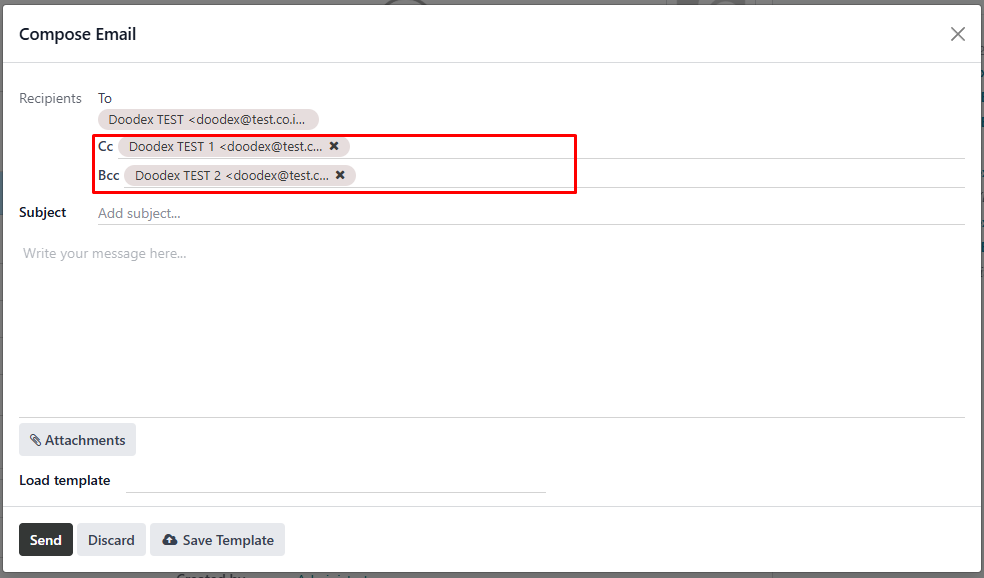
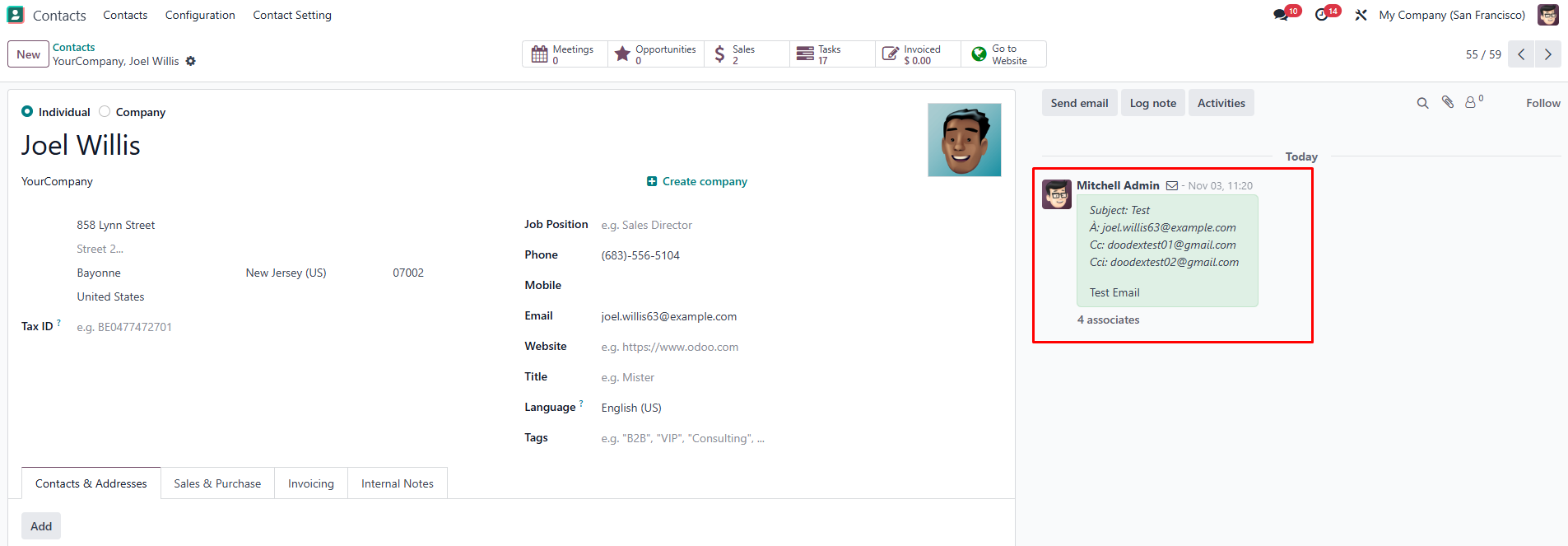
4. Enhanced Email & Communication Tools
1️⃣ Download the Module
Download the Email module file (zip file)
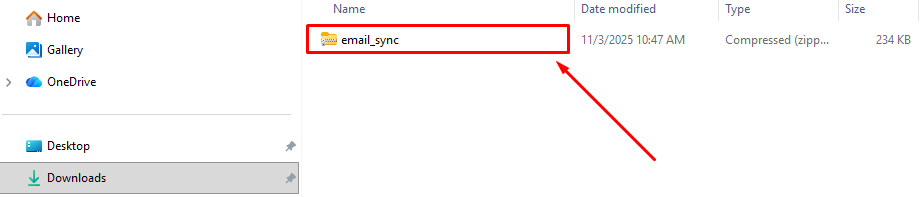
2️⃣ Upload to Your Odoo Server
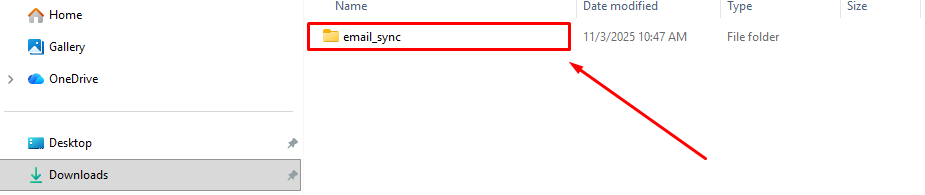
Ask your system administrator (or do it yourself if you manage the server) to upload and extract the Email folder into the Odoo addons folder.
3️⃣ Update the Apps List
- Log in to your Odoo account with admin access.
- Go to the Apps menu.
- Click Update Apps List (Developer Mode).
- Confirm.
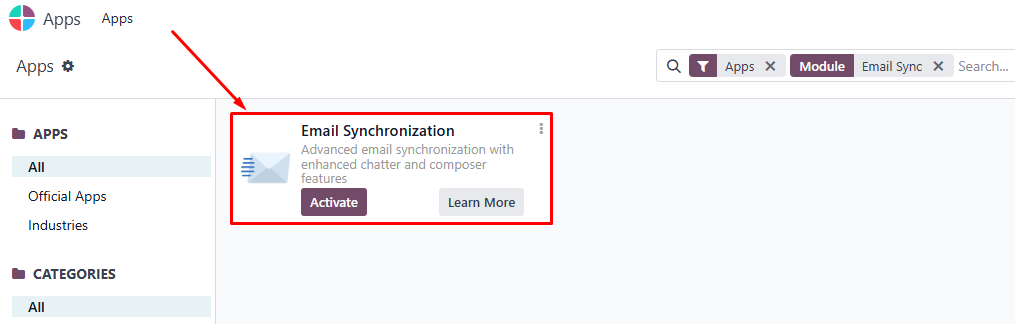
4️⃣ Activate Email
- In the Apps screen, type Email Sync in the search bar.
- When the Email app appears, click Activate.
- Wait for the installation to complete.
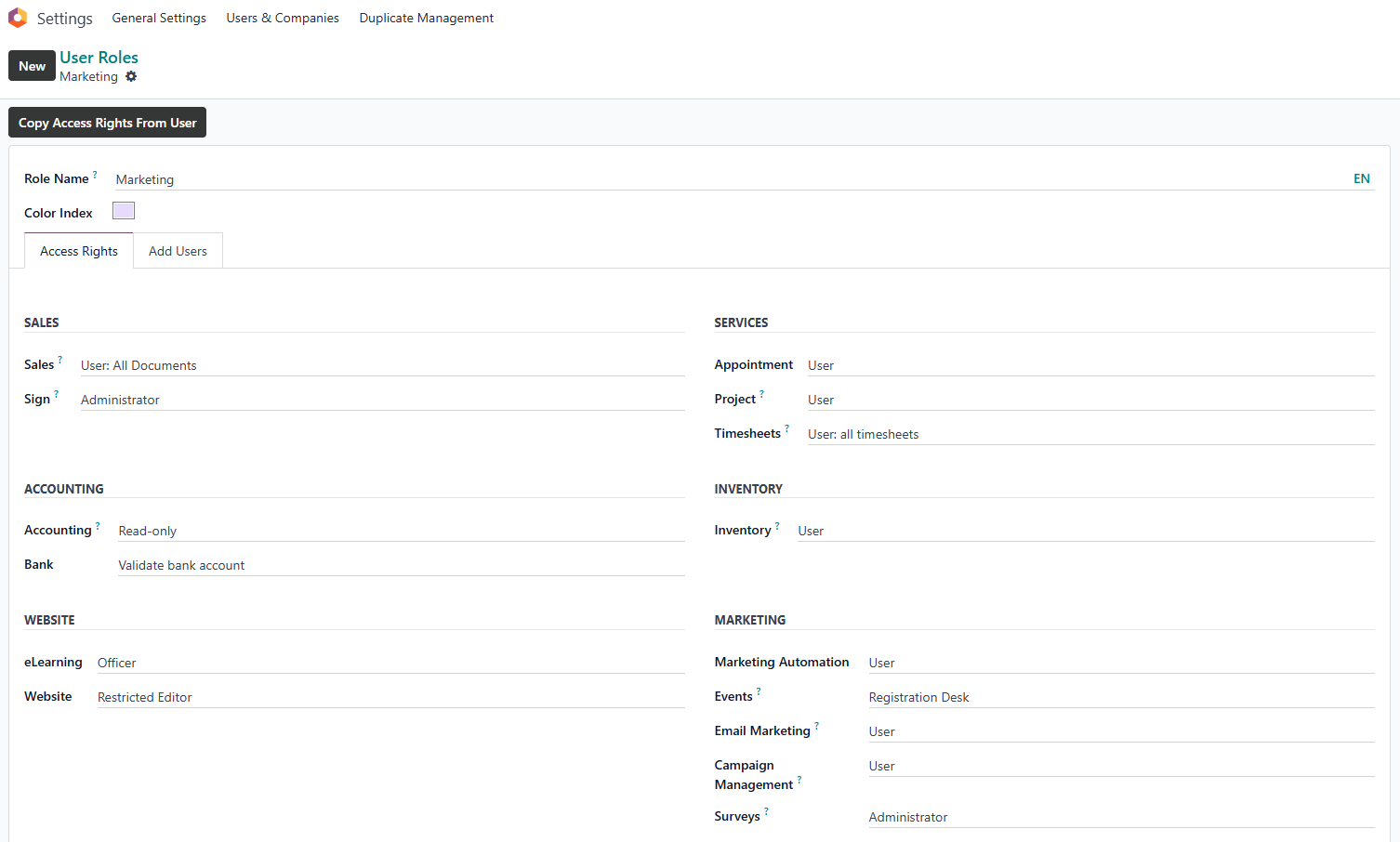
5. User Roles & Access Control
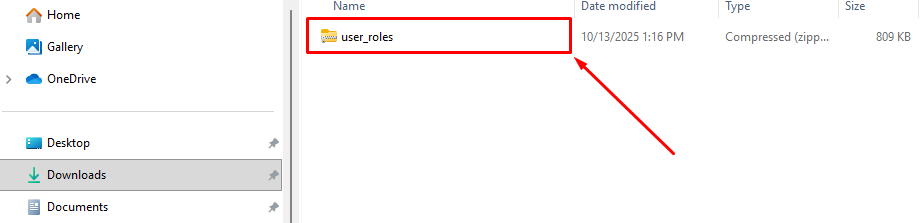
1️⃣ Download the Module
Download the User Roles module file (zip file)
2️⃣ Upload to Your Odoo Server
Ask your system administrator (or do it yourself if you manage the server) to upload and extract the User Roles folder into the Odoo addons folder.
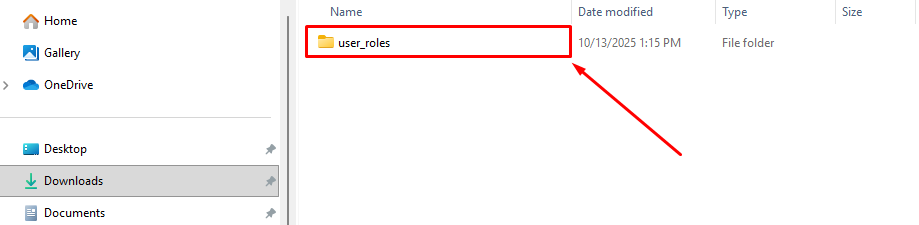
3️⃣ Update the Apps List
- Log in to your Odoo account with admin access.
- Go to the Apps menu.
- Click Update Apps List (Developer Mode).
- Confirm.
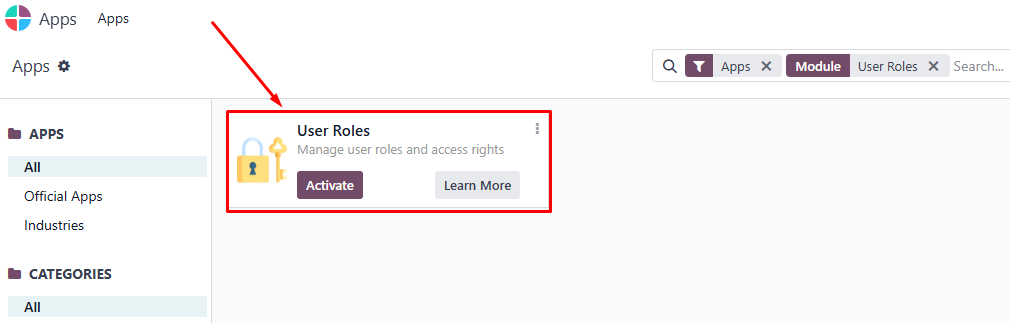
4️⃣ Activate User Roles
- In the Apps screen, type User Roles in the search bar.
- When the User Roles app appears, click Activate.
- Wait for the installation to complete.
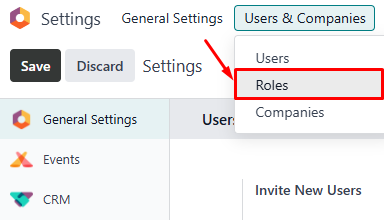
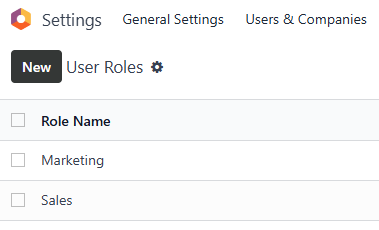
✨Pro Tip
Structure first, automate smart
Set up clear campaigns, pipelines, and roles first.
Good structure → reliable automation → measurable ROI
Aligning Business Needs with Marketing Configuration
Structuring Campaigns Around Real Operations
Unlike generic marketing tools, Doodex campaigns are designed around real business operations, not just outbound messaging.
Each campaign can:
- Track contacts, companies, and leads
- Assign participants across departments
- Log activities and follow ups automatically
- Maintain a complete interaction history
This structure improves collaboration and ensures accountability across the organization.
Setup works best when paired with the right tools.
👉 Discover the most effective Odoo marketing apps to activate after configuration →
Integrating Odoo CRM with Doodex Growth Suite
From Leads to Sales Orders — One Pipeline
Doodex Growth Suite integrates seamlessly with Odoo CRM, ensuring no lead is lost between marketing and sales.
With this integration:
- Leads flow naturally into the sales pipeline
- Sales workflows are standardized and measurable
- Opportunities connect directly to campaigns
- Sales orders and invoices reflect campaign origin
This end-to-end visibility enables teams to track revenue accurately and measure real ROI.
Configuration alone won’t drive growth. Strategy will.
👉 Learn how small businesses design effective Odoo marketing strategies →
Automating Sales & Marketing Tasks Efficiently
One of the biggest productivity killers in marketing is repetitive manual work. Doodex Growth Suite improves efficiency by:
- Automating activity assignments and reminders
- Centralizing contact and lead records
- Synchronizing email communication
- Eliminating duplicate data entry
This allows teams to focus on customers and growth instead of managing systems.
Advanced Analytics for Better Decisions
Gain Deeper Insights with Built-In Dashboards
The advanced dashboards provide clear insights into performance and growth.
Managers can track:
- Pipeline performance by date and team
- Campaign analytics tied directly to revenue
- Sales productivity and follow up execution
- Historical trends for continuous improvement
These insights support confident, data driven decisions across the business.
Coming from HubSpot or another CRM?
👉 See how to migrate from HubSpot to Odoo without breaking workflows →
Example: From Campaign to Invoice
A typical workflow inside Doodex Growth Suite looks like this:
- Marketing launches a campaign
- Bizscan captures new contacts at an event
- Leads are created automatically in CRM
- Sales teams follow up using structured activities
- Opportunities progress through the pipeline
- Sales orders and invoices confirm revenue
- Managers analyze performance and ROI
Everything is tracked, measurable, and connected.
Looking for a Bespoke Odoo Solution?
Tell us what you need and we’ll adapt the system for a perfect fit
FAQs
Yes. It scales efficiently from small teams to large organizations.
No. It enhances CRM with better workflows, analytics, and campaign tracking.
Yes. Revenue and invoices are fully connected for ROI analysis.
By automating repetitive tasks and centralizing data.
Basic configuration is simple, with partner support for advanced needs.
Yes. From leads to invoices, everything is measurable.
Absolutely. Roles, fields, and dashboards are fully tailored.