
Modern customers expect fast, consistent, and personalized communication no matter which channel they use. Yet many businesses struggle with fragmented tools, lost messages, and incomplete customer history. This is exactly where how to track customer conversations directly in Odoo becomes a competitive advantage, especially when powered by the Doodex Growth Suite.
Instead of switching between external chat tools, inboxes, and CRMs, Doodex enables businesses to track every chat, direct message, email, and interaction in one accessible, real time workspace. The result? Better customer experience, higher customer satisfaction, and faster response times.
Key Takeaways
- Tracking customer conversations directly in Odoo eliminates data silos
- Doodex enhances Odoo Live Chat with routing, automation, and context
- Every chat session becomes a lead, contact, or campaign touchpoint
- Real-time interaction boosts engagement and customer satisfaction
- One connected platform delivers better business outcomes
Key Takeaways
Why Businesses Struggle With Conversation Tracking
How to Track Customer Conversations Directly in Odoo
Chat Requests: Capturing Every Opportunity
Widget Tab: Designing a Better Chat Experince
Odoo Live Chat + Doodex: Real-Time Conversations That Convert
Odoo Marketplace and Odoo Apps: Why Doodex Stands Out
Enhancing Customer Experience With Connected Conversations
FAQs
Why Businesses Struggle With Conversation Tracking
Customer conversations often happen everywhere at once: website chat, email follow-ups, campaign outreach, and support requests. When these channels aren’t linked, teams face common pain points:
- Missed chat requests from website visitors
- No single live chat page to review past conversations
- Agents lacking real-time context
- Conversations considered disconnected from leads or campaigns
- Poor customer satisfaction due to delayed or duplicated responses
The Doodex Growth Suite solves this by connecting live chat, email, campaigns, contacts, and dashboards automatically added and linked inside Odoo.
Supercharge Your Odoo Today
Get the full Doodex Growth Suite and streamline operations from day one
How to Track Customer Conversations Directly in Odoo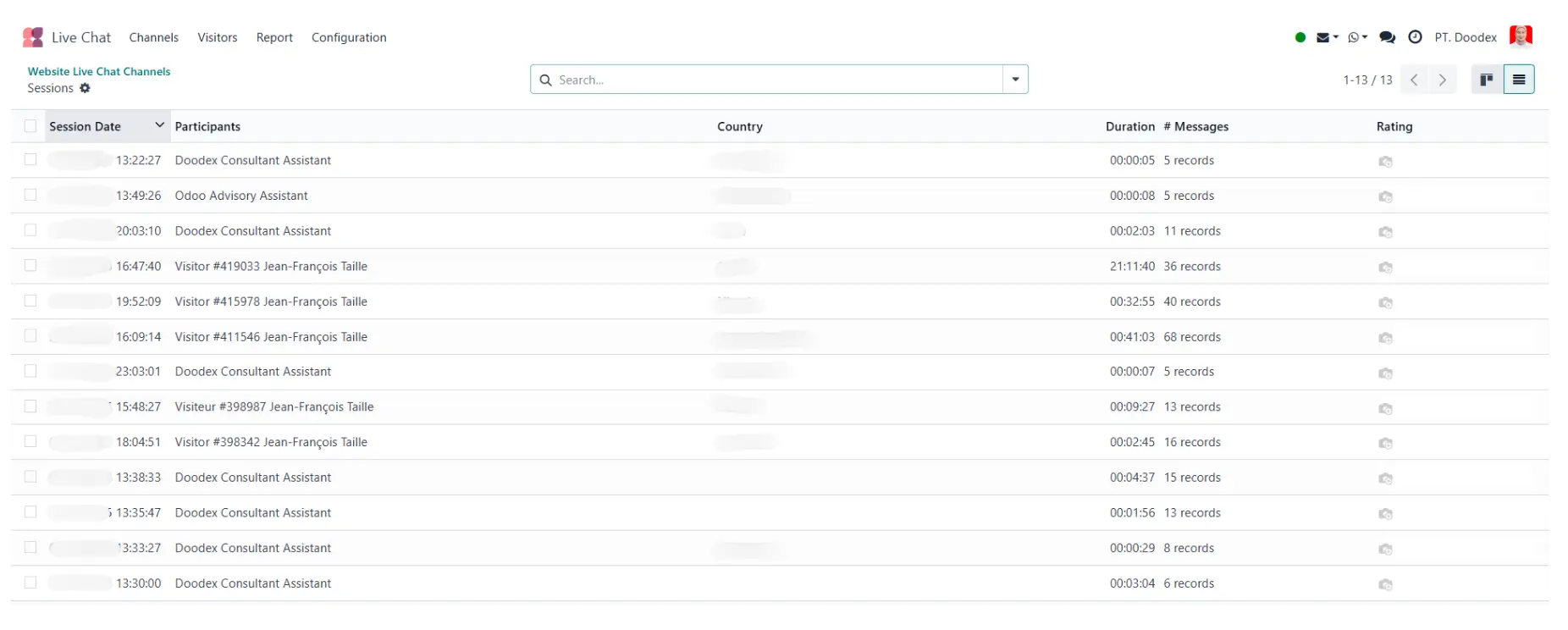
Visitor data that presses the live chat button is immediately recorded in Odoo Live Chat
Tracking conversations starts with enabling Odoo Live Chat, then extending its capabilities with Doodex apps that centralize communication across the customer lifecycle.
With Doodex, every chat session, message, comment, and follow-up is linked to:
- The customer account or contact
- Related campaigns and leads
- Assigned operators and agents
- Real-time status and history
This ensures conversations are not just logged but actionable.
Campaign follow-ups hard to manage
Chat Requests: Capturing Every Opportunity
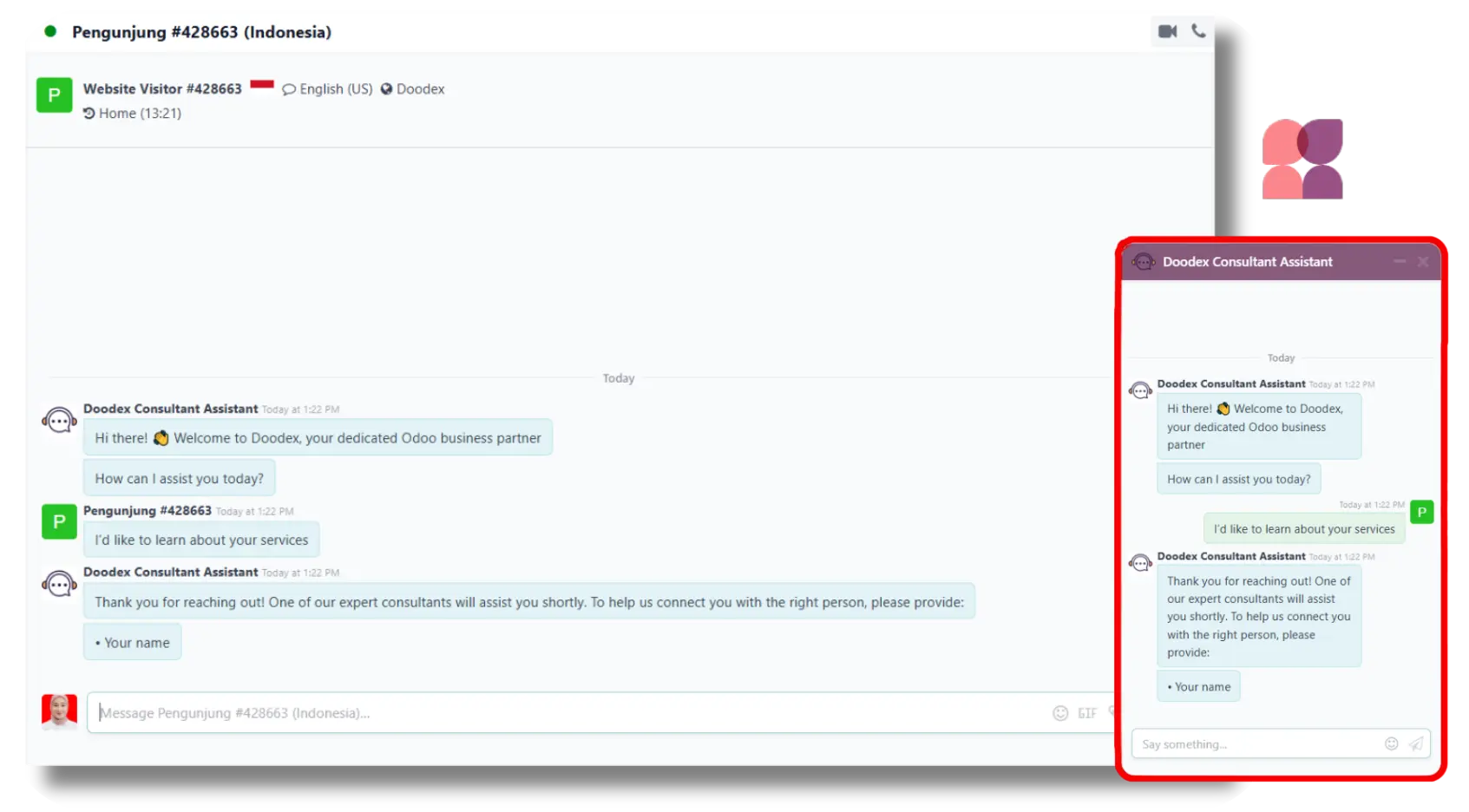
Every chat request from a visitor is automatically recorded in Odoo
Chat requests are often the first signal of buyer intent. When website visitors click the live chat button, Doodex ensures no request is lost.
Key benefits:
- Chat requests automatically create or link to a lead
- Visitors pop notifications alert operators in real time
- Chats are considered disconnected only after defined inactivity rules
- Agents can respond immediately or follow up later
This means every chat becomes part of a complete conversation trail instead of a one-off interaction.
Want to build reliable, multi-channel campaigs in Odoo?
👉 Discover how email and SMS work together inside Odoo in our complete guide ->
Live Chat Setup on the Odoo Website
Live Chat on the Odoo Website
The Odoo website is where most customer conversations begin. Setting up live chat properly is essential for engagement and conversion.
With Doodex:
- Create a new live chat channel in minutes
- Add operators and agents with controlled access
- Customize the channel header color, default text, and welcome message
- Enable the chat button or live chat button on selected pages
- Define country-based availability and service hours
Once enabled, the chat widget is automatically added to your site no custom code required.
Channel Rules Tab: Smart Conversation Routing
The channel rules tab is where Doodex elevates Odoo Live Chat from basic to strategic.
You can set rules to:
- Route chats based on page URL or given URL
- Assign chats to specific operators or teams
- Trigger messages based on visitor behavior
- Define when a chat session is considered disconnected
This ensures customers always connect with the right agent at the right time.
Widget Tab: Designing a Better Chat Experience
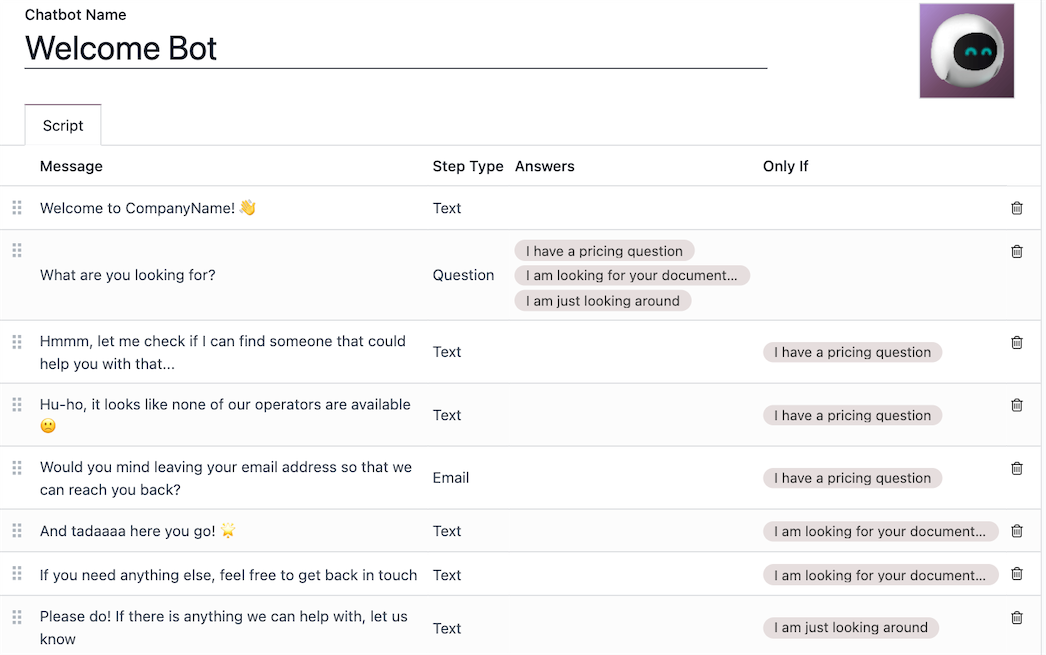
Greeting messages and default text can be set in Odoo
The widget tab controls how your chat window appears and behaves for visitors.
You can:
- Edit the welcome message and default text
- Customize the channel header color
- Control visitors pop timing
- Decide when and where the chat button appears
- Enable single live chat or multiple channels
A well-designed widget improves customer experience and increases engagement without disrupting the website journey.
Want to save hours every week by streamlining yor email workflow?
👉 Discover how to sync your gmail with Odoo ->
Odoo Live Chat + Doodex: Real-Time Conversations That Convert
Live Chat in Real Time
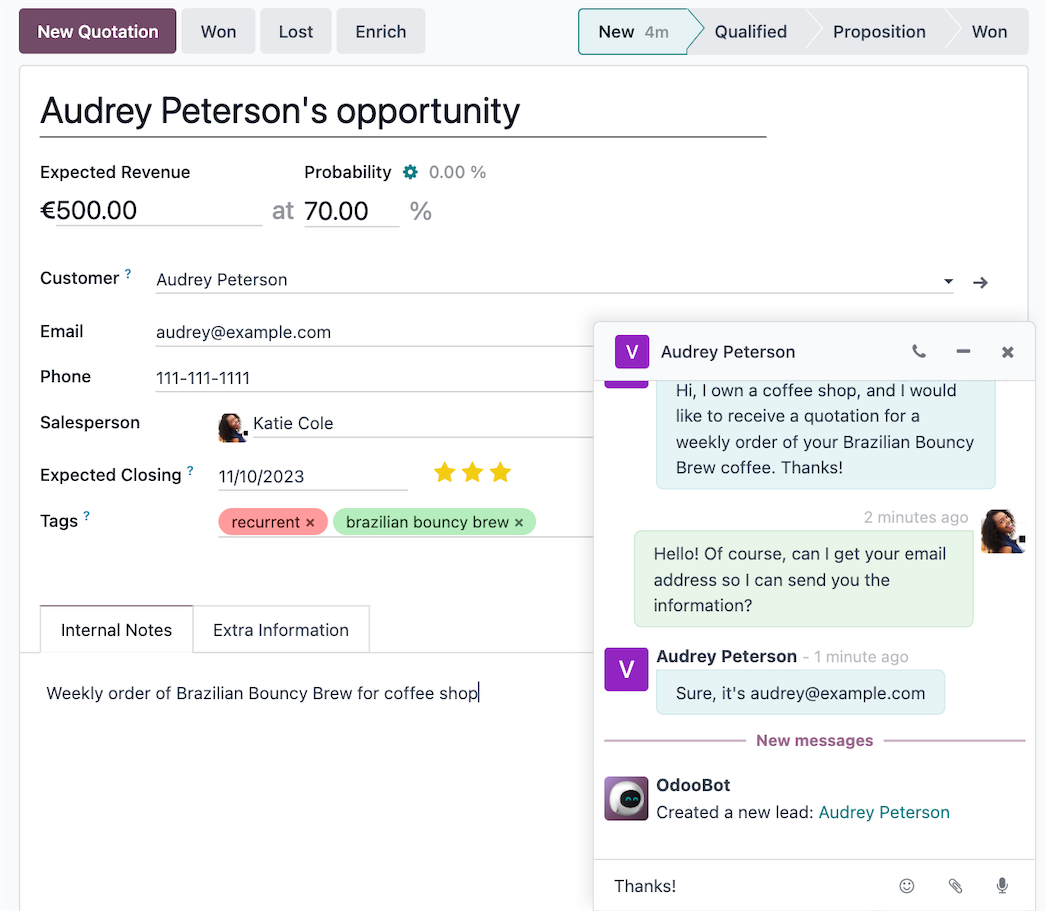
Can view contacs, conversation, and internal notes in Live Chat by Doodex
With Odoo Live Chat enhanced by Doodex, conversations happen in real time and stay connected afterward.
Agents can:
- Send direct messages
- See full conversation history
- Add internal notes
- Convert chats into leads or contacts
- Link chats to campaigns automatically
This real-time visibility allows teams to interact, respond, and engage with confidence.
✨Pro Tip
Track every customer conversation in real time
Enable Odoo Live Chat with Doodex to automatically link chats to contacts, leads, and campaigns.
Faster responses → better context → higher customer satisfaction
Odoo Marketplace and Odoo Apps: Why Doodex Stands Out
While the Odoo Marketplace offers many Odoo apps, most focus on single features. Doodex delivers a complete solution.
The Doodex Growth Suite combines:
- Live chat tracking
- Campaign management
- Email conversation syncing
- Dashboard insights
- Role-based access
All modules are designed to work together—giving businesses a unified customer communication solution rather than disconnected tools.
Enhancing Customer Experience With Connected Conversations
Customer experience improves when conversations are:
- Accessible to all relevant users
- Linked to contacts, leads, and campaigns
- Visible across departments
- Easy to follow over time
With Doodex, every message, date, line of conversation, and feedback comment is stored in one place—delivering consistency across marketing, sales, and support.
Want to ensure your emails always reach the inbox in Odoo?
Looking for a Bespoke Odoo Solution?
Tell us what you need and we’ll adapt the system for a perfect fit
FAQs
By using Odoo Live Chat combined with the Doodex Growth Suite, all conversations are automatically linked to contacts, leads, and campaigns.
Yes. The widget tab lets you edit the welcome message, channel header color, default text, and chat button behavior.
Chats are considered disconnected based on rules set in the channel rules tab, ensuring accurate status tracking.
Yes. Chat sessions can automatically create or link leads and contacts inside Odoo.
No. The chat widget is automatically added to your website once enabled.
Unlike single-purpose apps, Doodex connects chat, email, campaigns, dashboards, and roles into one complete solution.
Yes. Doodex shows key visitor information such as location, page URL, visit time, and chat status during the conversation, helping agents respond with better context.