
Multi-site warehouse management with Odoo

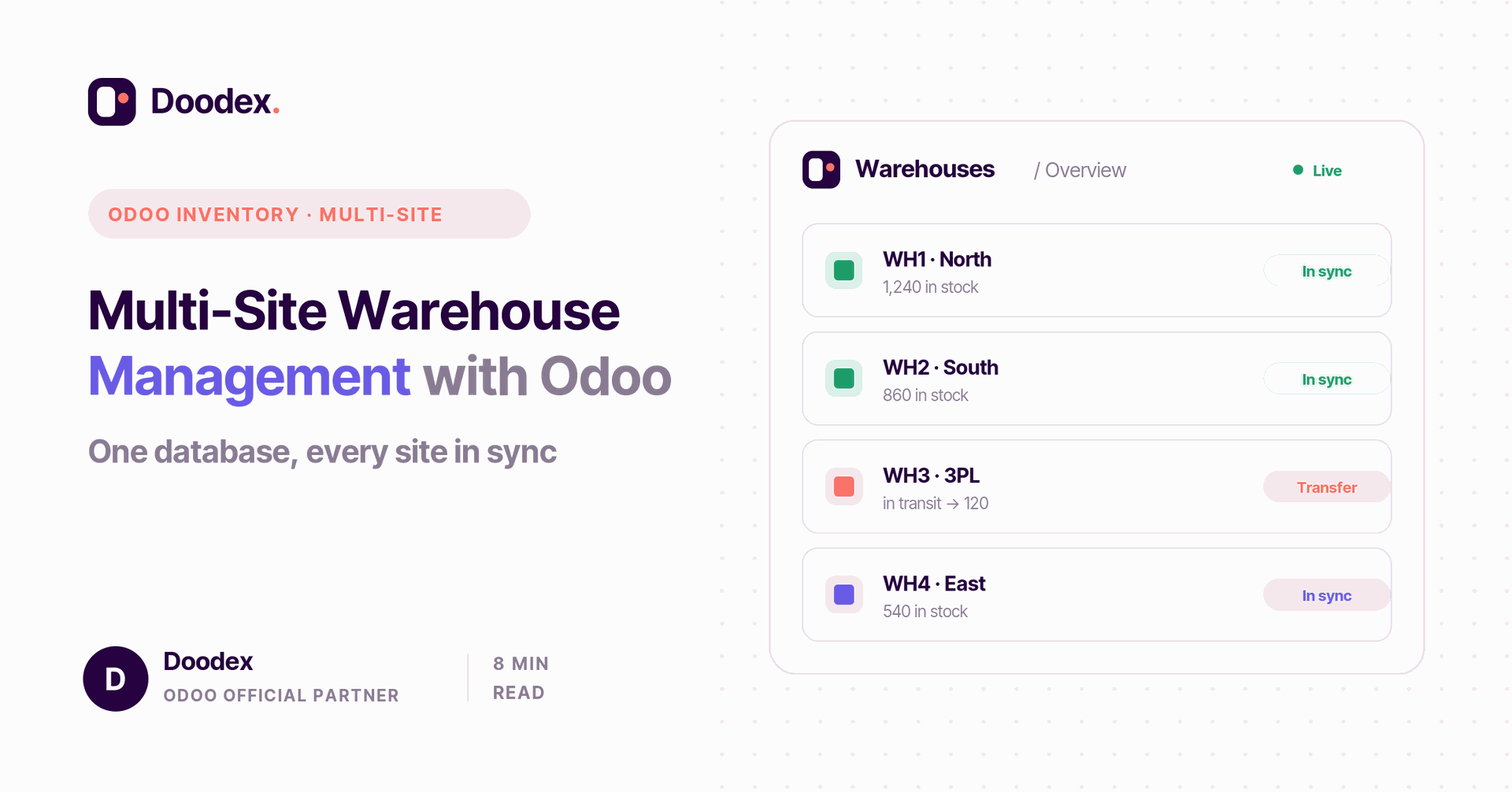
Using Odoo for multi-site warehouse management — a core capability of any multi-warehouse MRP software — turns scattered stock across many sites into one clear, real-time system. Instead of disconnected tools, you run all your warehouses from one Odoo database — one product catalog, one stock view, one set of warehouse routes. For warehouse managers and companies running more than one site, that means real-time inventory visibility, automatic transfers between warehouses, and accurate stock valuation across the whole supply chain. When stock, transfers, and counts are handled separately at each location, errors, delays, and higher costs follow; bringing them together in Odoo makes it easier to grow the network and keep every order accurate.
In this guide you will learn what multi-warehouse management is, the key features of the Odoo warehouse management system, and how to set it up. It also covers real-time tracking, cycle counts, batch picking, stock valuation, smoother transfers between sites, and the steps to configure multi-warehouse inventory in Odoo.
session
Book a free multi-site setup session
See how Odoo can run all your warehouses from one database — stock, transfers, and reporting — in a free session with a Doodex specialist.
Book a free sessioncontents
- 01What multi-warehouse management means
- 02Key features of Odoo warehouse management
- 03Real-time inventory tracking and visibility
- 04Automating inter-warehouse transfers
- 05Accurate inventory valuation
- 06Better inventory accuracy with cycle counts
- 07Streamlining inventory operations
- 08Batch picking and faster fulfillment
- 09How Odoo improves customer satisfaction
- 10Setting up multi-warehouse inventory
- →Conclusion
What multi-warehouse management means
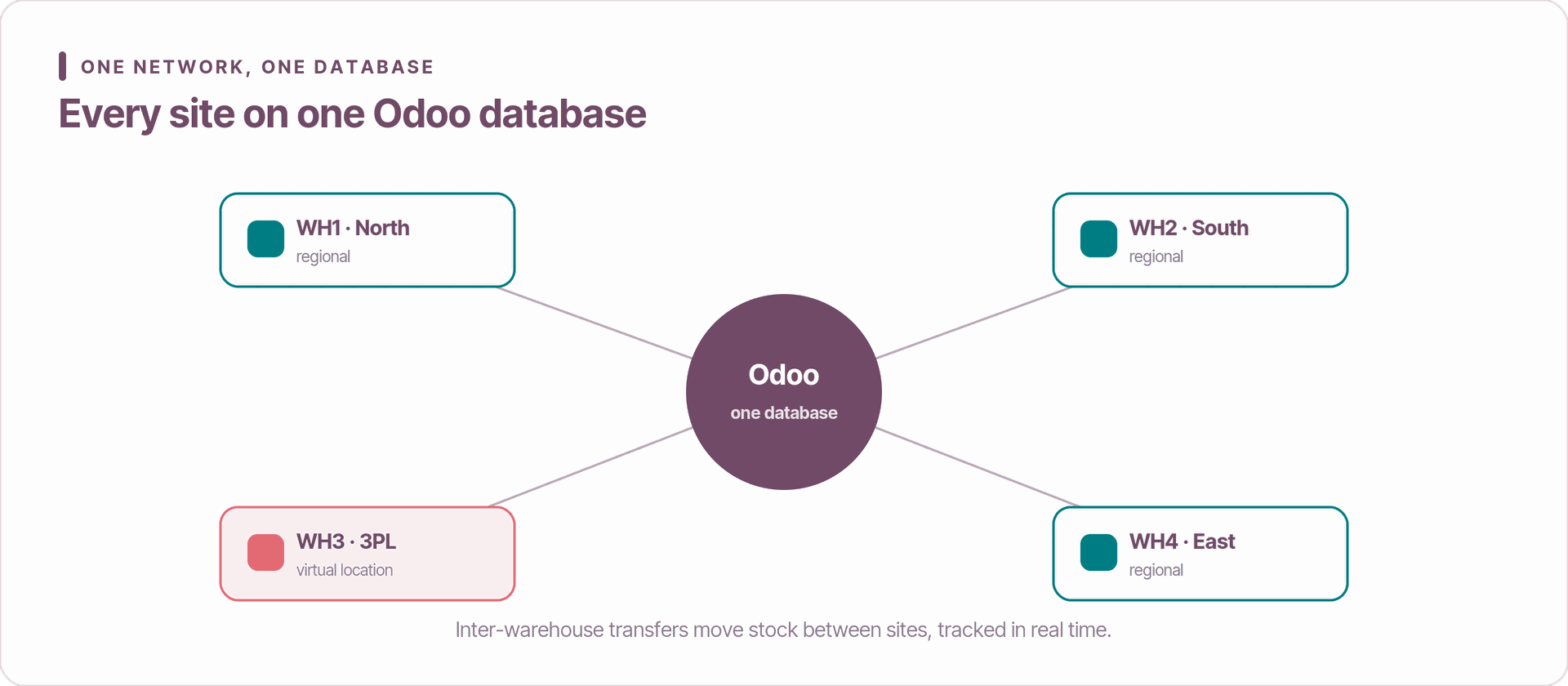
Multi-warehouse management in Odoo means running several physical sites — or virtual ones like a 3PL — inside one Odoo database. Each site has its own storage locations, routes, and rules, but they all share a single product catalog and one set of books. You get real-time visibility, automatic transfers, and one consolidated report across every site.
This is what warehouse management in Odoo delivers out of the box: whether you run one site or a whole network, you get full control from one place. It replaces the scattered spreadsheets and disconnected tools that slow down managing several warehouses.
Key features of Odoo warehouse management
The Odoo warehouse management system ships with a strong set of features for running many sites:
- Centralized control. Manage every site from one platform, with one product master and one user model.
- Real-time reporting. Built-in dashboards for stock valuation, ABC analysis, and warehouse performance.
- Smart routes. Use warehouse routes with push and pull rules to move stock automatically.
- Barcode scanning. Fast, error-free picking and stock moves on the floor.
- Seamless integration. Every move updates Sales, Purchase, and Accounting — no re-keying.
Because it is part of Odoo, all of this works alongside your other Odoo apps on one system.
Real-time inventory tracking and visibility
Live data is the whole point. Odoo shows you stock in real time, so you always know quantities on hand, goods in transit, and reserved amounts across every location. This tracking covers each stock move and every transfer between sites.
With real-time visibility across all your sites, teams stop guessing. You see accurate stock levels and stock value instantly — the foundation of good stock control and reliable reporting.
Automating inter-warehouse transfers
Transfers between warehouses used to be slow and manual. Odoo automates them with routes and rules: a transfer can be created from demand, from a minimum-stock rule, or from a sales order. Turn on multi-step routes to track goods while they are in transit — important for keeping stock value right when goods travel for days.
These rules keep the right stock at each site while cutting excess inventory and storage costs. When a site runs low, Odoo can raise a purchase or manufacturing order on its own, so the order goes to the warehouse that needs it.
Accurate inventory valuation
Finance teams care most about the numbers. Odoo's perpetual valuation keeps stock value current with every move, giving you an accurate figure per site with no month-end scramble. Each warehouse maps to the right stock account, so multi-entity reporting stays clean and your stock value is always right.
Free session
Running more than one warehouse?
Book a free working session with a Doodex Odoo specialist and map your sites, routes, and transfers to how your network really runs.
Book a meetingBetter inventory accuracy with cycle counts
Good accuracy is what makes automation trustworthy. Instead of one big count a year, use Odoo's cycle counting: check fast-moving items weekly and slow-moving ones monthly. Small, regular checks keep your data accurate across the whole network — aim for over 98% accuracy before you add more sites.
Streamlining inventory operations
Standardizing your operations pays off fast. Write one process for receiving, put-away, picking, and transfers, then enforce it through Odoo's operation types so every site works the same way. Clear steps and clear documents mean fewer errors and better performance across the board. You can also add quality checks at receipt so standards stay the same at every location.
Batch picking and faster fulfillment
Batch picking lets one person pick several orders in a single trip, which speeds up fulfillment in large warehouses. Combined with barcode scanning, printed shipping labels, and shipment tracking, your teams handle outgoing orders faster and with fewer mistakes — a simple way to save time every day.
How Odoo improves customer satisfaction
All of this reaches the customer. Shipping orders from the nearest site that has the stock speeds up delivery and cuts late shipments. Reliable availability and clean operations mean happier customers — and happy customers are the ones who come back.
Setting up multi-warehouse inventory
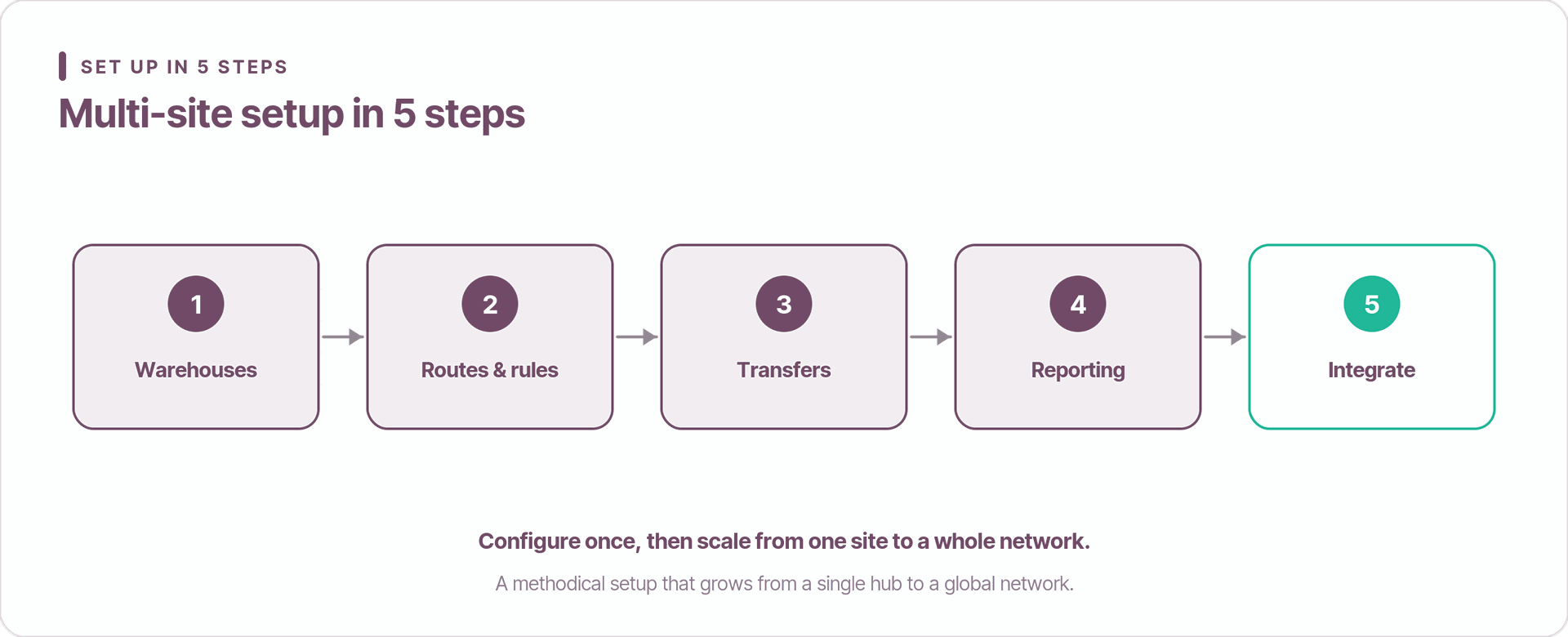
Setting up multi-site inventory follows a clear path. First, in the Inventory app settings, turn on Storage Locations, Multi-Warehouses, and Multi-Step Routes. Then:
- Configure warehouses. Add each site with a code and address, including virtual sites like a 3PL or consignment stock.
- Set routes and rules. Define push and pull rules and reordering rules to keep the right stock at each site.
- Run transfers. Use internal transfers to move goods between sites with full traceability.
- Turn on reporting. Track stock on hand, stock value, and KPIs per warehouse.
- Integrate. Connect Sales, Purchase, and Accounting so everything stays in sync.
A typical Doodex client with four warehouses — one hub plus three regional sites — goes live in about 8 to 12 weeks. After go-live, teams usually report much shorter stock-takes (from days to hours per site), transfer times cut by a third or more, lower carrying cost within six months, and same-day month-end valuation thanks to perpetual valuation. Results vary by business, but the pattern is consistent: more speed, less waste.
Conclusion
Using Odoo for multi-site warehouse management gives growing companies one platform to centralize control, gain real-time visibility, automate transfers between warehouses, and keep stock value accurate across the supply chain. The setup is methodical — configure sites, define routes, run transfers, monitor KPIs, integrate — but the payoff is a warehouse network that scales without adding headcount.
Managing several warehouses today and feeling the friction? As an official Odoo partner, Doodex can map your network, design the routes, and deliver a live multi-warehouse setup in weeks — so your operations run on one system with full control.
Your Odoo partner
Ready to run every site on one system?
Doodex maps your network, designs the routes, and delivers a live multi-warehouse setup in weeks. Talk to our team to get started.
Talk to a Doodex expertanswered
Can Odoo handle warehouses in different countries?
Yes. Multi-company and multi-currency let each site use its own entity and currency while sharing one product catalog across the network.
How many warehouses can one database manage?
There is no hard limit — Odoo runs setups with 30+ sites. Performance depends on transaction volume, not the number of warehouses.
Does Odoo support 3PL and consignment stock?
Yes. You model them as a virtual location with the right ownership rules, so stock value stays accurate.
Which apps do I need?
At minimum the Inventory app; most setups add Purchase, Sales, Barcode, and Accounting for full multi-warehouse management.