Odoo Manufacturing

Odoo for Manufacturing: the complete guide by an industrial Odoo partner

Most guides to Odoo manufacturing are written by people who have never stood on a shop floor at 6am while a work order refuses to close.

This one isn't. Doodex has spent 13 years building this ERP system inside real factories — furniture plants, an indoor farm run by robots, a water filtration installer. So you get the honest version: what it does, where it beats the big-name systems, where it will give you trouble, and what it really costs.

Three questions decide whether Odoo works as your manufacturing ERP. Does it fit our manufacturing process? Will it hold at our volume? Who sets it up? The first two are answered below, against Odoo 19.

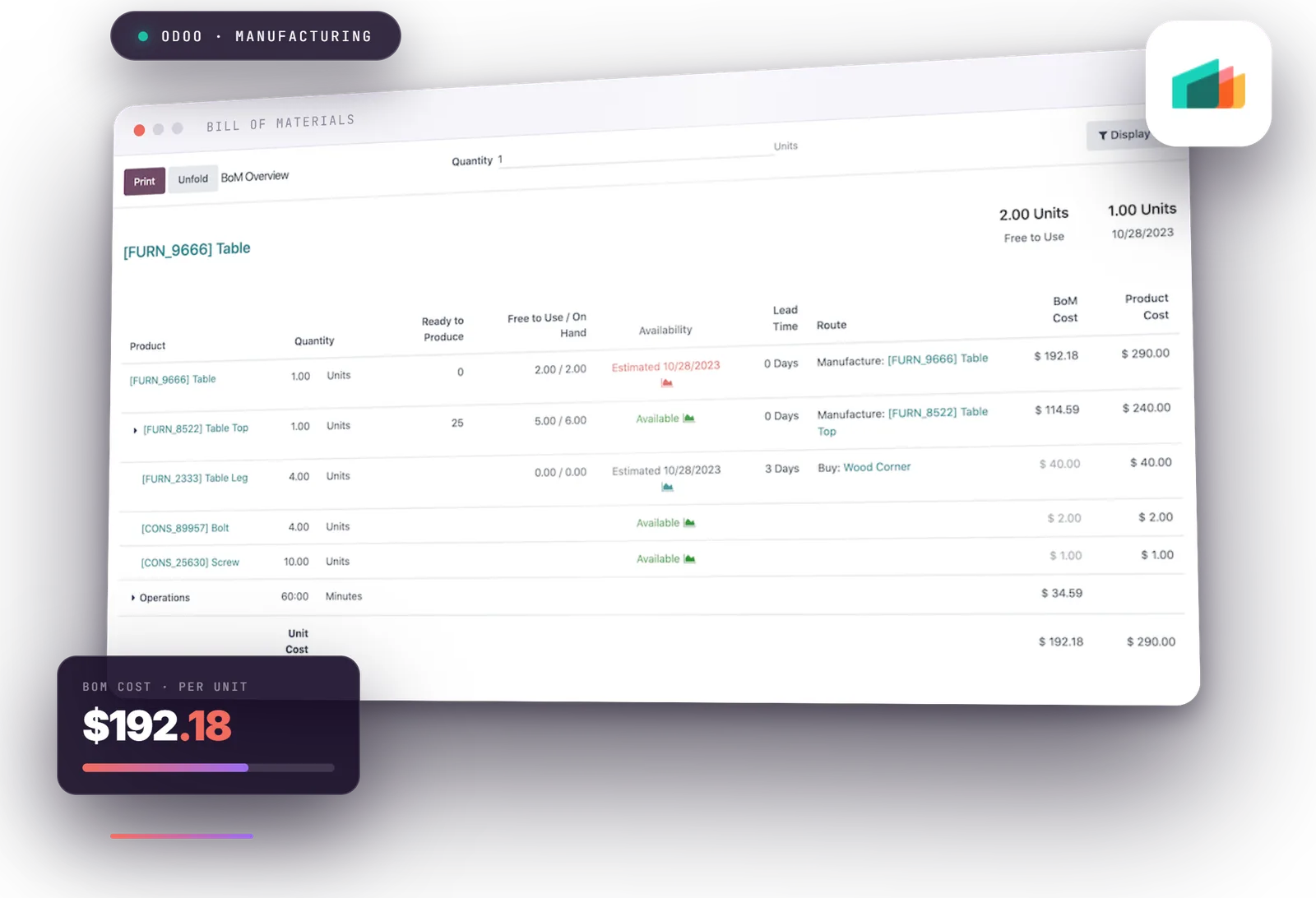
Odoo Manufacturing bill of materials overview: multi-level BoM for a table with component costs and a $192.18 cost per unit
13
Years on Odoo
Official
Odoo partner
30
Specialists in-house
3+3
Certified & senior experts
20+
Companies served
1st
Month risk-free
24 h
Reply time
One system, not five

Odoo manufacturing software: one centralized platform, no data silos.

Odoo manufacturing isn't one program. It's a set of connected modules that all share the same information — and that sharing is the whole point.

In most factories the bill of materials lives in one place, stock levels in another, quality records in a binder, and the invoice in the accounting software.

Somebody spends the last week of every month making those four things agree. Those are data silos, and killing them is what an ERP system is for. On a centralized platform, they're the same record. There is nothing to reconcile.

1,000+Integrated modules
Real timeProduction status
FullBatch traceability
Lower costPer user, all modules
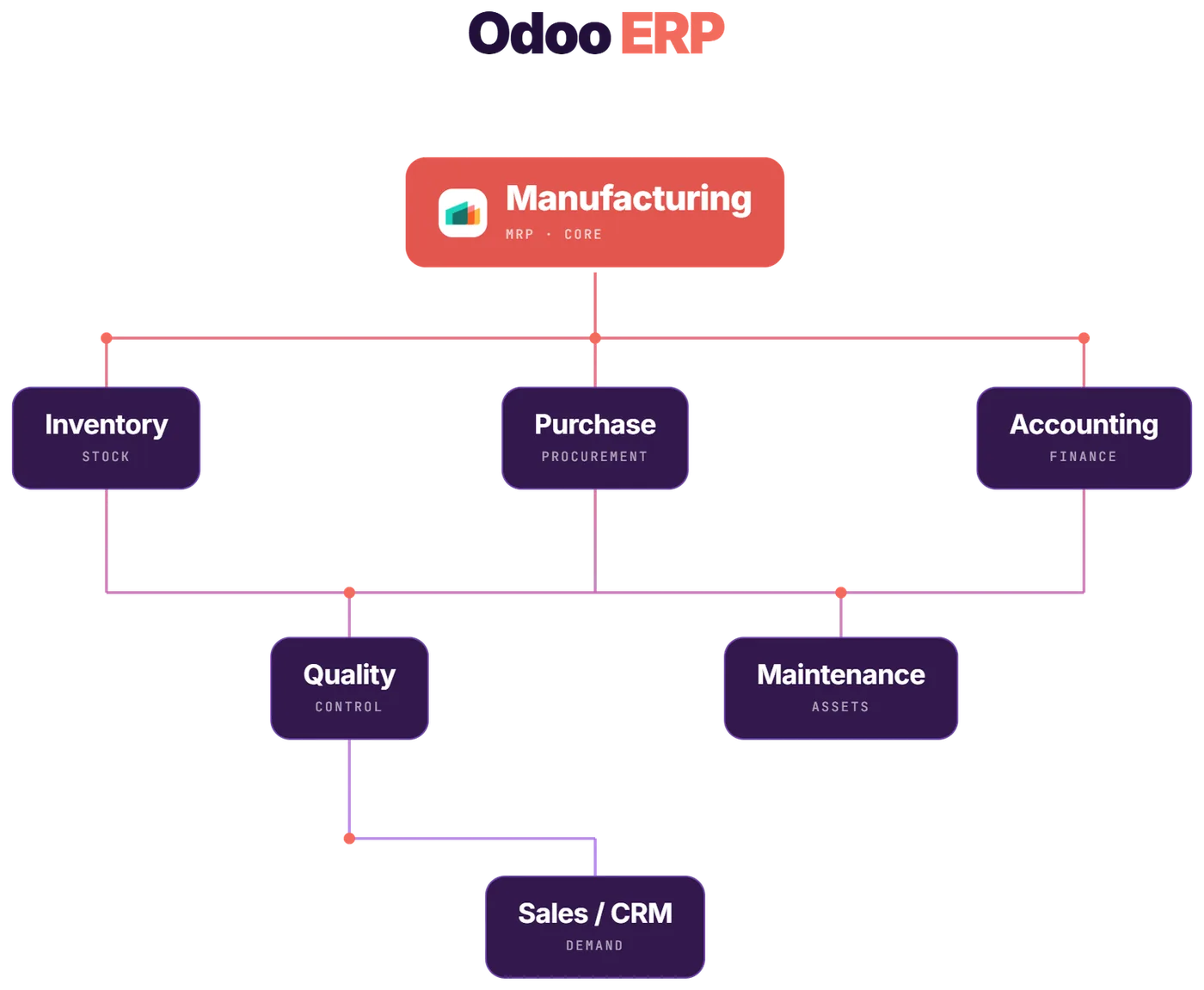
Odoo ERP module map: Manufacturing MRP at the core, connected to Inventory, Purchase, Accounting, Quality, Maintenance and Sales/CRM
What is actually in the box

Odoo manufacturing features: the key features you actually get.

Twelve module groups, every capability listed rather than summarised. Based on Odoo 19. Pick one on the left to see what it does — and what it doesn't.

Manufacturing orders

A manufacturing order is simply the instruction to make something: this product, this quantity, by this date. The manufacturing app creates them for you when stock runs low, when sales orders come in, or from your production plan.

  • Work orders break manufacturing orders into individual steps, so each station knows its job in the final assembly
  • Created automatically from stock rules, from sales orders, or from your production plan
  • Barcode scanning across the flow: scan a batch or serial number, start and stop the timer on a step, flag a machine problem, move to the next step
  • One, two or three-step production — consume and receive in a single move, or add separate picking and storing steps

That last choice sounds like paperwork. It's actually one of the decisions that determines whether your stock numbers still make sense a year from now.
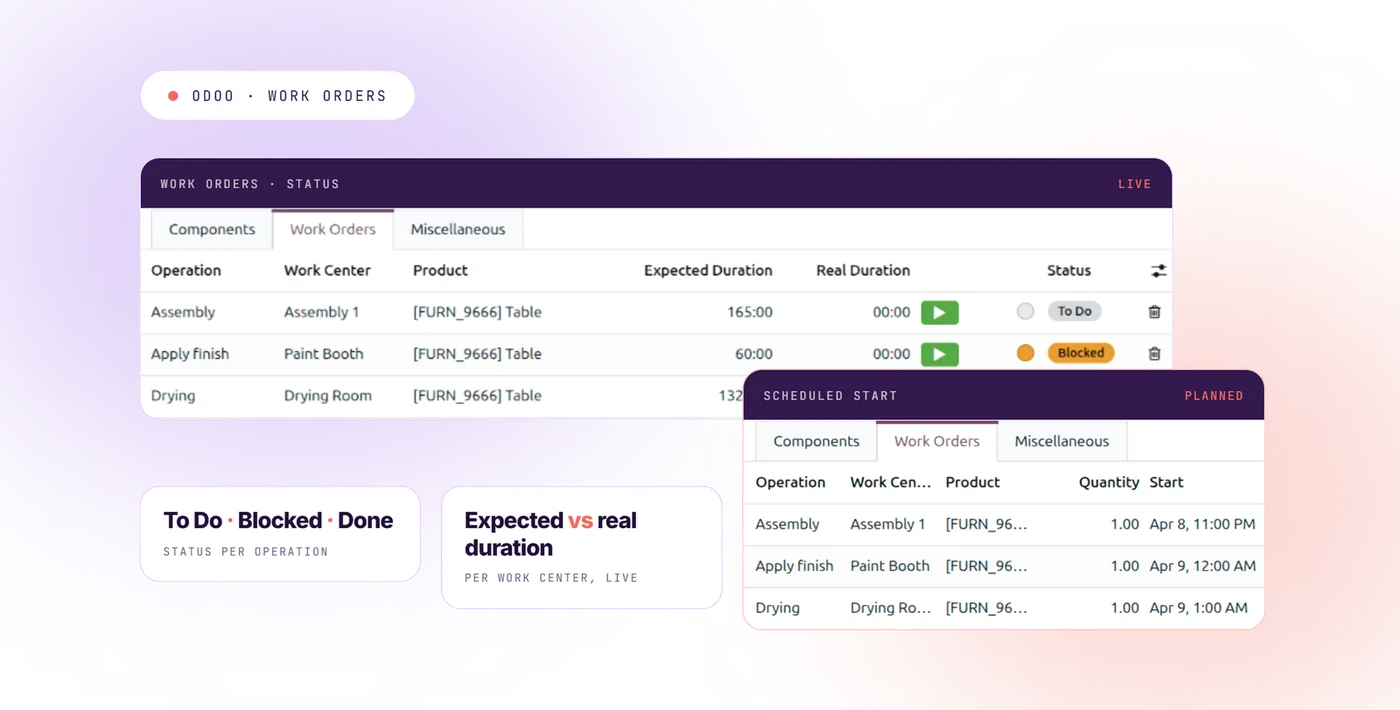
Odoo Manufacturing work orders screen — manufacturing order split into operations per work center

Editable orders when the manufacturing process changes

Real factories deviate from the plan. Most systems punish you for it. This one doesn't.

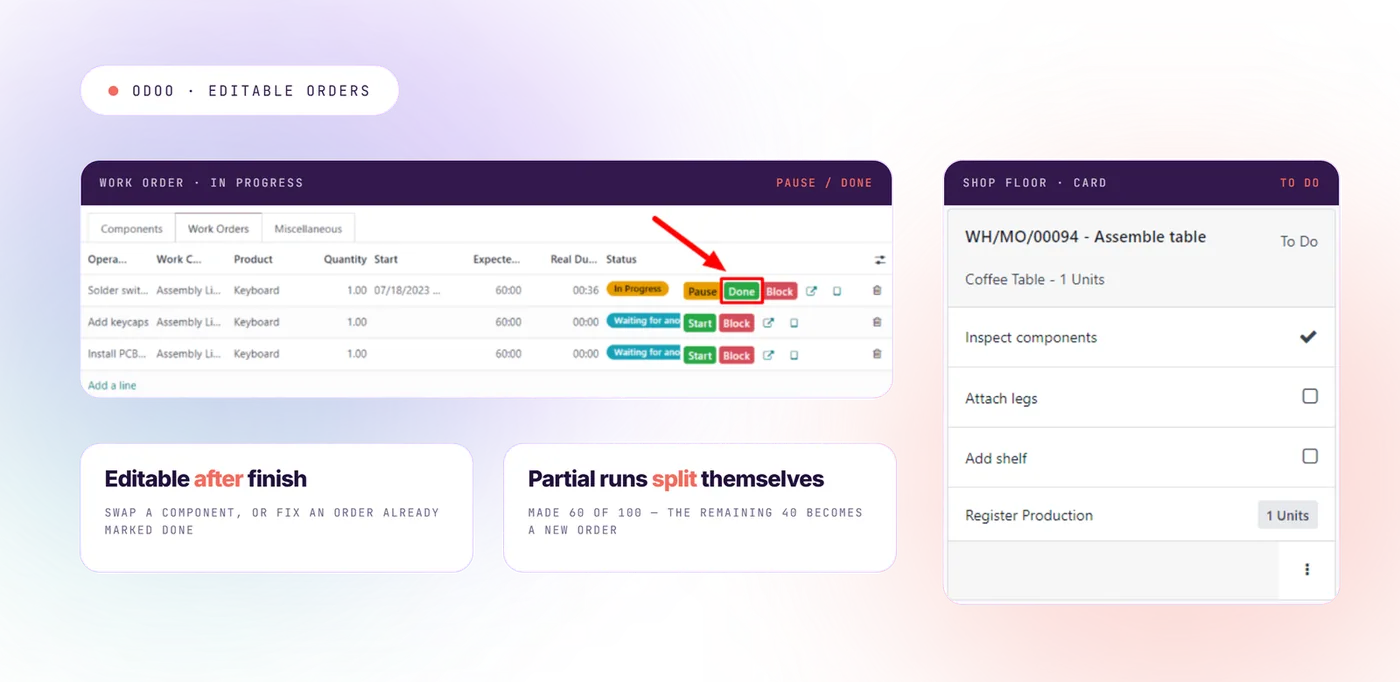
  • Editable orders — use a different component than planned, or fix an order even after it's marked finished
  • Partial runs — made 60 of the 100? The system closes the 60 and creates a new order for the remaining 40 automatically
  • Split and merge manufacturing orders as demand consolidates or fragments
  • Unbuild orders — take apart a finished product and put the components back into stock
  • Scrap recorded against the order it happened on, instead of disappearing into a stock correction
  • Repairs for items under warranty, or repair sold as a service

Component substitution at the order line doesn't break the master bill of materials — which is why the shop floor keeps using the system instead of working around it.

Editing an Odoo manufacturing order after it started — swapping a component and closing a partial run

Planning, scheduling and material requirements planning

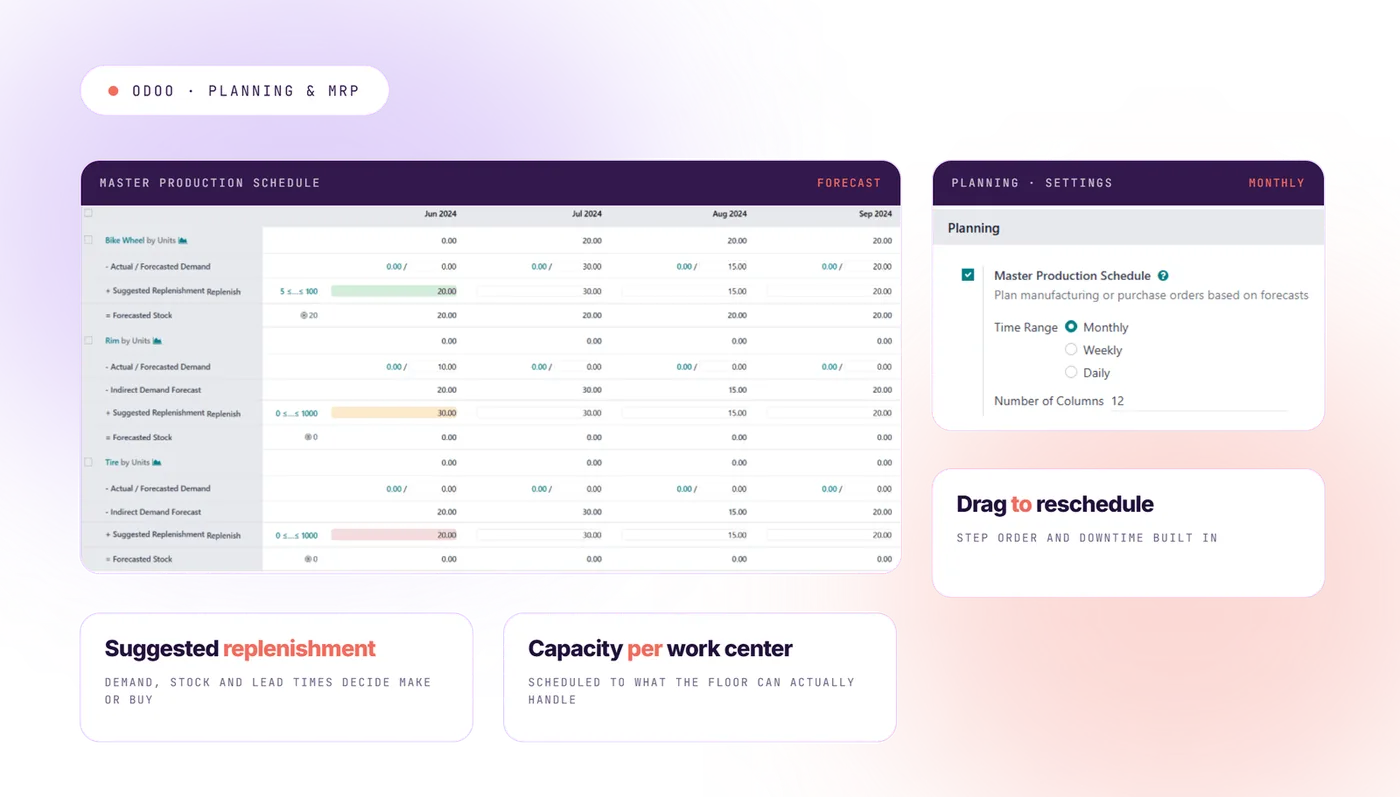
  • A clear view of the whole schedule, where you drag an order to move it
  • Work center capacity — work is scheduled at each work center based on what it can actually handle
  • Material requirements planning — the system reads demand, current stock levels and supplier lead times, then tells you what to make and what to buy
  • Step order — an operation can't start until the one before it is done
  • Work center downtime — planned shutdowns, holidays and shifts are built into the schedule
  • Production plan (the Master Production Schedule) — enter how much you expect to sell each week and the system proposes the rest

Material requirements planning works well for factories making the same things over and over. It gets thin when your scheduling is more complicated than that — more on that in the limits section below.

Odoo production planning and MRP screen — scheduled manufacturing orders across work centers

Bill of materials: multi-level bills, variants and kits

A bill of materials is the parts list for a product: what goes into it, and how much. Everything else in manufacturing depends on getting these right.

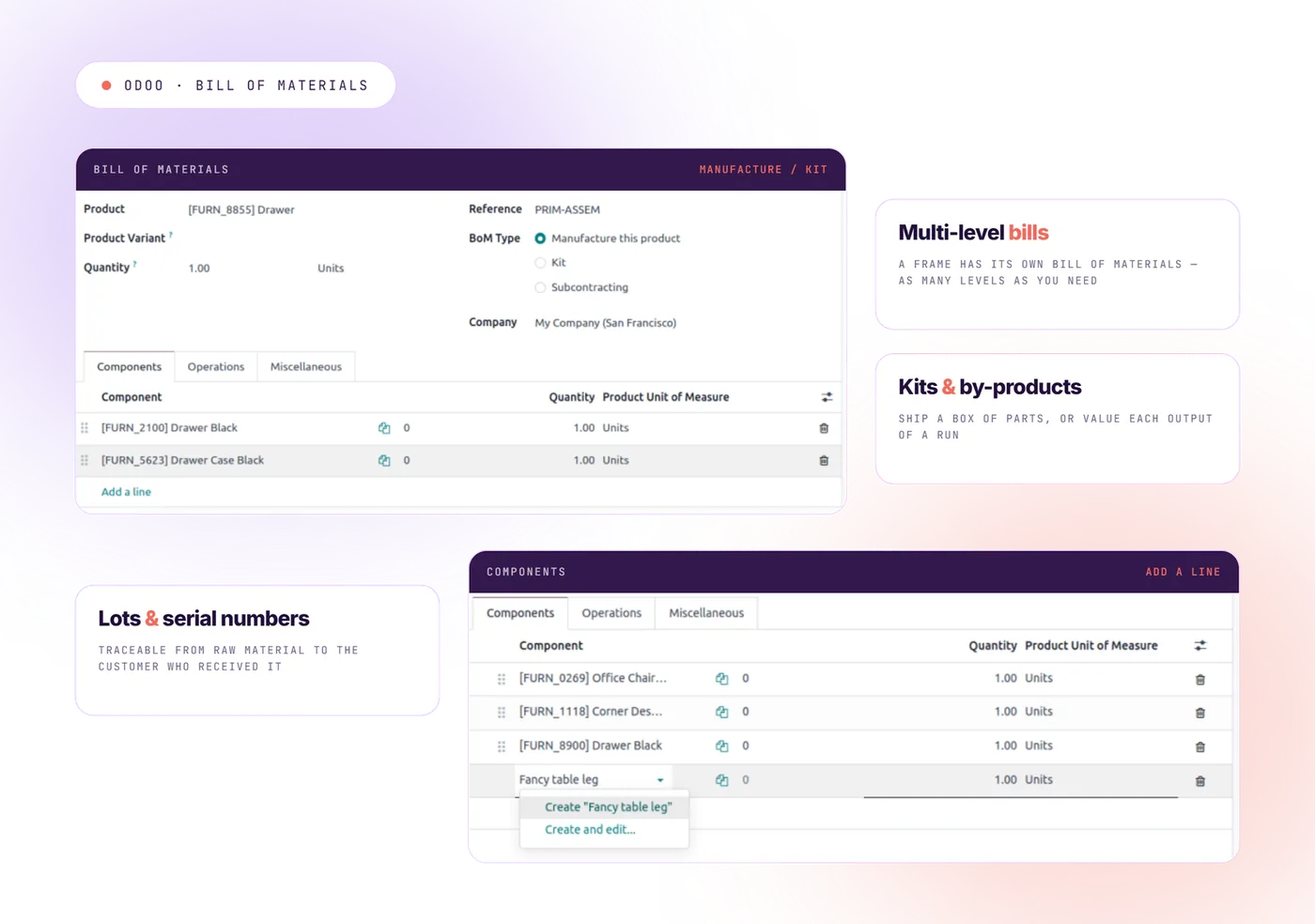
  • Multi-level bills of materials — a chair is made of a frame, and that frame has its own bill of materials. As many levels as you need
  • One bill of materials for a whole product range, instead of a separate one for every size and color
  • Kits — sell a product that ships as a box of parts the customer assembles
  • By-products that come out of the same run, each with its own value
  • Step sequences that define the order operations happen in
  • Lot tracking and serial numbers that follow a part from raw material all the way to the customer who received it

That last point is what gives you full traceability — and it's the part auditors care about.

Multi-level bill of materials in Odoo, with components, quantities and operations

Shop floor control: the screen your operators actually use

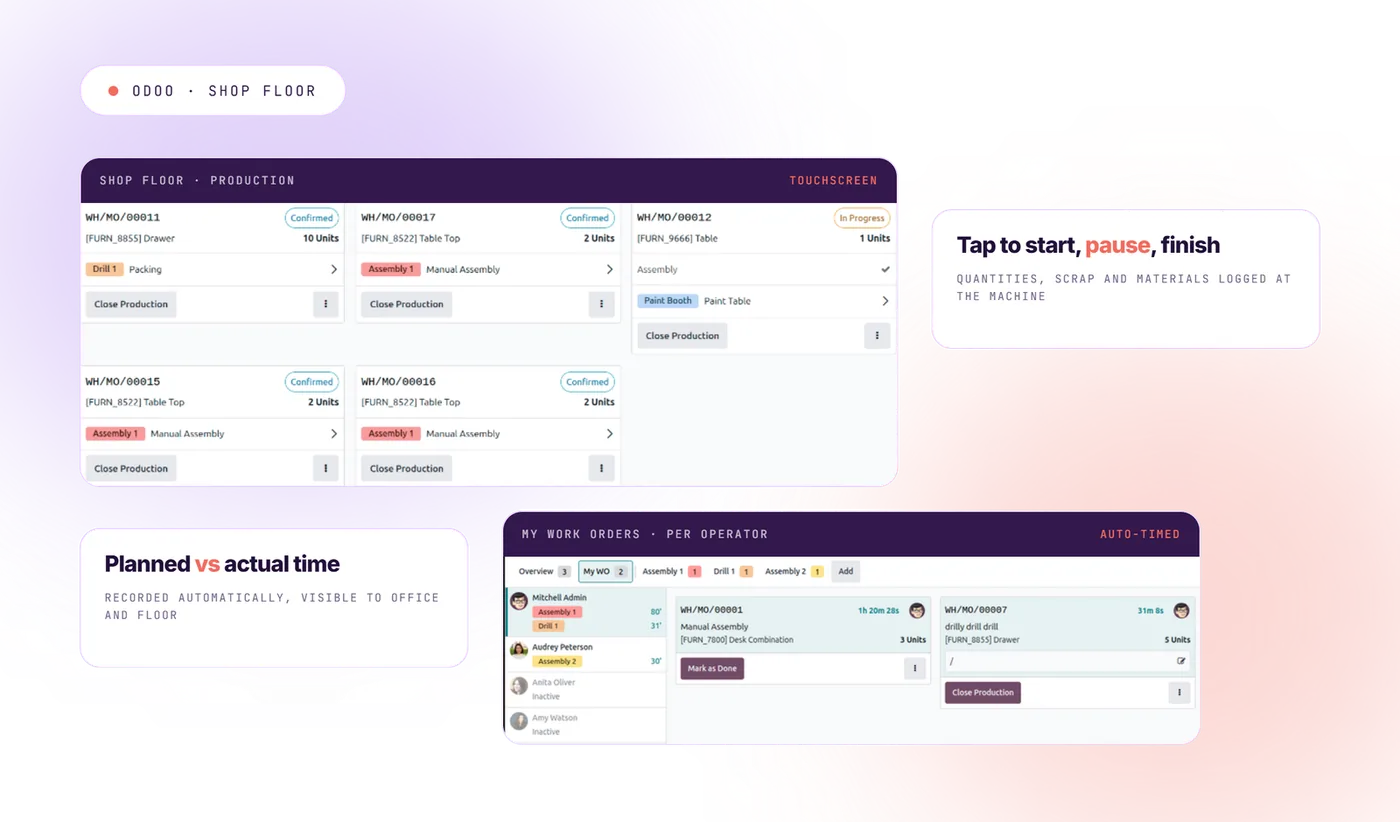
The Shop Floor module is built for a touchscreen next to a machine, not a desk. It's what turns shop floor control from a clipboard exercise into live production data.

  • Workers start, pause and finish their steps by tapping
  • They record quantities, scrap and materials used right at the machine
  • Instructions and drawings appear on the same screen, so nobody hunts for a printout
  • Problems get flagged without leaving the shop floor app
  • Time is recorded automatically — planned versus actual
  • Production status is visible in real time, to the office and the floor at the same moment

Real time visibility is the part most factories underestimate. When the planner can see production status without walking the line or calling a supervisor, planning stops being a guess. And automatic time recording is what eventually makes your cost numbers believable. If you last looked at this ERP on version 14 or 15, the shop floor module is the piece most worth a second look.

Odoo Shop Floor touchscreen used by operators to start, pause and finish a work order

Quality control and quality management

Quality control is its own module here, not a checkbox on a form.

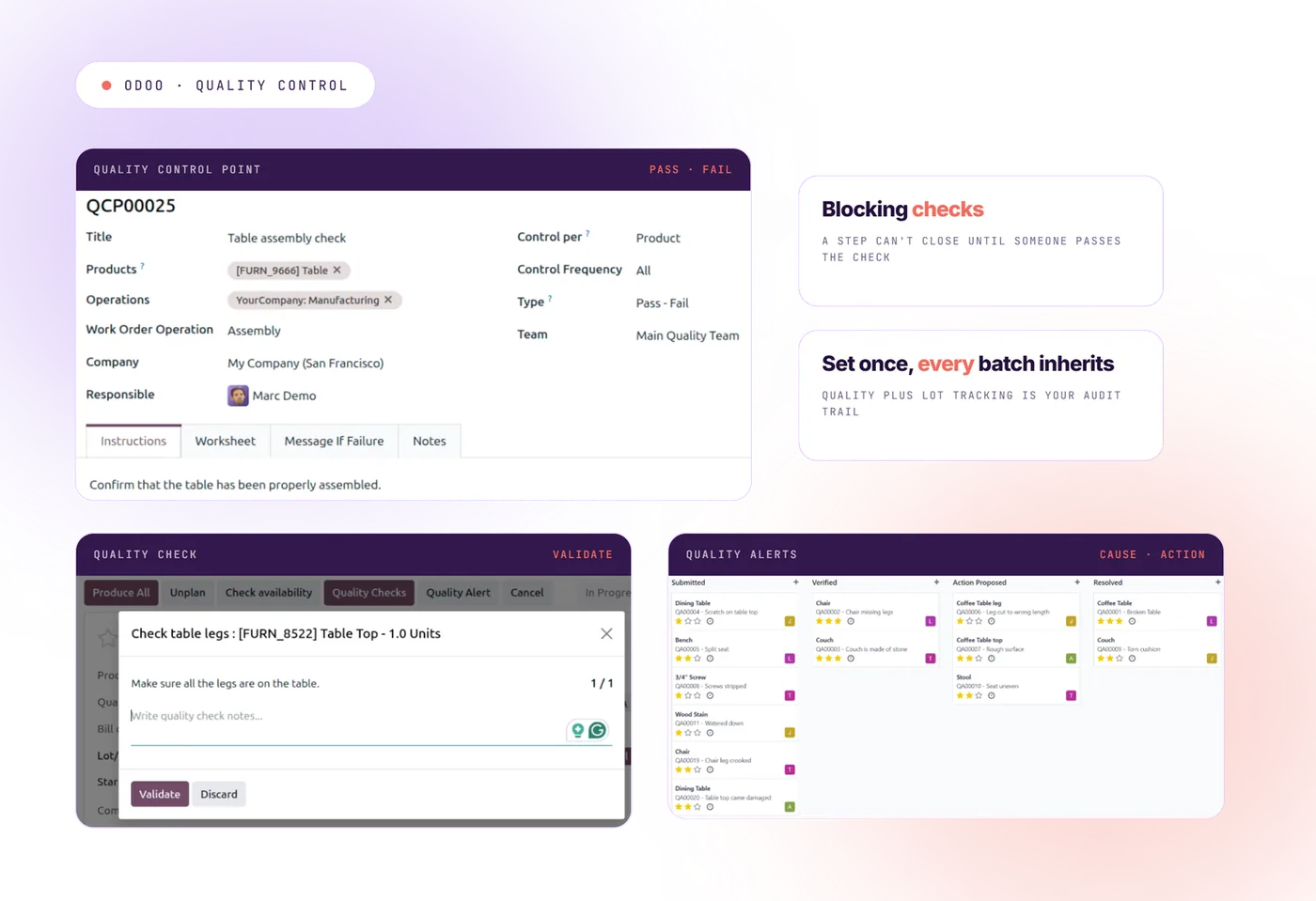
  • Quality control points — set exactly where a check must happen: at a step, on a product, on a batch, or when goods arrive
  • Types of quality checks — pass/fail, a measurement that has to fall within limits, written instructions, or a photo
  • Problem reports with a cause, a corrective action and a person responsible
  • Blocking quality checks that physically stop a step from closing until someone passes the check

For food, cosmetics, medical devices and auto parts suppliers, quality management plus lot tracking is your audit trail. Set your quality control points once and every batch inherits them — nobody has to remember.

Odoo quality control check on a manufacturing operation, with a measurement inside tolerance

Product lifecycle management and engineering changes

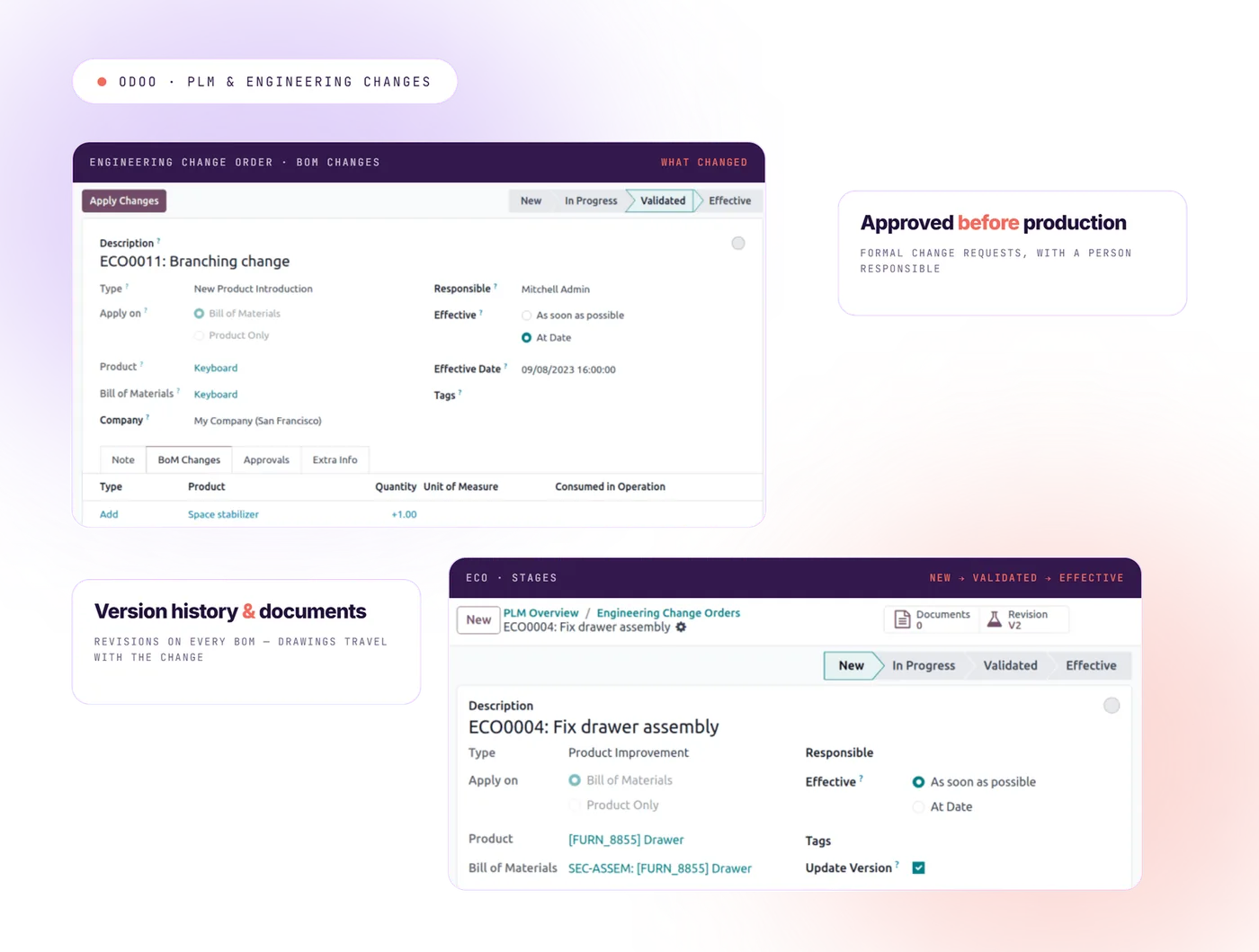
When you change a product design, three things usually go wrong. The factory keeps building the old version. Nobody knows who approved the change. And the drawing is out of date. Product lifecycle management exists to stop all three.

  • Version history on every bill of materials and every step sequence
  • Engineering Change Orders — formal change requests that need approval before they reach production
  • A side-by-side comparison showing exactly what changed between revisions
  • Drawings and documents attached to the change, so they travel with it

If you redesign products often, or engineer something new for each customer, this is the module that keeps your bill of materials trustworthy instead of folklore.

Odoo PLM engineering change order comparing two bill of materials versions side by side

Machine maintenance and work center downtime

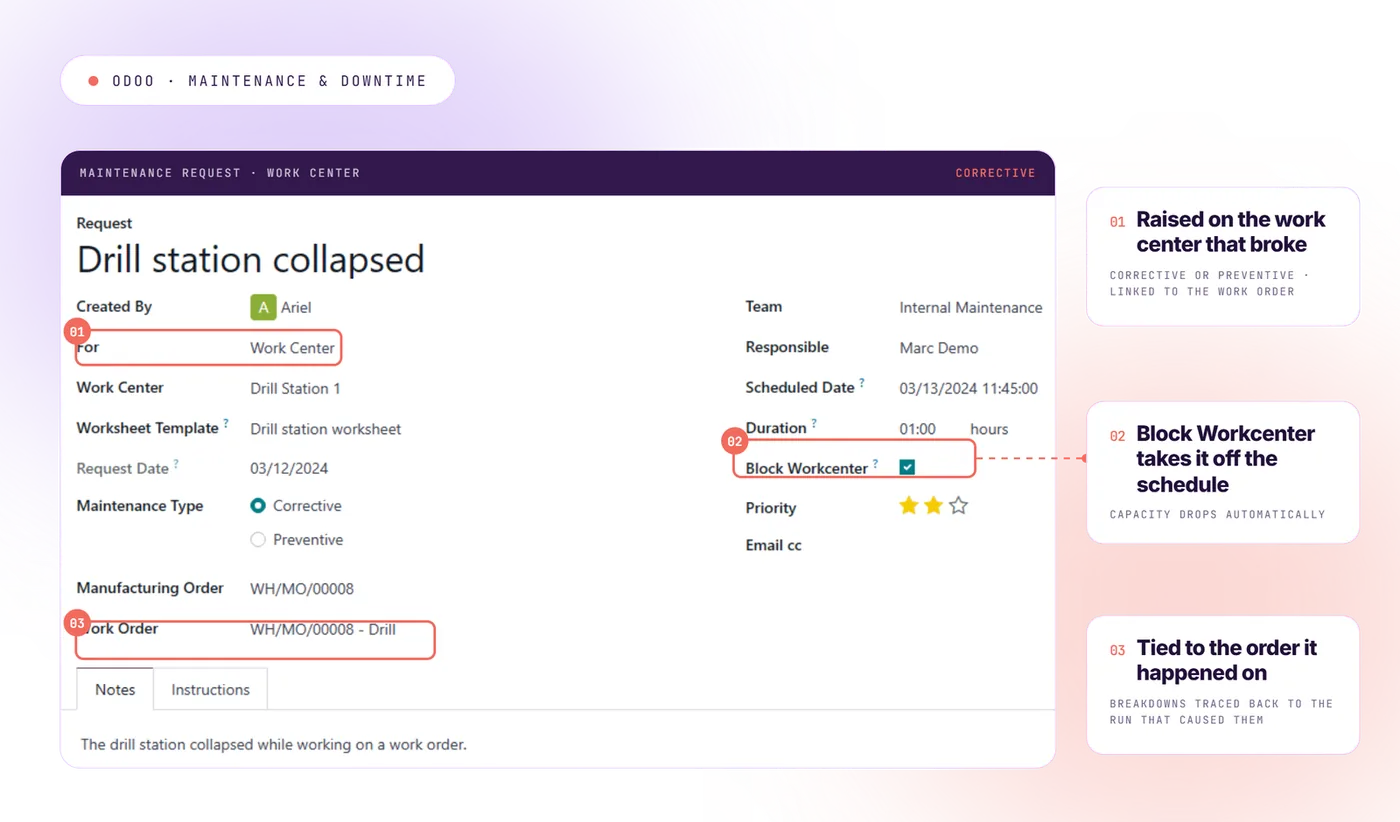
Preventive and breakdown maintenance, tied to the same work centers your production runs on.

  • Maintenance requests raised from the floor or from a quality alert
  • A maintenance calendar with scheduled preventive servicing
  • Statistics on how often machines break and how long repairs take
  • Automatic capacity effect — a work center under maintenance disappears from the schedule

That last one is what matters most. Downtime stops being invisible, and maintenance stops competing with production for the same hours.

Odoo Maintenance module — preventive maintenance request on a work center under repair

Outsourced manufacturing operations

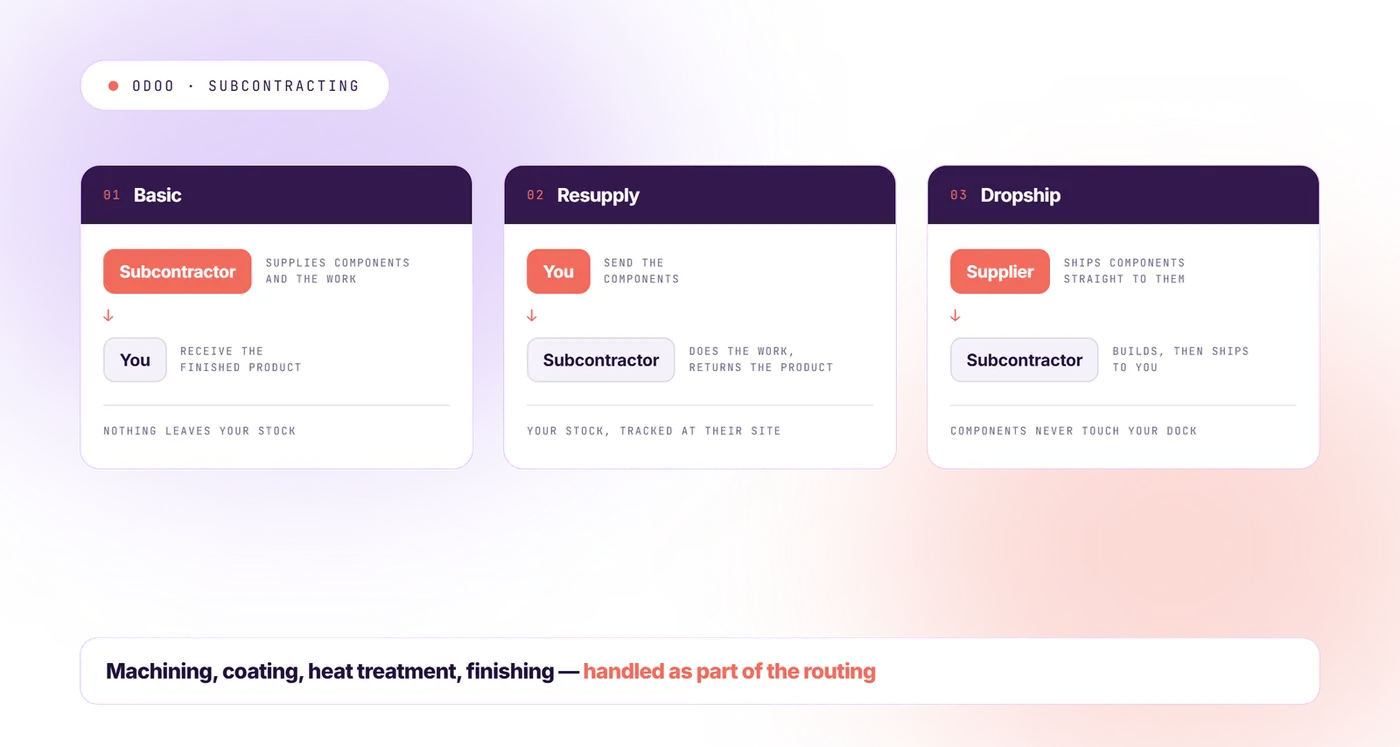
If you send work out — machining, coating, heat treatment, finishing — there are three ways to handle it.

  • Basic subcontracting — the outside company supplies the components as well as the work
  • Resupply subcontracting — you send them the components
  • Dropship to subcontractor — your supplier ships the components straight to them

For manufacturers who outsource part of the manufacturing process, this is often the feature that decides the whole evaluation. It's also the one most competing systems handle badly.

Odoo subcontracting flow for outsourced manufacturing operations sent to a supplier

Reports: production data and overall equipment effectiveness

  • Full traceability — trace any batch forward to the customer or backward to the supplier
  • Cost reports, including what a production run actually cost and the value of work still in progress
  • Cost allocation across work centers, materials and labor, so you know where the money really goes
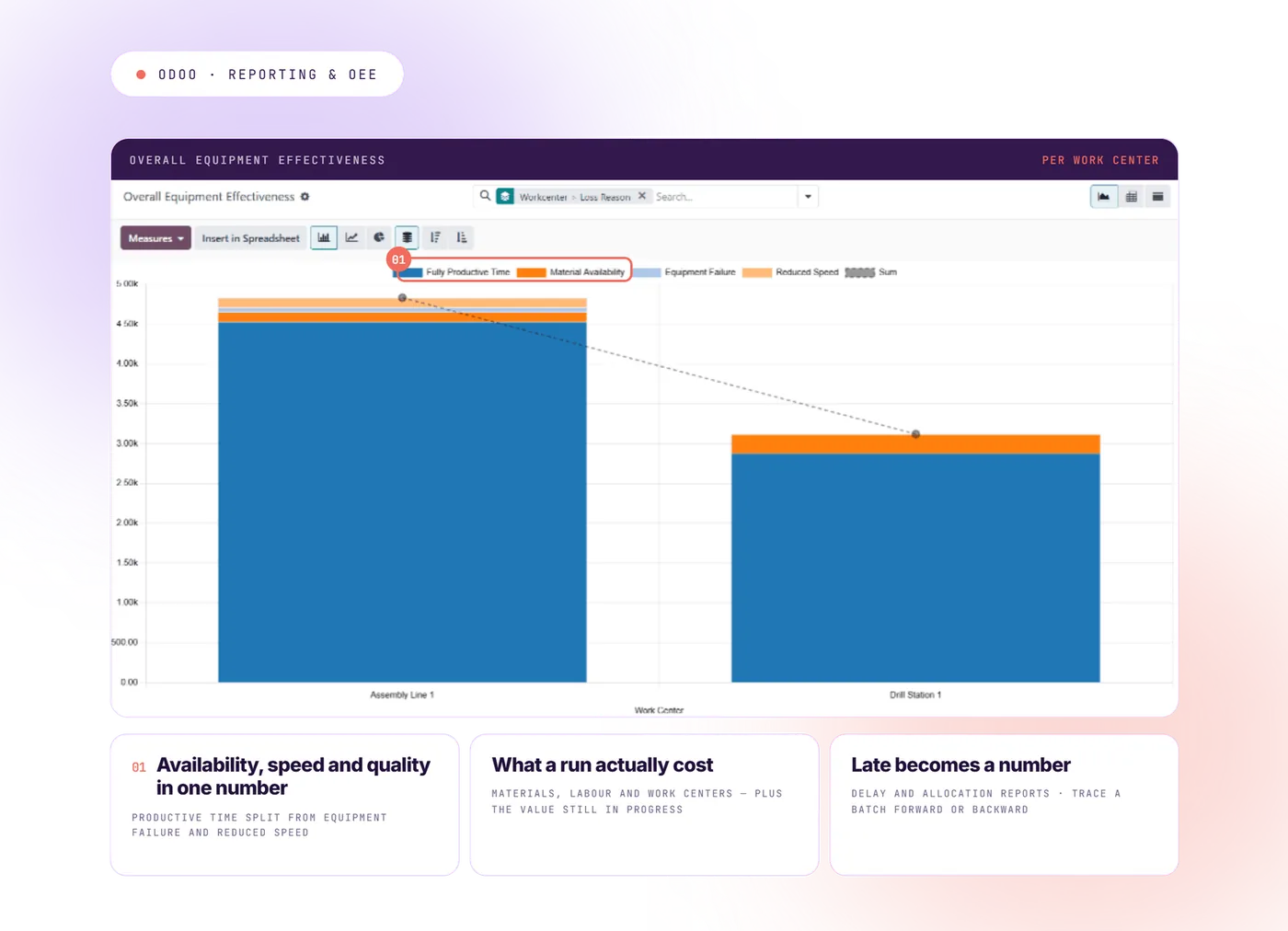
  • Overall equipment effectiveness — how much of a work center's available time actually produced good parts. One number combining availability, speed and quality
  • Production analysis and delay reports, so “we're running late” becomes a number
  • Allocation reports showing which production is promised to which customer

Equipment effectiveness only means something when the underlying production data is captured automatically, which is exactly what the shop floor module does. Together they replace gut feeling with data driven decisions — and that shift is usually what people actually meant when they said they wanted an ERP.

Odoo manufacturing reports — overall equipment effectiveness and production cost analysis

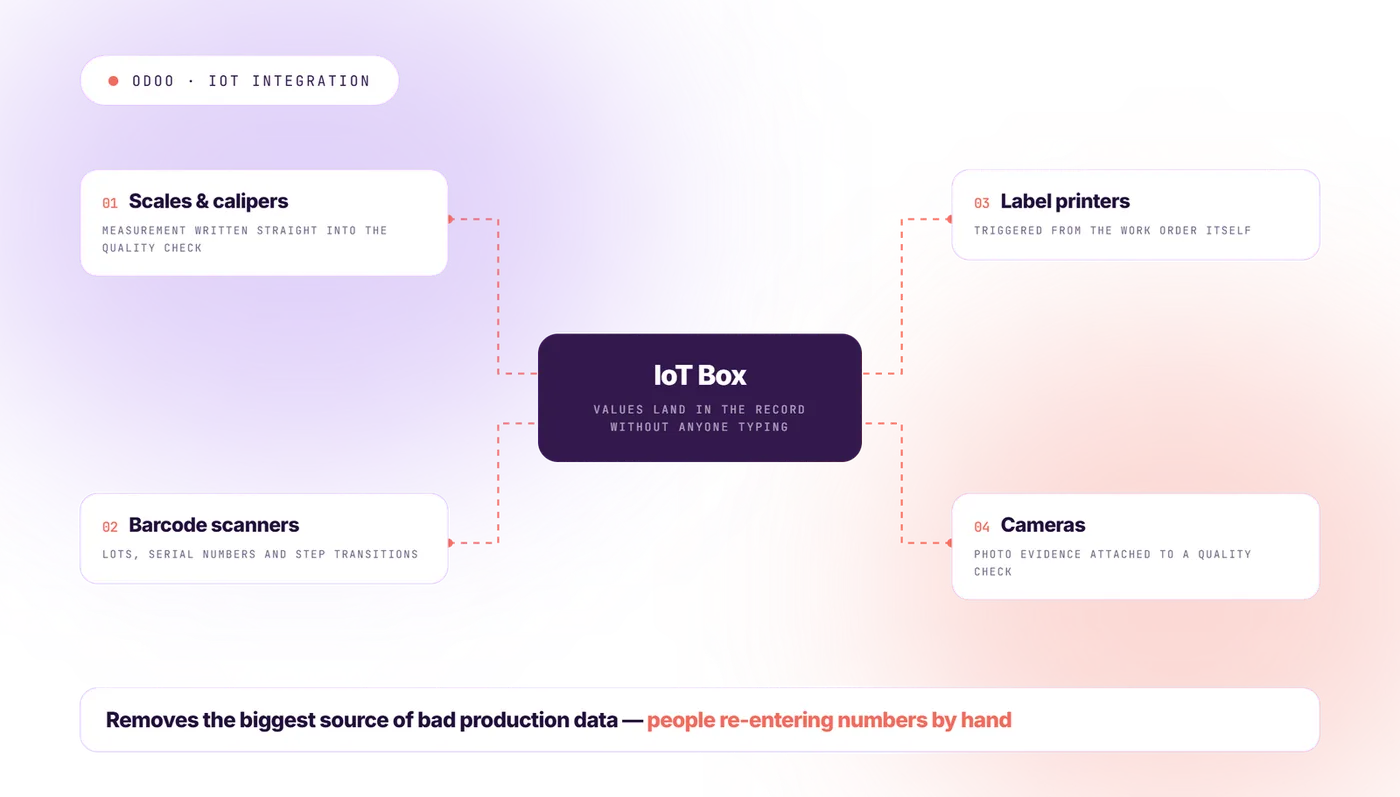
IoT integration: scales, scanners and barcode printers

Measuring devices connect directly through the IoT Box, so a value lands in the system without anyone typing it.

  • Scales and calipers writing measurements straight into a quality check
  • Barcode scanners for lots, serial numbers and step transitions
  • Barcode and label printers triggered from the work order
  • Cameras for photo evidence on a quality check

For factories with heavy quality requirements, IoT integration removes the single biggest source of bad production data: people re-entering numbers by hand.

Odoo IoT integration — scales, scanners and measuring tools feeding data straight into a quality check

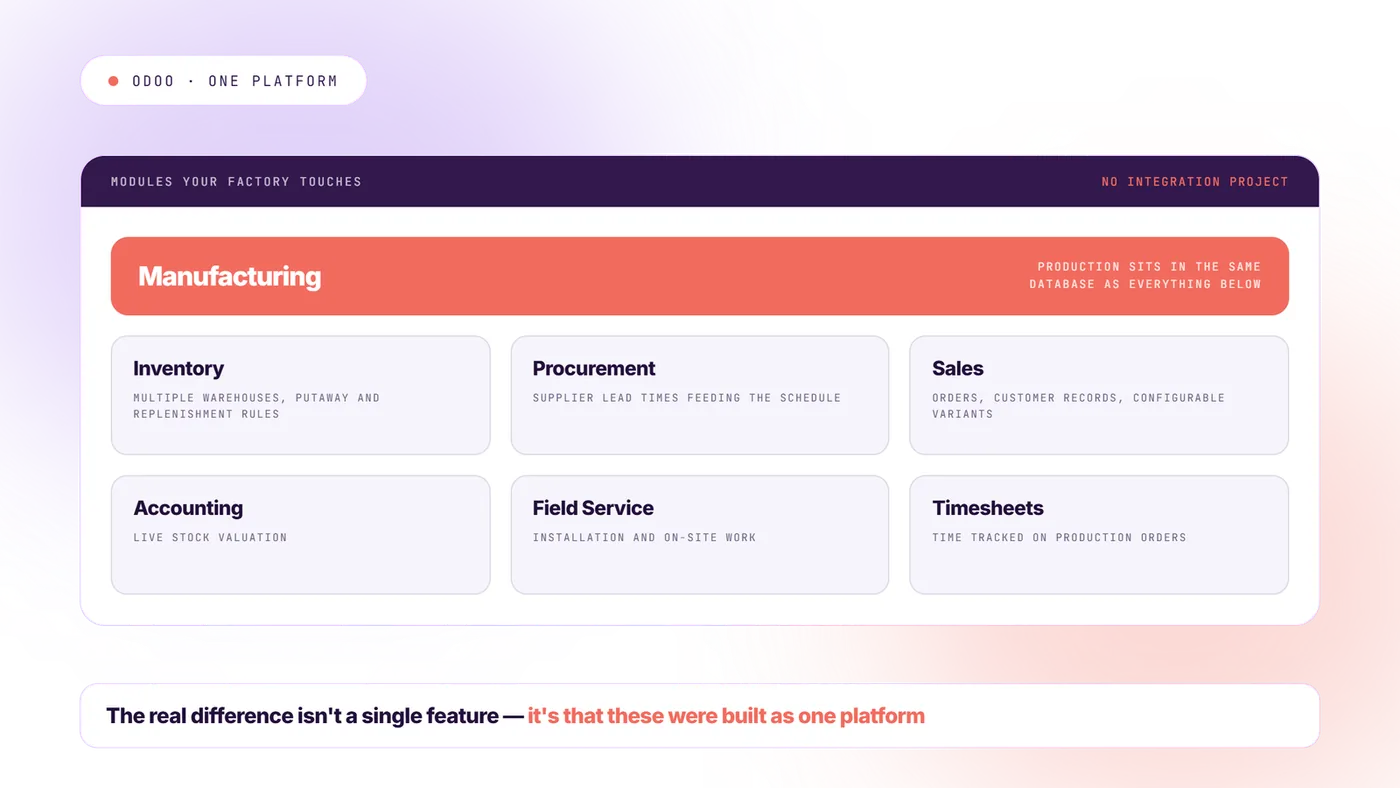
The other modules your factory touches

The Odoo ERP for manufacturing argument only pays off when production connects to the rest of the business.

  • Inventory across multiple warehouses, with putaway and replenishment rules
  • Procurement, with supplier lead times feeding the schedule
  • Sales orders and customer records, with configurable product variants
  • Accounting with live stock valuation
  • Field service for installation and on-site work
  • Time tracking on production orders

That's the real difference. Not any single feature — the fact that there is no integration project between these other modules, because they were built as one centralized platform.

Odoo modules connected to Manufacturing — Inventory, Purchase, Sales, Accounting and Maintenance
Which modules do you actually need?

Most manufacturers we meet have been quoted three modules too many.

The diagnostic maps your business process and tells you the shortest list that covers it.

Get my module map →
Honest assessment

Odoo as a manufacturing ERP: strengths and real limits.

Any partner who tells you this ERP system fits every factory is selling, not advising. Here's the version we give clients before they sign anything.

Where Odoo genuinely wins

Five reasons manufacturers pick this ERP system over the big names — and they are not the reasons the brochures lead with.

Lower cost

You pay per user, with all modules included. The big-name vendors charge per module, and the modules add up. For a factory with 30 to 80 people on the system, the license difference over five years is usually the biggest single number in the business case.

Speed

A focused manufacturing setup goes live in weeks. The big systems are known for projects that run for years. Getting live faster also means the setup matches how you actually work, because you find out sooner what's wrong.

One system, nothing to connect

No integration project between production, inventory, procurement and accounting. That removes a whole category of things that break, and a whole category of consulting invoices.

You can change it

The platform is genuinely open underneath. A rule that's specific to your business process — your way of scheduling, your label format, the report your industry demands — is a development job, not a negotiation with a vendor who says no. If what makes you competitive is a process nobody else runs, this matters more than any feature list.

People actually use it

That sounds soft until you've watched a very expensive ERP fail because the shop floor quietly kept its spreadsheets.

Where Odoo will give you trouble

We'd rather you hear this from us now than find out in month nine.

Complex scheduling

Work center capacity is treated as a guideline, not a hard limit. If you need scheduling that truly respects what each work center can do in a day, or that minimizes changeovers between products, the standard version won't do it alone. It needs an extra layer.

Read moreRead less

That's exactly why we built one.

Recipe-based production

The bill of materials model counts things. It's built for products you can count in units. If you make batches where the yield varies, where ingredient strength changes the quantity needed, or where two valuable products come out of one process, that needs real work to set up.

Read moreRead less

Doable — not out of the box.

Very large volumes

Mid-size companies are handled well. If you're moving hundreds of thousands of stock items a day, you're in specialist territory: server sizing, database tuning, archiving old production data. Plan for it on purpose.

Direct machine control

IoT integration covers devices like scales and scanners. Software that controls a production line directly, machine by machine, is a separate project, not a setting you switch on.

Heavy regulated industries

Pharmaceutical validation, aerospace traceability standards, automotive data exchange requirements — these aren't included features. They can be built. They cost money and time, and you should price them before you sign.

New versions every year

A major version ships annually, with about three supported at a time. The more custom work you have, the more each upgrade costs. Manageable with disciplined development.

Read moreRead less

A nightmare if your partner writes code that fights the framework.

That last one is the fear we hear most, so here's how we handle it. We never use Odoo Studio — we write proper code, following strict rules, so everything we build is ready to upgrade from day one. We built our own tools for moving code and data to new versions quickly. And automated tests catch anything that breaks before you see it.

We also never touch the Accounting module. It's complete as it is, it holds sensitive data, and official recognition under the new French e-invoicing rules depends on that part staying untouched. When accounting needs to behave differently, we build on top of it instead of changing it.

So who is this right for?

The short version, before you spend two days building a business case.

A strong choice for

It's a strong choice for manufacturing industry companies that build countable products — assembly, made-to-order, light batch production — and that need the factory connected to sales, inventory and accounting. It suits companies that would rather shape the system around their manufacturing process than reshape their process to fit the software.

Our own sweet spot

Our own sweet spot is factories with roughly 50 to 1,000 employees and genuinely complex operations. That's where the payback on tailoring the system is biggest.

The wrong choice if

It's the wrong choice if you need certified compliance for a heavily regulated industry out of the box, if you need advanced scheduling and don't want an add-on for it, or if nobody inside your company will own the system.

Production planning

Our manufacturing modules: filling the gaps.

Every limit above is one we've hit on a real project. Some we solved once and moved on. Others kept coming back at factory after factory, so we turned them into products.

Module · 01

Plan the whole tree at once

The standard system schedules manufacturing orders one at a time. But a finished product is made of sub-assemblies, and those sub-assemblies have their own multi-level bills of materials underneath. Scheduling them one by one isn't realistic once you have any volume.

Read moreRead less

Our module schedules the entire chain in one click — the parent order and every order beneath it, in the right sequence, respecting what each work center can handle.

Module · 02

Move one order, the chain follows

A planning board built for daily use. Drag one order and every connected order moves with it automatically. A work center goes down at 9am?

Read moreRead less

Move the order. The rest adjusts. The dates stay consistent.

Module · 03

Work backward from the delivery date

The standard scheduler works forward: tell it when you'll start, it tells you when you'll finish. Real production planning runs the other way. You promised the customer a date, and you need to know when to start.

Read moreRead less

Our module calculates the latest possible start date across the whole chain, working back from that promise.

Module · 04

Test a plan before you commit to it

This is the one planners ask for by name. Normally you plan on live data. There's no room to make a mistake and no way to try something out.

Read moreRead less

But trying things out is the job. What if I add a second shift on that work center? What if I push this order back two days? What if I authorize overtime this week?

01 · detail

What the Planning Suite adds, in full

Our simulation module lets you build as many scenarios as you want, compare them side by side on delivery dates, lead times and work center load, and apply the one you choose with a single click. Nothing touches the real schedule until you say so.

Together, these four are the missing link between standard production planning and dedicated scheduling software — serious planning power, no third-party system, all on one centralized platform.

Read moreRead less

Futura Gaia already runs this in production.

They're not on the app store, on purpose. The Planning Suite comes with the Doodex partnership. It isn't a download you install and then figure out alone.

02 · detail

Custom modules where your process is genuinely your own

Beyond planning: hundreds of custom developments for around 20 companies over 13 years. Production recipe builders on top of the standard manufacturing module. Machine and robot fleet management.

Read moreRead less

Batch traceability. Field service and installation workflows. Industry-specific compliance reports.

Our rule is deliberately narrow. Use the standard system wherever it works. Find the exact points where it stops matching reality on the ground. Change only those. And never the accounting.

03 · detail

Migrating off legacy systems, without a big-bang weekend

Salesforce, HubSpot, SAP, Sage, and homegrown legacy systems nobody documented. For our certification client, we kept the old platforms synchronized in real time and ran both side by side until the switch could happen smoothly. Then we turned the legacy systems off.

Read moreRead less

No chaotic weekend, no month of firefighting.

Proof, not promises

Manufacturing case studies: four factories, one rescue.

Real projects, real numbers, and one rescue story nobody else publishes. This section consolidates and expands our existing case-study article — the long version stays live there. Read the full manufacturing case study →

Case · 01

Futura Gaia: an ERP that talks to robots

Indoor vertical farming · public reference, video available

Futura Gaia grows produce indoors, with robots. Software for that doesn't exist off the shelf, and normal ERP systems don't talk to machines.

We built their ERP on Odoo and connected it to the farm's machines and robots.

Read moreRead less

On top of the standard modules we added a growing-recipe builder, machine and robot fleet management, production planning using our Planning Suite, and full traceability from seed to shipped crate.

“Without Odoo & Doodex, our farm could not run.”— Futura Gaia
Case · 02

Furniture manufacturing: production doubled

Furniture — our oldest stronghold

Our longest-standing furniture client has doubled how much it produces since moving the business onto one system. We now work with three large furniture manufacturers.

Here's the interesting part: all three are in the same industry, and none of them use the same setup.

Read moreRead less

Different manufacturing operations, different priorities, different specialties. Three real factories make that argument better than any feature comparison table.

Case · 03

Certification services: 20 people doing what 100 couldn't

Certification — a business with an exception at nearly every step

The client was running on a tangle of Salesforce and HubSpot that had become unmanageable. Two systems, two sets of data silos, no single view of anything. We built a set of modules specific to their business process that exist nowhere else, and moved the whole operation across.

Read moreRead less

Not a copy of the old setup — a rebuild. Fast, simple and reliable, despite how complicated the work is.

The result: about 20 employees now do work that 100 people couldn't have done properly on the old stack. The company could not operate without this system.

And the move happened without a big-bang cutover. The legacy systems stayed synchronized until the switch could be made cleanly.

Case · 04

The €70,000 rescue

Water filtration installer — France

Nobody publishes these stories. We will.

A French client came to us close to giving up.

Read moreRead less

They had already spent eight months and more than €70,000 with an official French partner and had nothing they could use. A pile of disconnected custom work. Nothing they could work with, nothing we could save.

The hardest part wasn't the code. It was rebuilding their trust in the platform itself. Their first company is now live, and we're going live with the second.

They install water filtration systems, so their business runs from sales opportunity to on-site installation to scheduling to maintenance. There's a standard module for every one of those steps — but generic ones. Our job was shaping them around how their field teams actually work and the rules they have to follow: different access for different roles, desktop in the office, mobile for installers on site.

If you've been burned by an integrator before, this is the story to read. It's also why your first month with us is free if you're not happy.

The Doodex challenge

Your first month is risk-free.

About half of all ERP projects fail. Some companies spend two or three years on one and end up with nothing they can use. So we take that risk off your side of the table. After the first month of work, we ask if you're happy. If you're not, you stop the project and you get no invoice. So far, no client has ever stopped after the first month.

Book my manufacturing diagnostic →
Replacing an incumbent

Odoo ERP for manufacturing vs SAP, Sage, Dynamics and NetSuite.

The honest comparison depends on what you're replacing, so we wrote one page per situation. Each has a feature-by-feature breakdown, a five-year cost comparison, and the cases where we tell you the other system is the better fit. See all comparisons →

01 Compare · 01

Odoo vs SAP →

You're on SAP Business One, or looking at S/4HANA, and the license and consulting costs have stopped adding up.

02 Compare · 02

Odoo vs Sage X3 →

You've outgrown Sage 50 or 100 and Sage is pushing you up to X3.

03 Compare · 03

Odoo vs Dynamics 365 →

You're a Microsoft company weighing Business Central against something lighter.

04 Compare · 04

Odoo vs NetSuite →

You want a cloud ERP system and you're comparing two subscription models.

Implementation

What it takes to implement Odoo in a factory.

Six steps, then two honest answers about how long it really takes.

01

Diagnostic (1-2 weeks)

We map your manufacturing process, on site or remotely, work out which modules you need, list what the standard system won't do, and give you a budget range. This is the free diagnostic, expanded.

02

Setup

Bills of materials, step sequences, work centers, quality control points, warehouse rules. Built with your team, not handed to them.

03

Moving your data

Products, bills of materials, stock levels, customers, suppliers, open sales orders, cost history. This is the step almost everyone underestimates.

04

Custom development

Only for the gaps that setup can't close. Written so it survives future upgrades.

05

Training and go-live

Training by role, at the actual workstation — office staff and shop floor workers separately, because they need different things. Close support through your first full production cycle and your first month-end.

06

Growing with it

Version upgrades, new sites, new modules as the business changes.

Honest answer · 01

Honest timelines

A standard setup with no data to import takes one week to one month to implement. Add data migration and you're looking at a few months. After that, the timeline is driven by what you want next — and that phase can usefully run for years.

Anyone who quotes a fixed timeline before seeing your bills of materials is guessing.

Honest answer · 02

An ERP is never finished

That's not us hedging. An ERP is never finished, and that's fine when it's paying for itself. Most of our clients treat us as a partner in their growth.

Once a company sees there's almost no ceiling, it keeps going: better processes, new strategy, more automation. A system frozen for five or ten years isn't realistic.

Who actually does the work

Who actually does the work: thirty people, and almost nobody leaves.

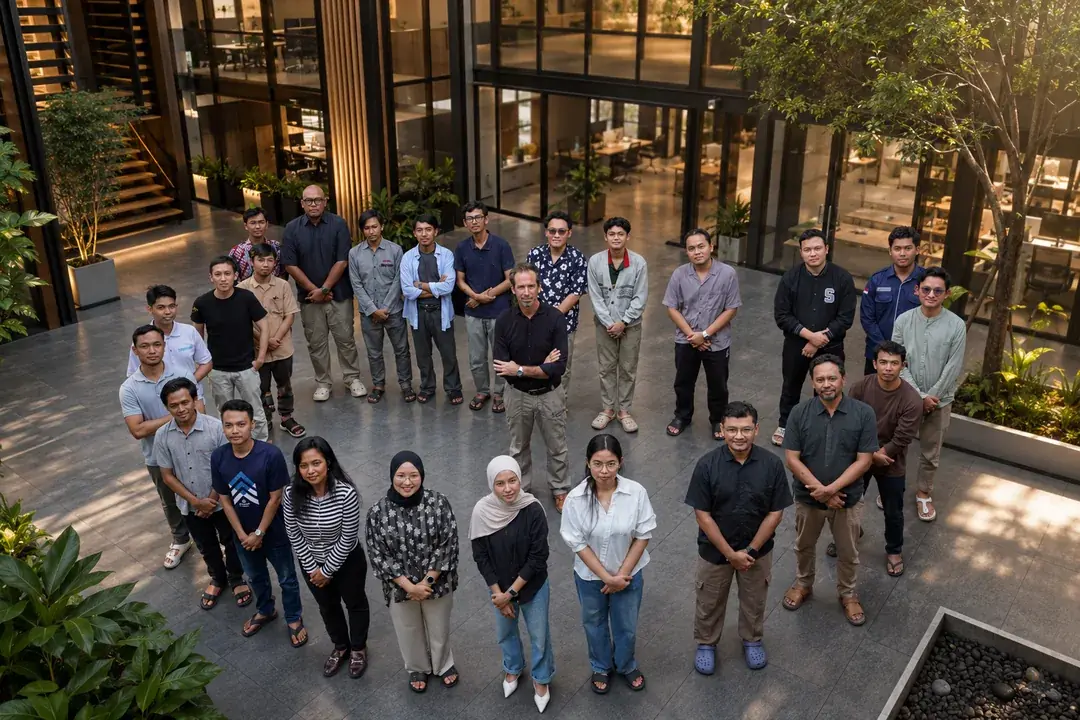
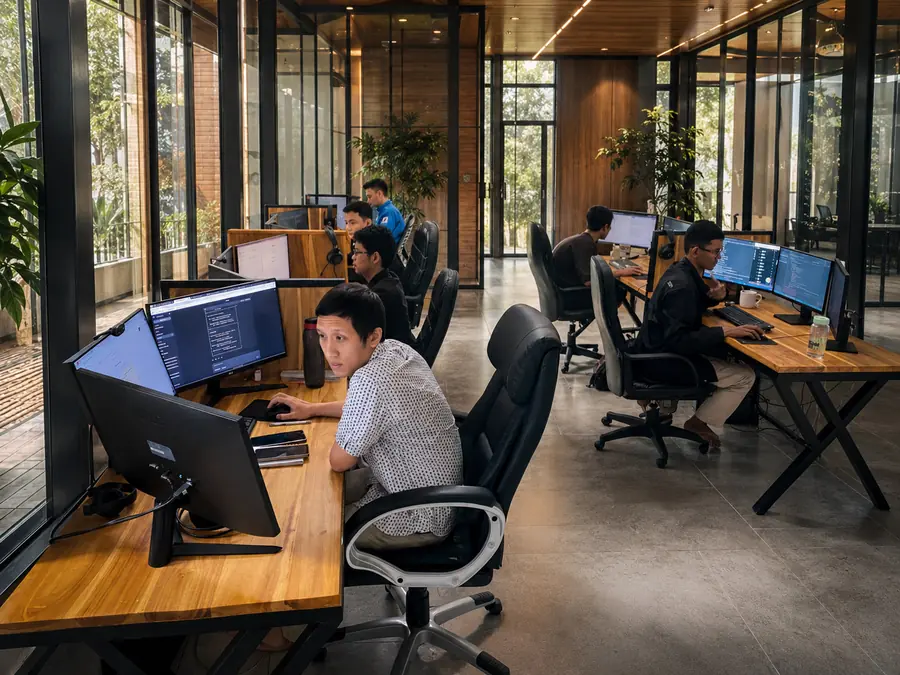
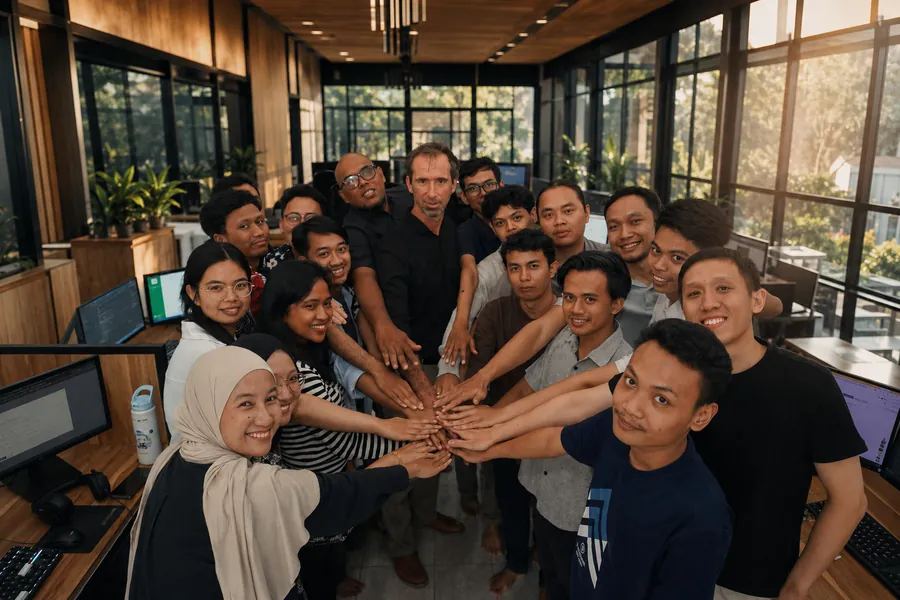
20 developers in Yogyakarta plus project managers, business analysts, testers, functional consultants and security specialists — hired out of around 500 candidates, every skill in-house, nothing outsourced. Among them 3 certified functional consultants and 3 senior experts with 10+ years each. The developer who knows your system is still here next year; large firms can rarely promise that.

The Doodex team — the Doodex Odoo team in Yogyakarta, Indonesia
The Doodex teamYogyakarta
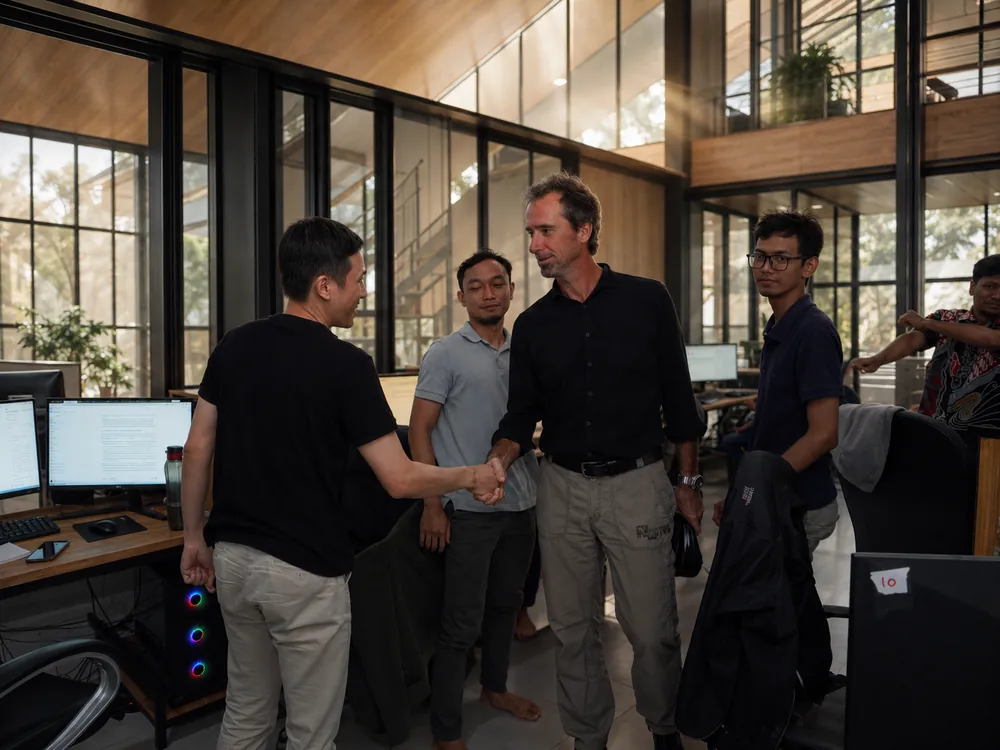
Doodex studio — the Doodex Odoo team in Yogyakarta, Indonesia
Doodex studioYogyakarta
Thirty people, one team — the Doodex Odoo team in Yogyakarta, Indonesia
Thirty people, one teamYogyakarta
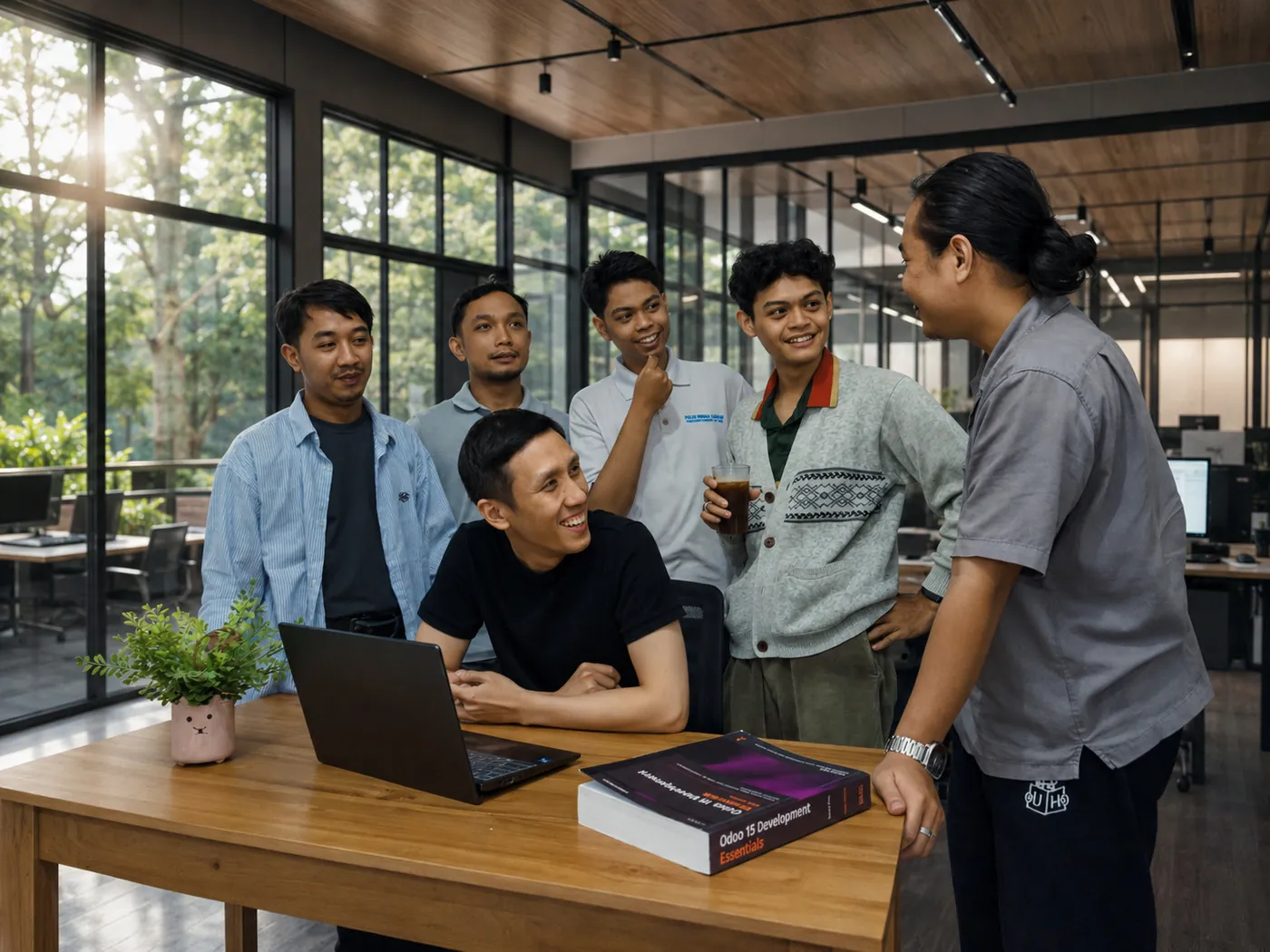
A working session — the Doodex Odoo team in Yogyakarta, Indonesia
A working sessionYogyakarta
Scoping workshop — the Doodex Odoo team in Yogyakarta, Indonesia
Scoping workshopYogyakarta
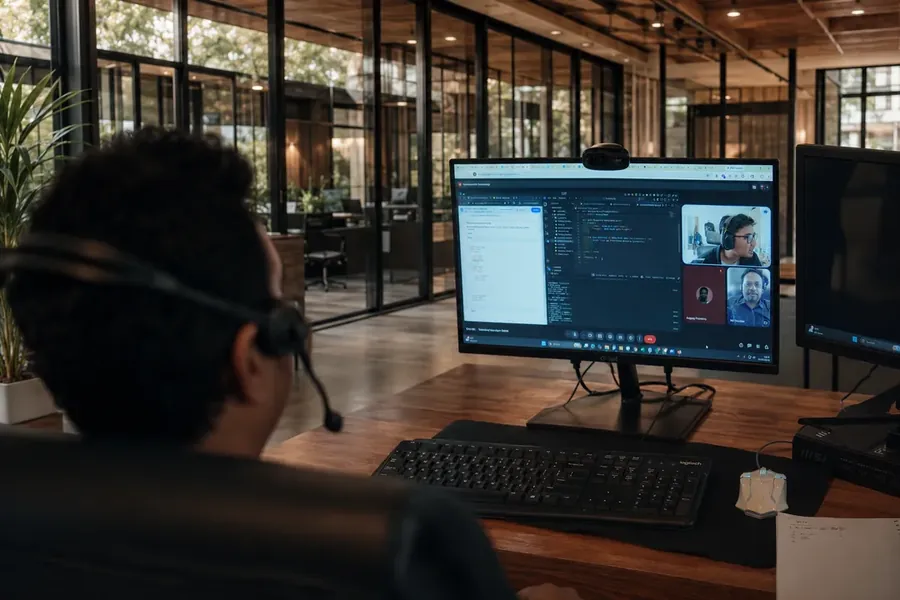
Working with clients remotely — the Doodex Odoo team in Yogyakarta, Indonesia
Working with clients remotelyYogyakarta
On partner level: we're a Ready partner, not Silver or Gold — those levels reward how many licenses a partner sells, and that isn't our business. We take a small number of long-term projects instead. On price: we work as a monthly subscription, usually $4,000 to $25,000 a month depending on how much of our team you need. We publish the range so you know if we're in your bracket before the first call. — meet our experts →
Fit check

Odoo for the manufacturing industry: who this actually fits.

Countable products through assembly, made-to-order work or light batch production, where the factory needs to be connected to sales, inventory and accounting.

Mid-size manufacturers

50 to 1,000 employees with complex processes

Multi-site groups

Several plants on one platform

Made-to-order

Engineered or configured per customer

Outsourced production

Subcontracted machining, coating, finishing

Sectors

Six manufacturing processes we have already built this on.

Six sectors we work in, and what the manufacturing process actually demanded in each one.

Industry · 01

Furniture

Our oldest industrial stronghold. Three large furniture manufacturers, each on a different configuration, and a longest-standing client that has doubled output since moving onto one system.

Furniture manufacturing workshop — the industry where Doodex has run Odoo manufacturing the longest
Industry · 02

Indoor farming

Growing recipes built on standard MRP, machine and robot fleet management, production planning and batch traceability from seed to shipped crate. Futura Gaia runs it in production.

Indoor vertical farming with robots — Futura Gaia's Odoo ERP connected to farm machines
Industry · 03

Food & beverage

Quality control points on every batch, lot tracking both ways, and the audit trail inspectors ask for. Recipe-based production needs modeling work — we price that honestly up front.

Food and beverage production line where Odoo quality control points run on every batch
Industry · 04

Field installation

Sales opportunity to on-site installation to scheduling to maintenance, with fine-grained access rights, desktop in the office and mobile for installers on site.

Water filtration system installed on site — Odoo field service from sales to maintenance
Industry · 05

Industrial equipment

Made-to-order and engineered-to-order production, where product lifecycle management keeps bills of materials trustworthy through constant revision.

Industrial equipment made to order, where Odoo PLM keeps bills of materials current
Industry · 06

Services with complex processes

Certification and inspection businesses with an exception at nearly every step — the case where 20 employees now do work 100 couldn't have done on the old stack.

Certification and inspection team working on an Odoo setup built around their process
… and more industries benefiting from the same manufacturing modules.
Frequently asked questions

Odoo manufacturing FAQ: what manufacturers ask before they commit.

Sixteen questions we get on the first call, answered the way we answer them on the first call.

Is Odoo good for manufacturing?

Yes — for companies that build countable products through assembly, made-to-order work or light batch production. The manufacturing module covers production, work orders, quality control, product lifecycle management and maintenance on the same platform as inventory, procurement and accounting.

It's weaker on advanced scheduling, recipe-based production, and certified compliance for heavily regulated industries. All three can be solved, but they're extra work you should price before you sign rather than discover in month nine.

Our own sweet spot is factories with roughly 50 to 1,000 employees and genuinely complex operations — that's where the payback on tailoring the system is biggest.

Which Odoo manufacturing modules do I need?

The smallest set that works is Manufacturing, Inventory and Purchase. Add Work Orders and the shop floor module when you need step-by-step tracking at each work center. Add Quality when you have inspections or audits.

Add PLM when your products change often, Maintenance when machine availability drives your schedule, and Barcode or IoT integration when data entry on the floor is slowing you down.

Most quotes include modules you won't use in year one. Mapping your process to the shortest list that covers it is exactly what the free diagnostic produces.

Does the Odoo manufacturing module handle multi-level bills of materials?

Yes. Multi-level bills of materials, kits, one bill of materials for a whole product range, by-products and scrap are all standard. A chair is made of a frame, and that frame has its own bill of materials — the system handles as many levels as you need.

Lot tracking and serial numbers give you full traceability both ways: from raw material through production to the customer who received it, and back again from a customer complaint to the supplier batch.

How you structure these is one of the decisions that is cheap to get right at the start and expensive to fix after two years of transactions.

Can it handle outsourced manufacturing operations?

Yes, three ways: the outside company supplies everything, you send them the components, or your supplier ships components straight to them.

If you outsource machining, coating or finishing, test this early — it's one of the stronger areas compared to similar systems, and one most competing mid-market ERPs handle badly.

How does quality control work?

You define quality control points that say exactly where a check happens — at a step, on a product, on a batch, or on receipt. Set them once and every batch inherits them, so nobody has to remember.

Quality checks can be pass/fail, a measurement inside a tolerance range, an instruction, or a photo. Failed checks raise a problem report with a cause, a fix and an owner, and a blocking check stops the step from closing at all.

That's the whole quality management loop in one module. For food, cosmetics, medical devices and auto parts suppliers, that plus lot tracking is the audit trail.

What does overall equipment effectiveness measure?

It's a single number combining how much of a work center's planned time it was actually available, how fast it ran, and how many good parts it produced.

The system calculates it from production data captured on the shop floor, so it's only as honest as your time recording — which is the argument for capturing time automatically rather than on paper.

Once it is honest, it replaces gut feeling with data driven decisions about where your capacity actually goes.

Can it do advanced scheduling?

Not on its own. Work center capacity is treated as a guideline rather than a hard limit, and the standard scheduler plans forward from a start date rather than backward from a delivery promise.

If you need scheduling that truly respects capacity, minimizes changeovers between products, or lets a planner test a scenario before committing the shop floor, you need an extra layer on top.

That's what our four-module Planning Suite does: it plans the whole order tree at once, moves connected orders together, works backward from the delivery date, and simulates unlimited what-if scenarios before anything touches the live schedule.

Community or Enterprise for manufacturing?

Enterprise, in nearly every manufacturing case. Quality, PLM, Maintenance, IoT integration, the shop floor app and most work order features are Enterprise-only.

Community can work for very simple assembly with no quality control or product-change requirements.

How much does it cost to implement?

Two things. First, the subscription — per user, per month, all modules included. Second, the work of setting it up. On our side, that runs as a monthly subscription of $4,000 to $25,000, depending on how much of our team you need.

What moves that number: how many sites you have, how complex your bills of materials are, how much data has to move off your legacy systems, and how much genuinely custom work your process needs.

We publish the range so you can decide whether we're in your bracket before the first call. Most partners won't tell you until they send a proposal.

How long does it take?

A standard setup with no data to import takes one week to one month. With data migration, a few months. After that, it follows whatever you want to build next.

Anyone who quotes a fixed timeline before seeing your bills of materials is guessing.

What if the project goes wrong?

After the first month of work, we ask if you're happy. If you're not, you stop and you get no invoice. We call it the Doodex challenge.

To date, no client has stopped after the first month. About half of all ERP projects fail industry-wide, and some companies spend two or three years on one and end up with nothing they can use — so we take that risk off your side of the table.

Do you use Odoo Studio or write real code?

We write real code, never Studio. Studio is a drag-and-drop tool for light changes by people who don't program.

Proper code gives you clean version history, automated testing, better performance, and a clear path to future versions — none of which Studio changes can offer.

Will your custom work survive upgrades?

This is the right question to ask, because a major Odoo version ships every year and heavy customization is what makes upgrades expensive.

We answer it three ways. Everything we build follows strict coding rules so it's upgrade-ready from day one. We built our own tooling for moving code and data to new versions quickly. And automated tests catch anything that breaks before you ever see it.

Will you customize our accounting?

No. The Accounting module is complete as it is, it holds sensitive data, and official recognition under the new French e-invoicing rules depends on that part staying untouched.

When accounting needs to work differently, we build on top of it rather than changing it.

Can it replace SAP or Sage in a factory?

Often, yes — and we've done those moves. The real questions are whether your compliance requirements come built into your current system, how much custom logic is buried in the legacy system, and how much data has to move.

Our comparison pages go through this vendor by vendor, including the cases where we tell you the incumbent is the better fit.

Do I need a partner, or can I implement it myself?

It really is self-installable for simple businesses. Manufacturing is rarely simple.

How you structure your bills of materials, sequence your operations, value your stock and set your warehouse rules are decisions that are cheap to get right at the start and expensive to fix after two years of transactions.

A partner's value is in the first three weeks of decisions, not in the clicking.

Manufacturing diagnostic

Find out if Odoo fits your factory — in 45 minutes.

No demo. No sales deck. A specialist walks through your manufacturing process with you and gives you the shortest list of modules that covers how you actually work, a list of gaps — what's a setting, what needs building, what the system simply won't do — and a realistic budget and timeline, before you commit to anything.

Free. No commitment. If this is the wrong tool for you, we'll say so. And if you go ahead, your first month is risk-free — not happy, no invoice.