


If you run a Shopify store and use Odoo as your back office, an Odoo Shopify integration connects the two systems so orders, stock, customer records, and accounting data stay in sync automatically. Running them as separate platforms means double the work — re-keying orders and customers, chasing stock levels and inventory, and reconciling accounting by hand.
A Shopify Odoo integration closes that gap. The Odoo Shopify connector installs as an Odoo module — an app on your Odoo instance — and keeps Shopify and Odoo aligned, so your team can manage one set of data instead of two, fulfill faster, avoid overselling, and scale across one or multiple stores without the double entry.
Below, we break down how the connector works, what data syncs between Shopify and Odoo, the main benefits, implementation steps, pricing, requirements, and common questions.
What syncs when you connect Shopify to Odoo
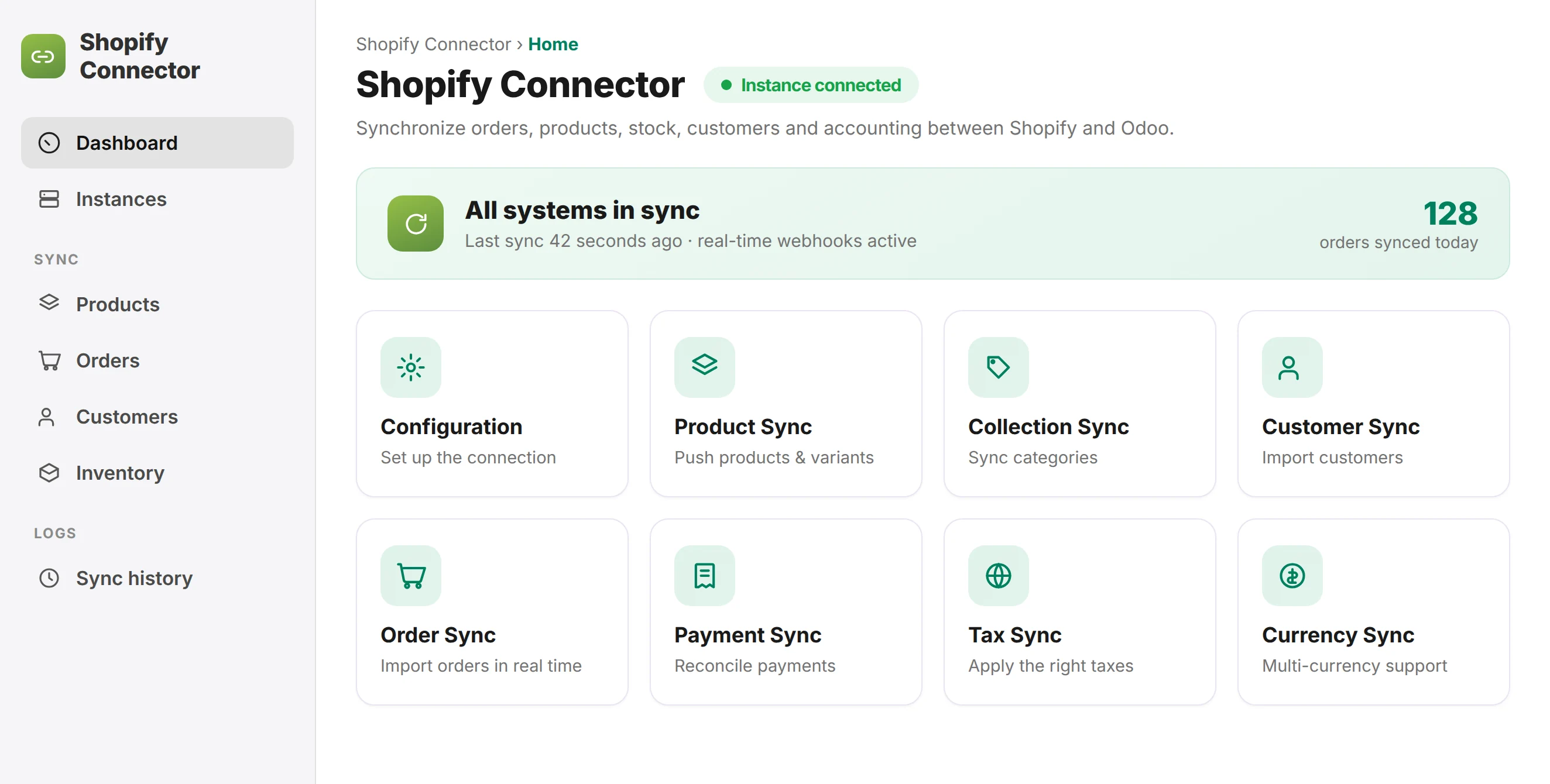
The Odoo Shopify connector keeps both platforms aligned in real time. Here is exactly what syncs between your Shopify store and Odoo, and in which direction.


How the Odoo Shopify connector works
 Shopify store
 Odoo ERP
The Shopify connector links your Shopify app to Odoo through a secure API. Orders and product changes sync in real time via Shopify webhooks, while inventory can sync in real time or on a schedule you control.
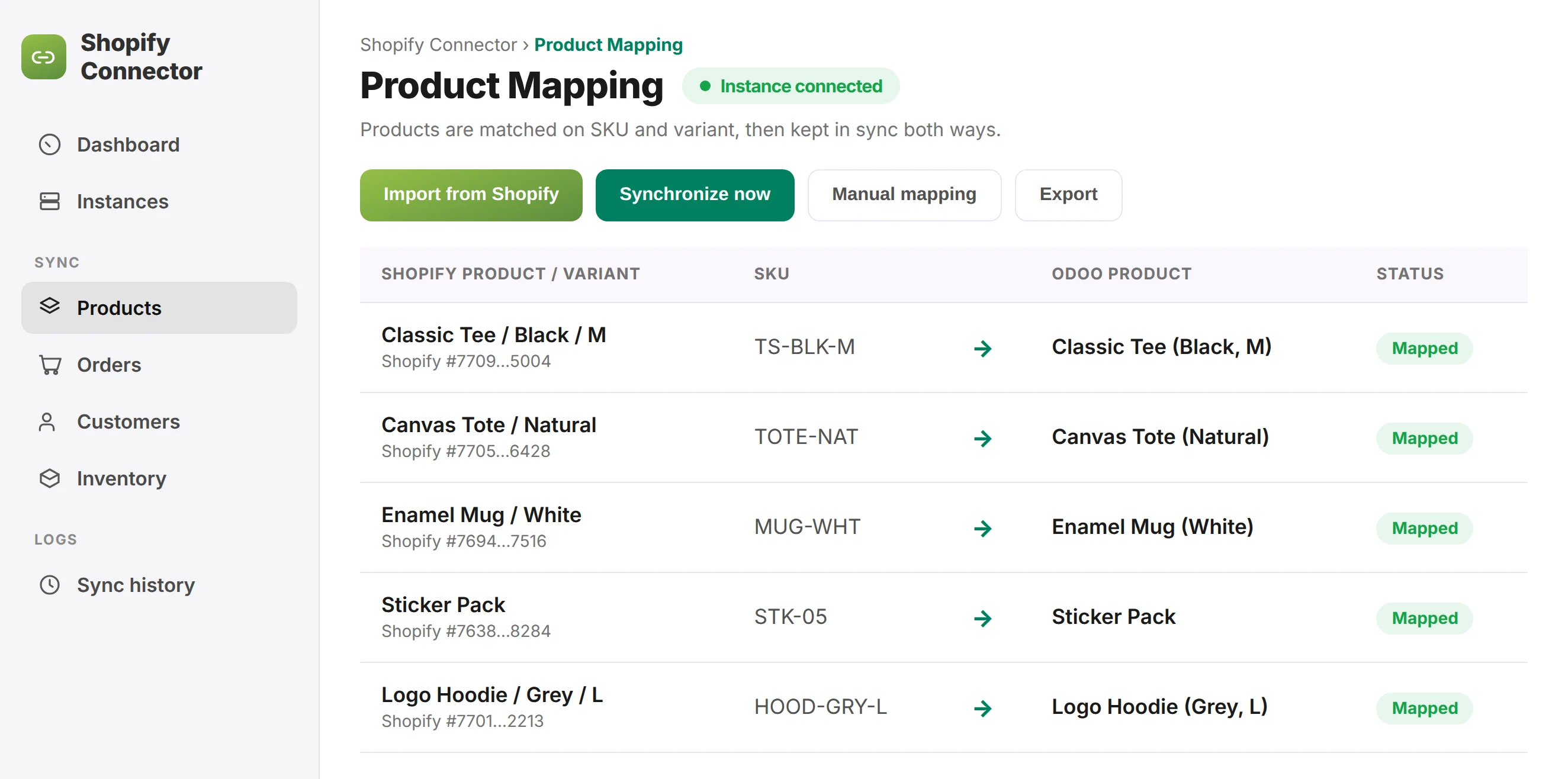
This module matches products on SKU and variants, and maps Shopify locations to Odoo warehouses, so every order, stock level, and sales channel stays in sync. The connector can create Odoo orders, invoices, and delivery operations from each Shopify order, copy the billing and shipping address, and push updates back through the same API. Onboarding follows a clear, step by step guide, and the Odoo connector is compatible with Odoo Online, Odoo.sh, and on-premise. Because the Shopify to Odoo sync is automated, your sales data, inventory, and customer data are always up to date — real time synchronization without manual data entry. With Shopify webhooks, real-time sync typically runs with a lag of just 30 seconds to 2 minutes. For most stores, the initial connector setup and configuration takes about one to two hours.
How to connect your Shopify store
Getting Shopify connected to Odoo is quick. You add a custom app in your Shopify admin, allow the access the connector needs, and enter the API details in Odoo — Doodex takes it from there with the mapping and the first sync.
In Shopify admin, go to Settings → Apps and sales channels → Develop apps and create an app. Turn on Admin API access for products, orders, inventory and customers, and Shopify gives you an API key and an access token.
Enter the store URL (yourstore.myshopify.com), the API key and the token in the Shopify screen inside Odoo. Doodex wires up the webhooks and the scheduler, then tests it on real orders before you go live.
After that it is normal Odoo. Doodex lines up your products, price lists, taxes and fiscal setup, picks the warehouse and sync direction, then imports everything so orders, stock and customers match.
You pick what syncs — products, orders, customers, stock and payouts — and how often. The connector keeps both sides current on a schedule you set, with a manual sync button and its own mapping for each store.
Why integrate Shopify with Odoo
A well-planned Odoo ecommerce integration keeps your Shopify store and Odoo in step, so orders, inventory and payouts stay accurate without double entry.
Built by Doodex, from Shopify app to Odoo ERP
We build on a proven Shopify Odoo connector for everything it handles well, then extend its functionality with custom development and XML-RPC integration for what standard connectors cannot handle — for example, multi-store setups, B2B pricing, custom field mapping, and detailed configuration. Whether you sell on one online store or manage online sales across several sales channels, we connect Shopify with Odoo so your operations stay simple. Clear roadmaps, realistic timelines, straightforward pricing — no hidden fees. Every Odoo e-commerce integration we deliver is hand-built and maintained by the same team, so your Shopify connector keeps working as your catalogue and order volume grow.
Every project includes hands-on support: our responsive support team installs the module, configures automation, tests the data sync, and trains your team to manage day-to-day operations. From syncing stock levels to reconciling payments, the goal is a reliable business system that helps your business grow, not just another app — and our team stays with you after go-live.





What the Odoo Shopify integration costs
We scope the Shopify connector and the implementation as one project and quote it after a short call — no hidden fees. Pricing depends on the number of Shopify stores, how much custom field mapping and detailed configuration you need, and any B2B or pricing logic. You will know the full scope and cost before you purchase or commit. There is no separate app purchase to worry about — we handle the connector, the configuration, and the support as one package.
Get a quoteRequirements, multiple stores & Odoo Online
A Shopify store with Admin API access, an Odoo instance (Enterprise, Odoo.sh, or on-premise), and clean product references (SKU) for accurate mapping. Multiple stores, multiple locations, multi-company, and multi-currency are all supported.
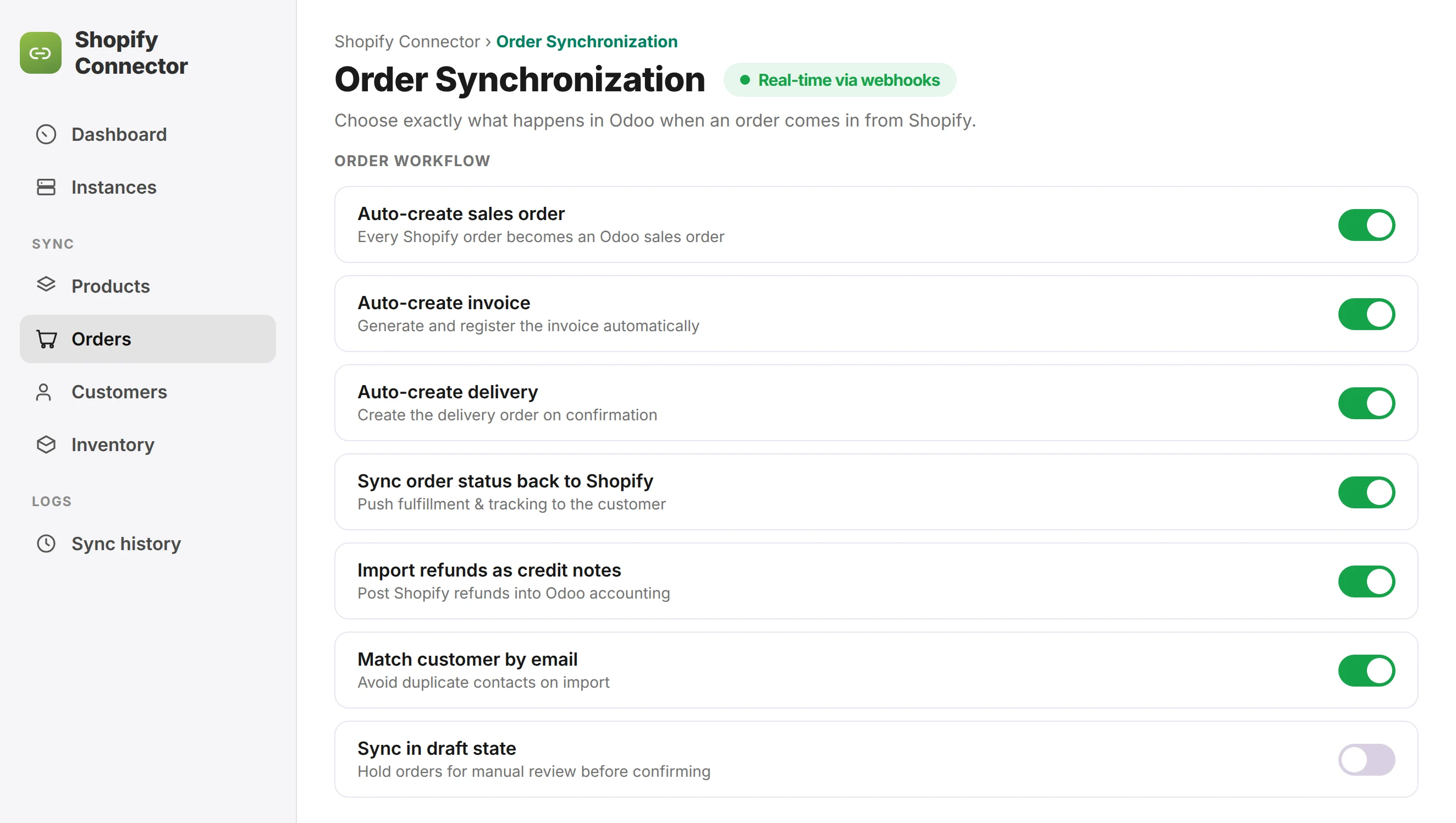
Orders and product updates arrive in real time via webhooks; inventory sync can be real time or scheduled. Mismatched SKUs and variants are the most common cause of mapping errors, so aligning them is part of the onboarding, and Shopify locations need mapping to the right Odoo warehouses up front.
E-commerce integrations
From storefronts to marketplaces, Doodex keeps the channels you sell on connected to Odoo — one dataset for orders, inventory and finance.



FAQ
Odoo Shopify integration FAQ
How do I set up the Shopify Odoo connector?
Through the Shopify connector app plus setup and configuration by Doodex, or a custom API and XML-RPC integration for advanced needs. Doodex handles the connector installation, mapping, and testing, so the module works from day one.
Can I connect multiple Shopify stores?
Yes, multiple Shopify stores and warehouses can sync into one Odoo instance and be managed together.
Do I need technical skills?
No. Doodex configures and tests the whole integration; our team handles the full configuration and gives you excellent support after launch.
Which Odoo editions are supported?
All of them — Enterprise, Odoo.sh, Odoo Online, and on-premise, on both Enterprise and Community.
How often does data sync?
Orders and products sync in real time through Shopify webhooks; inventory and stock levels can sync in real time or on a schedule.
Which way do orders and inventory flow?
Orders, customers, and payments sync Shopify to Odoo; products, collections, stock, and shipment status sync Odoo to Shopify.
What data can the connector sync?
The Odoo Shopify connector syncs product data, inventory, orders, customers, and their billing and shipping address details, so all your Shopify data lives in one Odoo ERP. You can also create custom mappings for extra field details and create new automation rules.
Will it work with my existing Shopify app and store?
Yes. The module installs as an app on your Odoo instance and connects to your Shopify instance, so you can integrate Shopify with Odoo ERP whatever apps you already run — keeping stock and business data in sync across Odoo and Shopify.
How long does the Shopify Odoo integration take to set up?
For most stores, the initial Shopify connector setup and configuration takes about one to two hours; larger catalogues and custom mappings take a little longer. Doodex handles the whole configuration and testing for you.
How fast does the real time sync update?
With Shopify webhooks, real-time sync usually updates within 30 seconds to 2 minutes, so stock levels and orders stay current across Shopify and Odoo.
Ready to connect Odoo and Shopify?
Tell us about your Shopify store and we will map out the integration — from Shopify connector configuration to custom development. Sell on Shopify, and manage everything in Odoo. Odoo and Shopify, finally working as one.