




What syncs when you connect Magento to Odoo
The Odoo Magento connector keeps both platforms aligned through automated data synchronization — order sync in real time via webhooks, and a scheduled sync for everything else. The simplest way to picture the sync is three lanes: what the connector imports from Magento to Odoo, what it exports back to Magento, and what stays mirrored on both sides. Every sync direction is covered below.
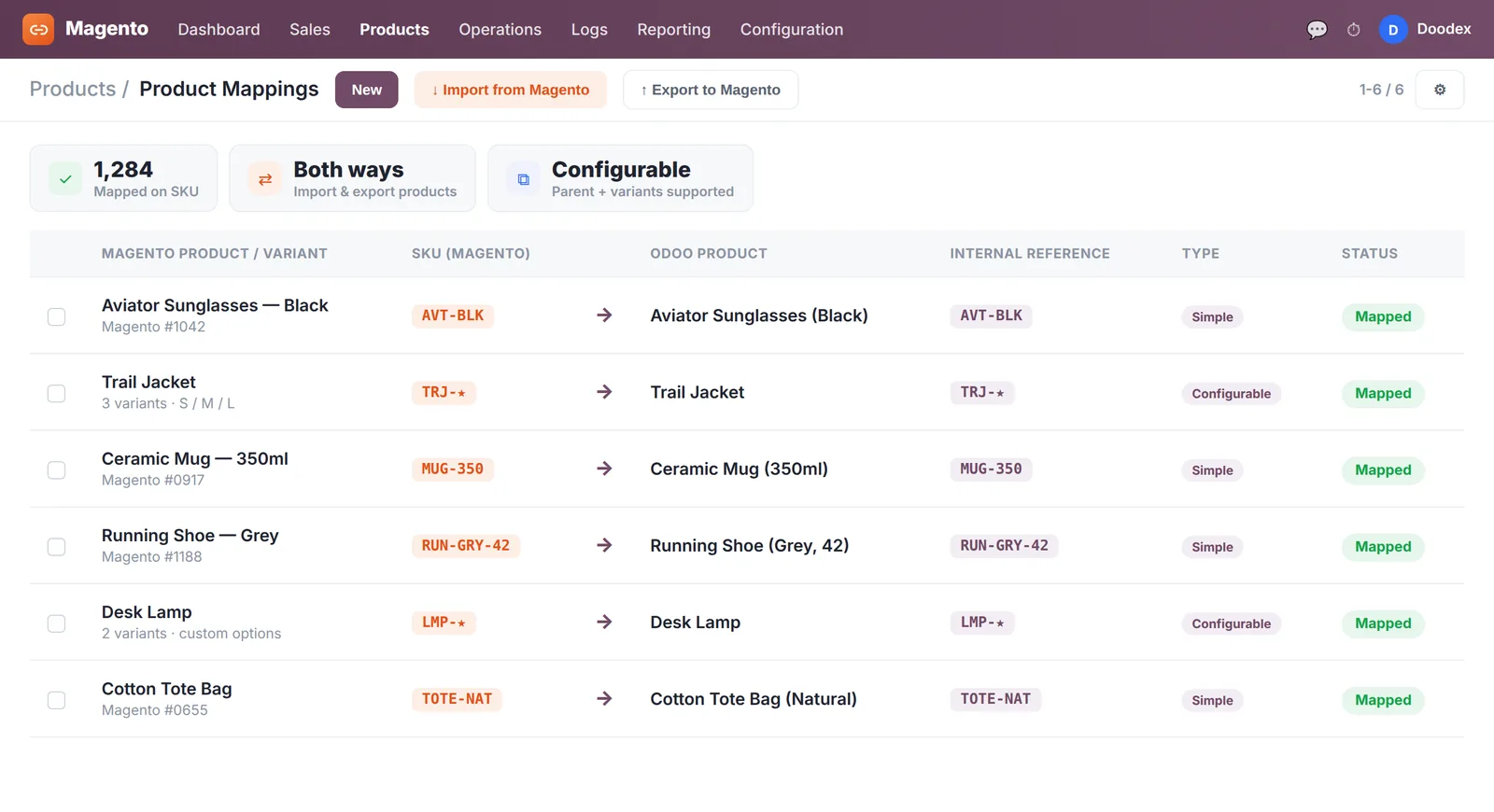


How the Odoo Magento connector works


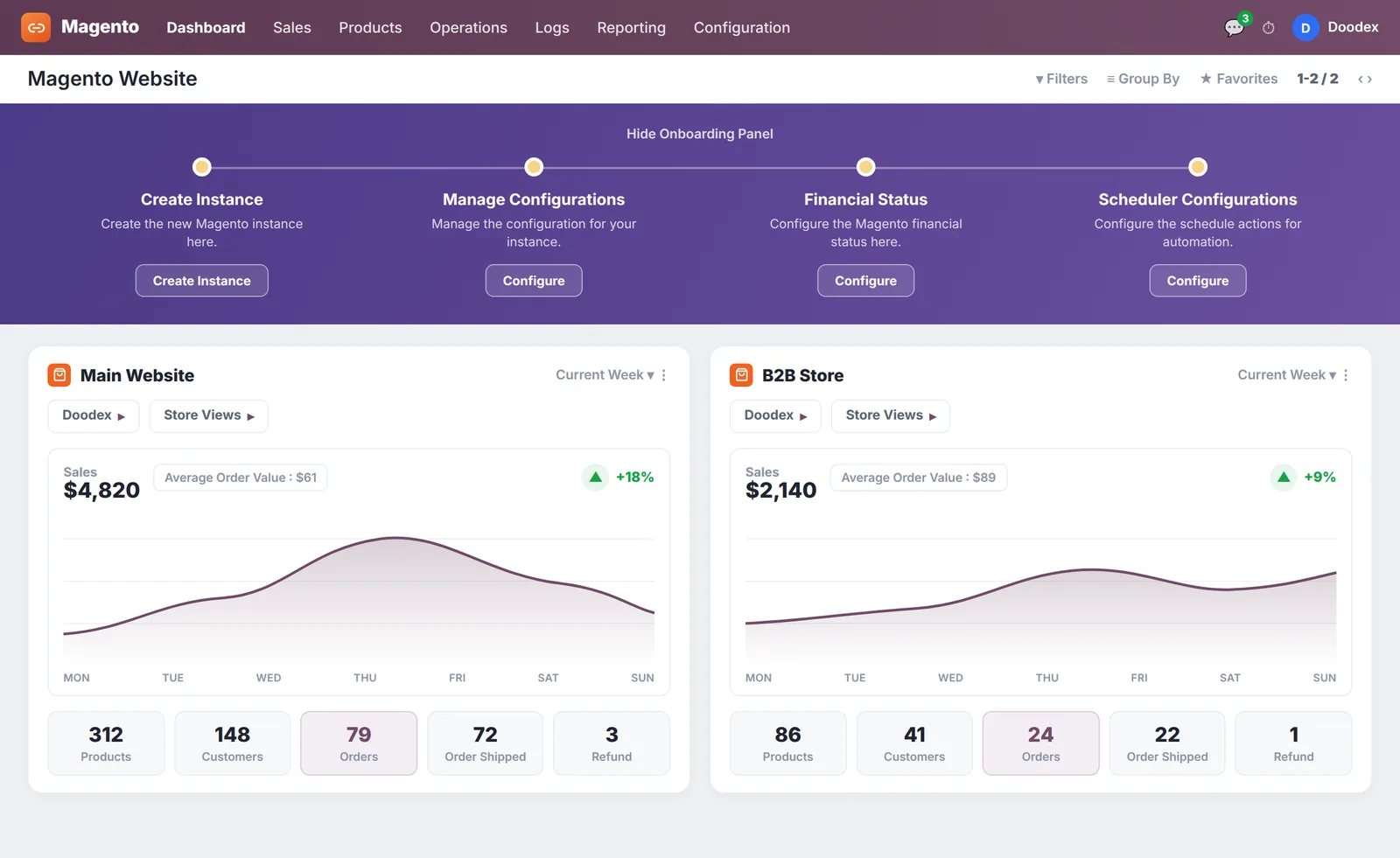
The Magento 2 Odoo connector links your Magento 2 store to Odoo through the Magento REST and Admin API. Order sync runs in real time via webhooks on order create and cancel, while products, inventory, prices and catalogue import and export on a cron job you schedule.
The base module matches products on SKU against the Internal Reference (the Odoo id), and maps Magento inventory sources to Odoo warehouses, so every order, stock level and sales channel stays in sync. This magento to odoo sync — and the odoo to magento export — keeps stock levels correct across channels.
From each Magento order, the connector creates the Odoo sale order, then exports invoices, shipments, tracking numbers and credit memos back to Magento through the same API. Routine catalogue, inventory and price updates are automated through the queue and a cron job.
The connector dashboard shows the key features at a glance — a donut chart and line graph of records synced, plus synchronization history and a full history log you can analyze for further use. Onboarding is guided — instance, website and store view, then product mapping.
The Odoo connector is self hosted on Odoo.sh or on-premise, on Odoo Community and Odoo Enterprise; it is not for Odoo Online. Multiple Magento stores and websites can import into one Odoo database, with dashboards per instance and per website, so several Magento 2 storefronts sync into a single Odoo connector.
How to connect your Magento store
Linking Magento 2 with Odoo is straightforward. You set up an API integration in Magento admin, give the connector access to the right data, and enter the access token in Odoo — then Doodex maps the catalog and starts the first sync.
Open System → Extensions → Integrations in Magento admin and add an integration. Give it access to customers, orders, products and inventory, then click Activate — Magento returns an access token together with the OAuth keys.
Put your Magento base URL and that access token in the Magento screen inside Odoo. Doodex sets the start date, the default warehouse and how your websites and stores map across, then checks it on live orders before go-live.
From there it is regular Odoo. Doodex connects your Magento websites, stores, attributes, taxes and fiscal rules, adds multi-store and B2B pricing when needed, then runs the first import so products, stock and orders stay accurate.
Choose the data that flows — products, orders, customers, stock and invoices — and the timing. The connector holds both systems in sync on your schedule, with a force-sync option and per-website mapping for larger setups.
Why integrate Magento with Odoo
A well-planned Odoo ecommerce integration keeps your Magento store and Odoo working as one system, so orders, inventory and accounting stay accurate without double entry.
Built by Doodex, from Magento store to Odoo ERP
We build on a proven Magento 2 Odoo connector for everything it handles well, then extend its functionality with custom development and XML-RPC integration for what standard connectors cannot handle — for example, multi-store and multi-website deployments, B2B pricing, custom attribute and custom-option mapping, and mapping beyond the default fields to your business needs. Whether you sell on one Magento 2 store or manage online sales across several websites, we integrate Odoo with Magento 2 so your operations stay simple. Clear roadmaps, realistic timelines, straightforward pricing — no hidden fees. Every Odoo e-commerce integration we deliver is hand-built and maintained by the same team, so your Magento connector keeps working as your catalogue and order volume grow.
Every project includes hands-on support: our responsive support team installs the base module, configures the automated workflows and cron job, tests the data synchronization against real orders, and trains your team to manage day-to-day operations. From inventory updates to reconciling invoices, credit memos and refunds, the goal is a reliable business system that helps your business grow, not just another app — and our team provides ongoing support after go-live.




What the Odoo Magento integration costs
We scope the Magento connector and the implementation as one project and quote it after a short call — no hidden fees. Pricing depends on the number of Magento 2 stores and websites, how much custom attribute mapping and configuration you need for your business needs, and any B2B or pricing logic. You will know the full scope and cost before you purchase or commit. There is no separate app or new purchase to worry about — we handle the connector, the configuration and the support as one package.
Request a quote →Requirements, multiple stores and hosting
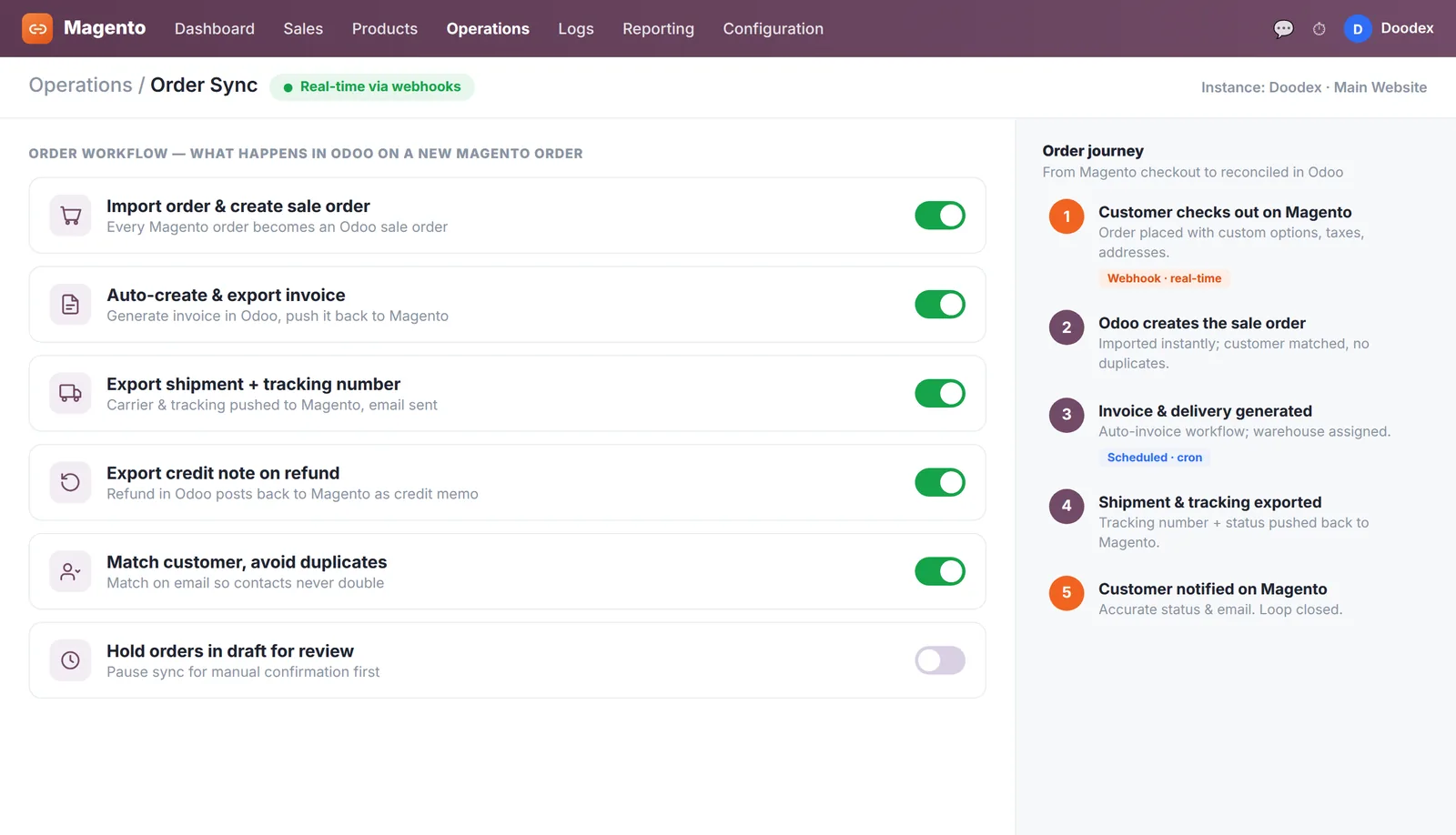
a Magento 2 store (2.1 to 2.4, Community or Enterprise) with REST and Admin API access, an Odoo instance self hosted on-premise or on Odoo.sh (Odoo Community or Odoo Enterprise), and clean product details — SKU and Internal Reference — for accurate mapping. Multiple stores, multiple websites, multiple inventory sources (MSI) and multi-company are all supported.
order sync arrives in real time via webhooks; catalogue, inventory and price synchronization run on a cron job. Mismatched SKUs and Internal References are the most common cause of mapping errors, so aligning them is part of onboarding, and Magento inventory sources need mapping to the right Odoo warehouses up front. Shipping methods and tax classes should be mapped early too. The Odoo connector runs on Odoo.sh and on-premise (not Odoo Online). Doodex provides support at every step.
E-commerce integrations
Doodex links every store and marketplace you run to Odoo, so orders, stock and settlements stay in sync from one back office.



Odoo Magento integration FAQ
How do I set up the Magento Odoo connector?
Through the Magento 2 Odoo connector module plus setup and configuration by Doodex, or a custom API and XML-RPC integration for advanced needs. Doodex handles the Odoo connector installation, product mapping and testing, so the Magento 2 Odoo connector works from day one and the first customer and order data sync cleanly.
Can I connect multiple Magento stores and websites?
Yes. Multiple Magento stores, websites and inventory sources can import into one Odoo instance through the Magento 2 Odoo connector and be managed together, with a dashboard per website and customer data kept in one place.
Do I need technical skills?
No. Doodex configures and tests the whole Odoo Magento integration; our team handles the full configuration and gives you excellent support after launch.
Which Odoo editions and hosting are supported?
Odoo Community and Odoo Enterprise, self hosted on-premise or on Odoo.sh, across Odoo versions 9 to 19. Note that this Magento connector is not for Odoo Online.
How often does data sync?
Order sync — order create and cancel — runs in real time through Magento webhooks; products, inventory, prices and catalogue import and export on a cron job you control.
Which way do orders and inventory flow?
The connector imports orders, customers, categories, attribute sets and taxes from Magento to Odoo; it exports invoices, shipments, tracking numbers, credit memos, order status and prices from Odoo to Magento. This magento to odoo import and odoo to magento export runs continuously, and products and inventory sync both ways.
What data can the connector sync?
It syncs products and attribute values, inventory, orders with custom options, customer records and customer data, categories, attribute sets, tax classes, invoices, shipments, credit memos and prices — so all your important data lives in one Odoo ERP. The connector can import products and export products, and you can map beyond the default fields for extra product details. A guided setup makes the first import and export straightforward.
Does it support Multi-Source Inventory (MSI)?
Yes. The connector supports both MSI and non-MSI, mapping Magento inventory sources to Odoo warehouses so inventory updates and product quantities stay accurate in both directions.
How does tax mapping work?
Import taxes from Magento and map Magento tax classes to Odoo through a tax mapping grid, so tax calculation is correct and every invoice shows accurate tax information.
Will it work with my existing Magento store?
Yes. The module installs as an app on your Odoo instance and connects to your Magento 2 store, so you can integrate Odoo with Magento whatever extensions you already run — keeping inventory and business data in sync across Odoo and Magento.
Ready to connect Odoo and Magento?
Tell us about your Magento 2 store and we will map out the integration — from Odoo Magento connector configuration and the magento to odoo import to custom development. Sell on Magento 2, run everything in Odoo, and let Magento 2 and Odoo finally work as one.